RevPrime® GTM platform for sales-led B2B SaaS & AI

One system where people and AI agents drive revenue.

AI agents take over the routine work in your revenue team: pipeline reports, CRM upkeep, getting leads into the CRM, budget checks and campaign drafts. The Data Hub gives them controlled access to your HubSpot or Salesforce, your ad accounts and your outbound tools. In the GTM Hub, they work with your team on plan, campaigns and deals. Anything an agent wants to change waits for your approval.

  • Agents with approvals
  • Figures checked against the source
  • Your own instance
  • Hosted in Frankfurt
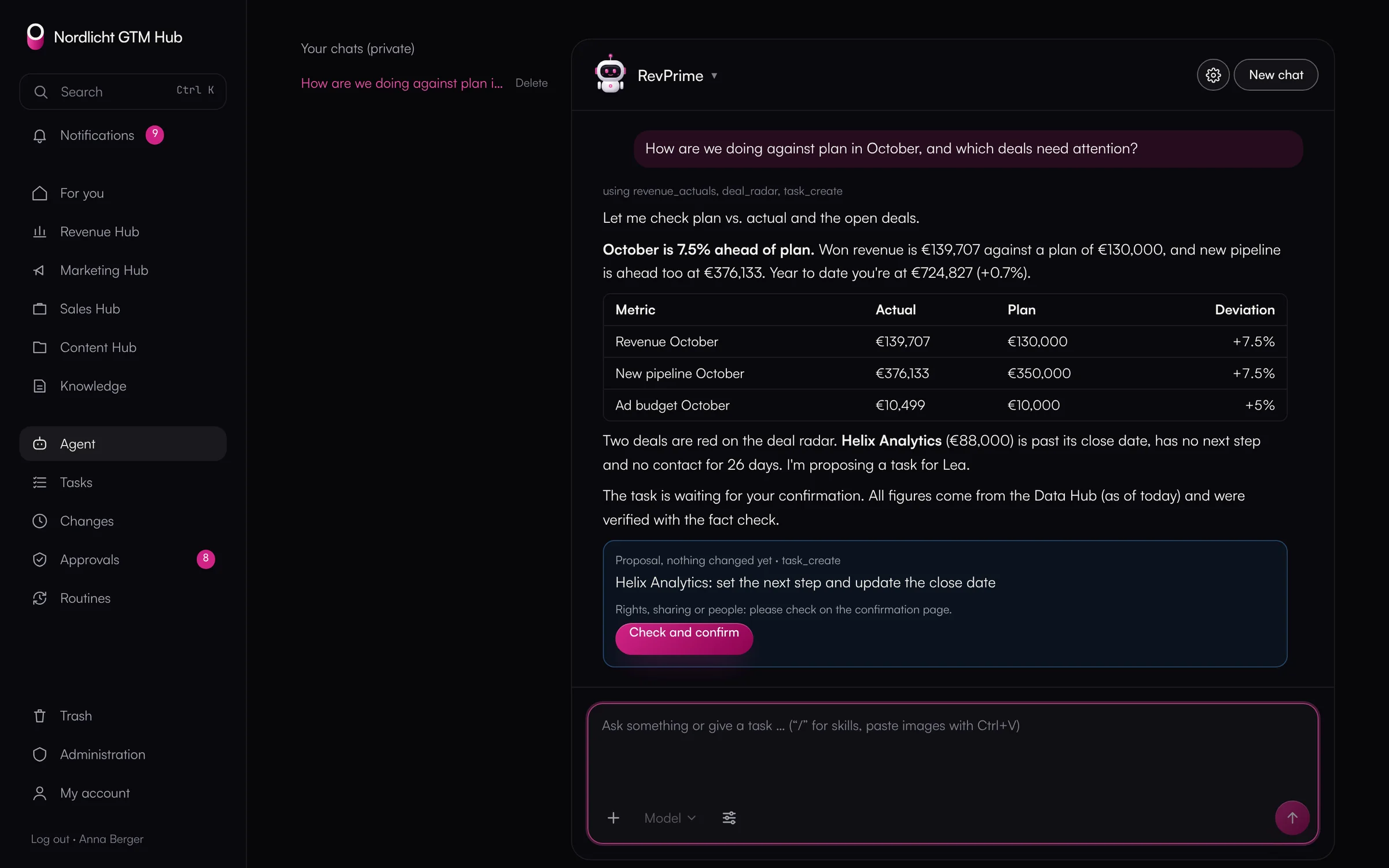
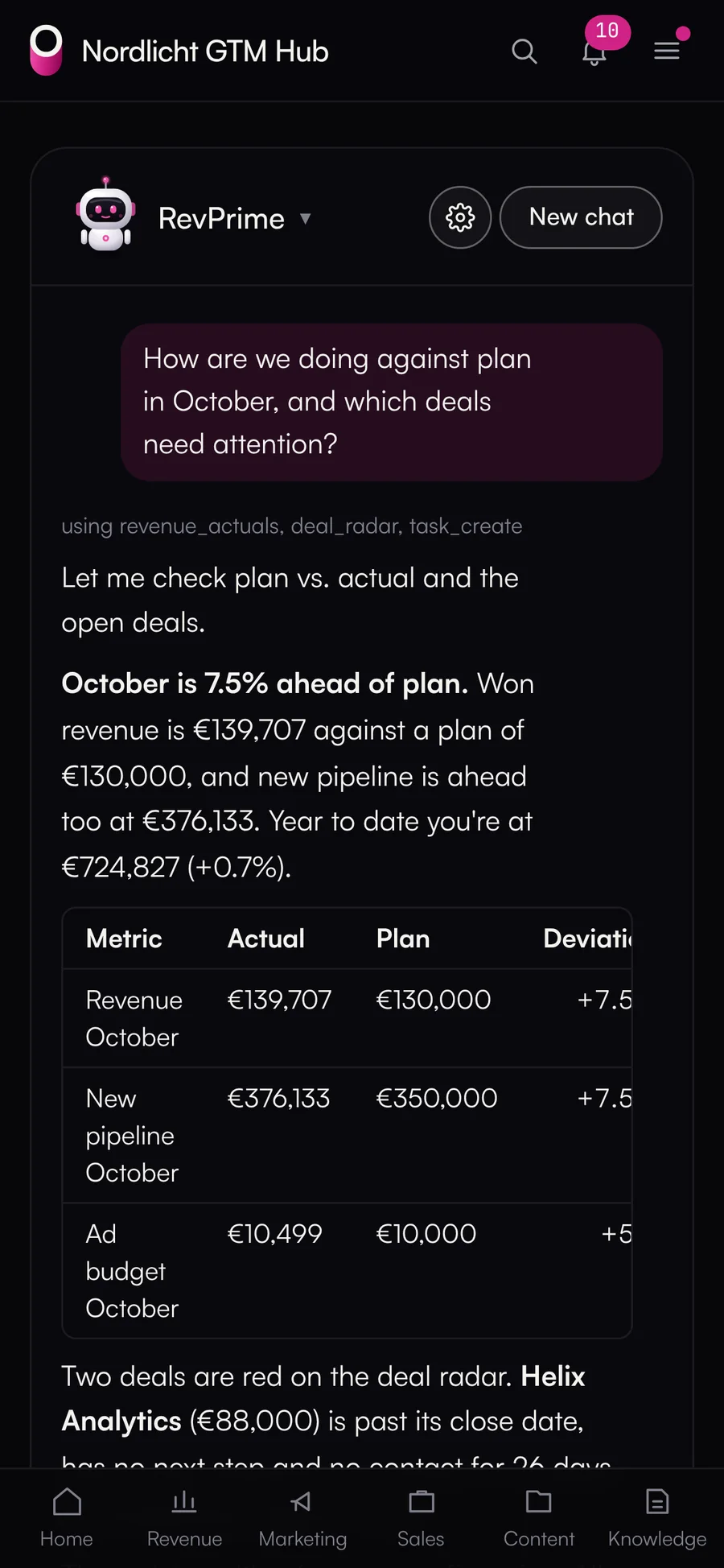
The agent in the GTM Hub answers a question about plan vs. actual and the deal radar and proposes a task for confirmation

The agent in the GTM Hub reads plan and pipeline through the Data Hub and proposes a task for approval · actual product, demo data

  • Google Analytics 4
  • Google Search Console
  • Google Tag Manager
  • Google Ads
  • LinkedIn Ads
  • Meta Ads
  • HubSpot
  • Salesforce
  • PPipedrive
  • Instantly
  • HeyReach
  • Clay
  • SSalesViewer
  • Notion
  • ClickUp
  • Clay MCP
  • HubSpot MCP
  • Meta Ads MCP
  • FMFibbler MCP
  • Notion MCP
  • ClickUp MCP
  • PMPipedrive MCP
Use cases

What agents take over in your revenue team.

These workflows run on the platform today, on a schedule or on request. In the end, you or someone on your team decides what changes.

  • GTM Hub + Data Hub

    Monday pipeline review

    Every Monday from 7 a.m.

    Puts together plan vs. actual, ad budget, red deals and new objections, checks the figures against the source and proposes tasks.

    You confirm the proposed tasks.

  • GTM Hub + Data Hub

    Deal hygiene and deal risks

    Daily or before the forecast call

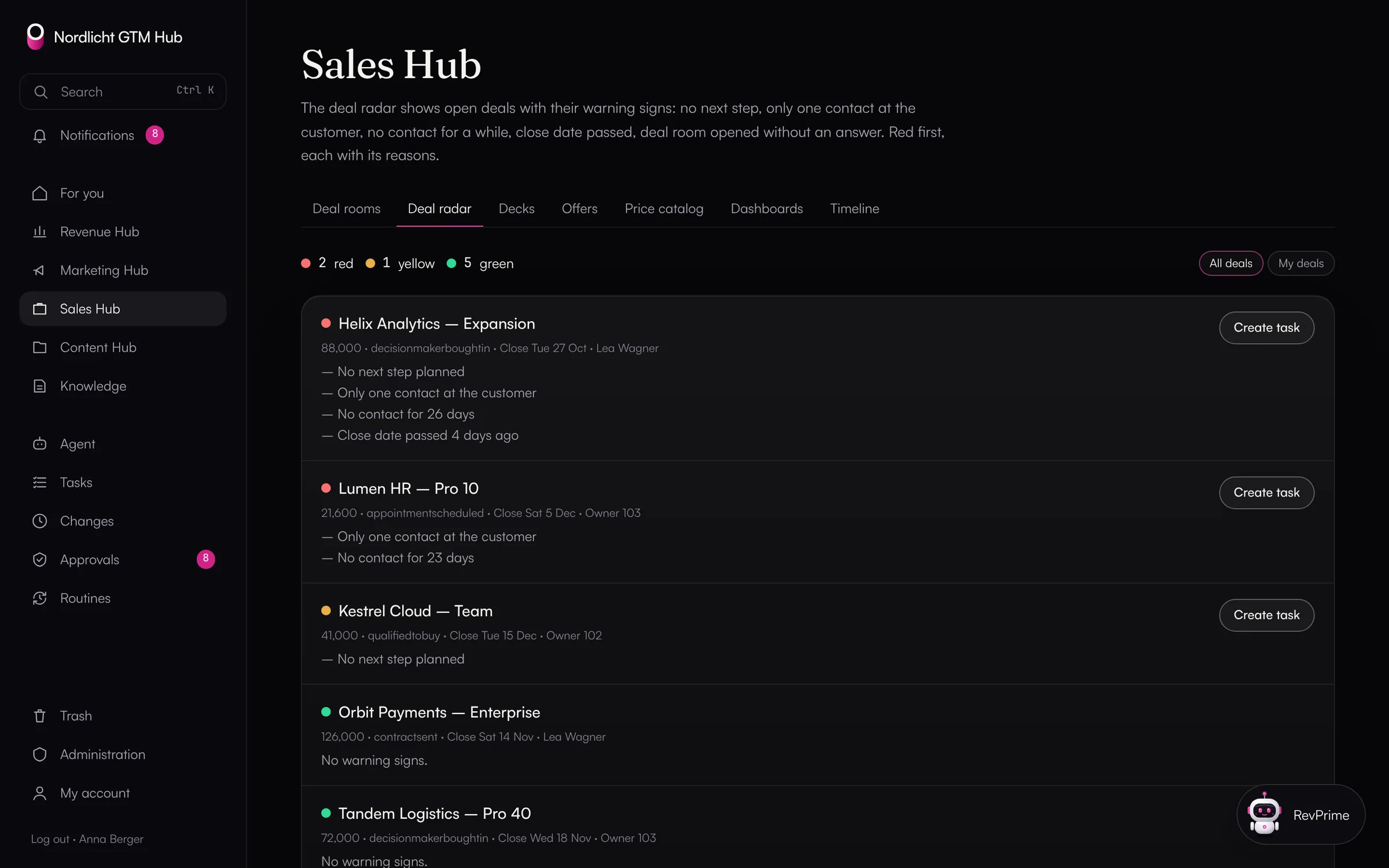
    Finds deals without an amount, with a past close date or without a next step, and proposes fixes and tasks.

    Your sales team or RevOps approves the changes in the CRM.

  • Data Hub

    Leads into the CRM

    After a webinar, an event or an outbound reply

    Checks the list, finds duplicates, enriches company data with Clay and creates contacts with follow-up tasks in HubSpot.

    Anything that touches more than 10 records needs approval from your team.

  • GTM Hub + Data Hub

    Ad budget against pipeline

    Every two weeks

    Sets costs from Google Ads, LinkedIn and Meta against deals in HubSpot, shows cost per opportunity and channels over budget, and proposes shifts.

    Budget changes in your ad accounts only run with approval.

  • GTM Hub

    Campaign content

    When a campaign starts

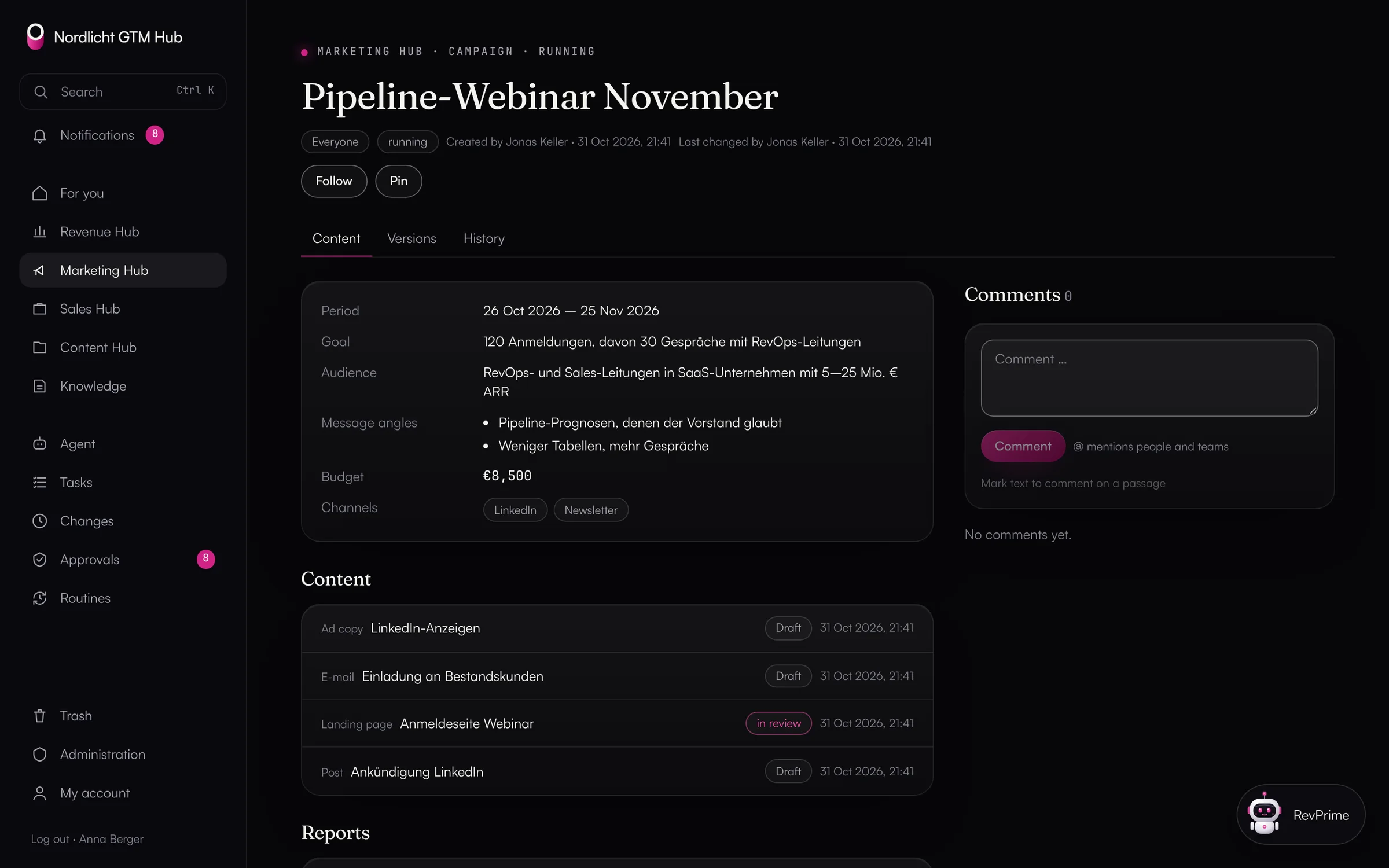
    Drafts landing page, email and ad copy in the Marketing Hub and checks them against your company's content rules.

    Only what a second person on your team approved goes live.

  • GTM Hub

    Objections and competitors

    Month by month

    Analyzes calls, meetings and notes in your HubSpot and turns frequent objections into objection cards, battlecards and content ideas.

    Every card is a proposal that someone on your team confirms.

The problem

More revenue processes than people.

Today

  • ✕Every month, your RevOps team rebuilds plan vs. actual by hand from a spreadsheet, HubSpot and three ad accounts.
  • ✕CRM upkeep, lead handover and reports eat the time your sales and marketing teams need for customers and campaigns.
  • ✕You only notice a stalled deal or a channel over budget once it has cost money.
  • ✕Your agents get an API key pasted into a chat and can do anything the account can. So you only let them read.
  • ✕Your forecast call runs on figures from an agent that nobody has checked.
  • ✕Approvals, decks and definitions are scattered across chats, drives and docs.

With the RevPrime® GTM platform

  • ✓Your agents handle reports, CRM upkeep, lead handover and budget checks on a schedule.
  • ✓Your team focuses on deals and campaigns and decides on what the agents propose.
  • ✓The deal radar and the budget forecast show deviations while there's still time to act.
  • ✓Your agents can write too, because rules, approvals, limits and a log are built in.
  • ✓Every figure in a report is checked against a fresh query at the vendor.
  • ✓Plan, campaigns, deal rooms, knowledge and approvals live in one place, for your team and your agents.
Two hubs, one system

One hub for the work, one for the data.

The GTM Hub is what your team opens every day, and where your agents work alongside it. The Data Hub sits underneath, connects your tools and governs what an agent may do in them. Both come from igromo, and the GTM Hub gets outside data only through the Data Hub.

RevPrime® GTM Hub

The workspace for your team and your agents

Plan, execution and measurement in one loop: four hubs with shared tasks, approvals, knowledge and agents that work with your company's context. You get your own instance with its own database, on your domain.

  • Revenue Hub: business plan, plan vs. actual, budget vs. spend, management report
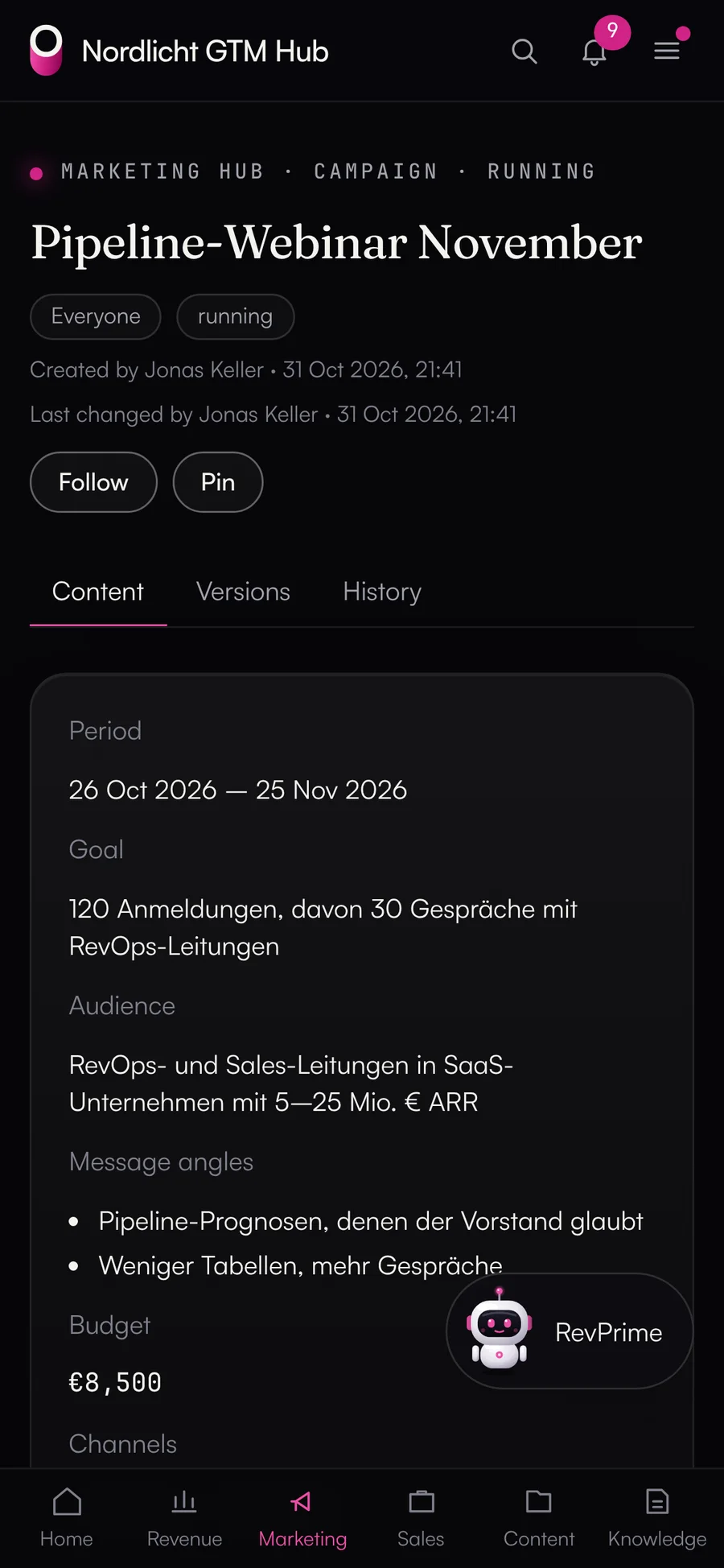
  • Marketing Hub: campaigns with content, approvals and channel dashboards
  • Sales Hub: decks, deal rooms, offers and the deal radar
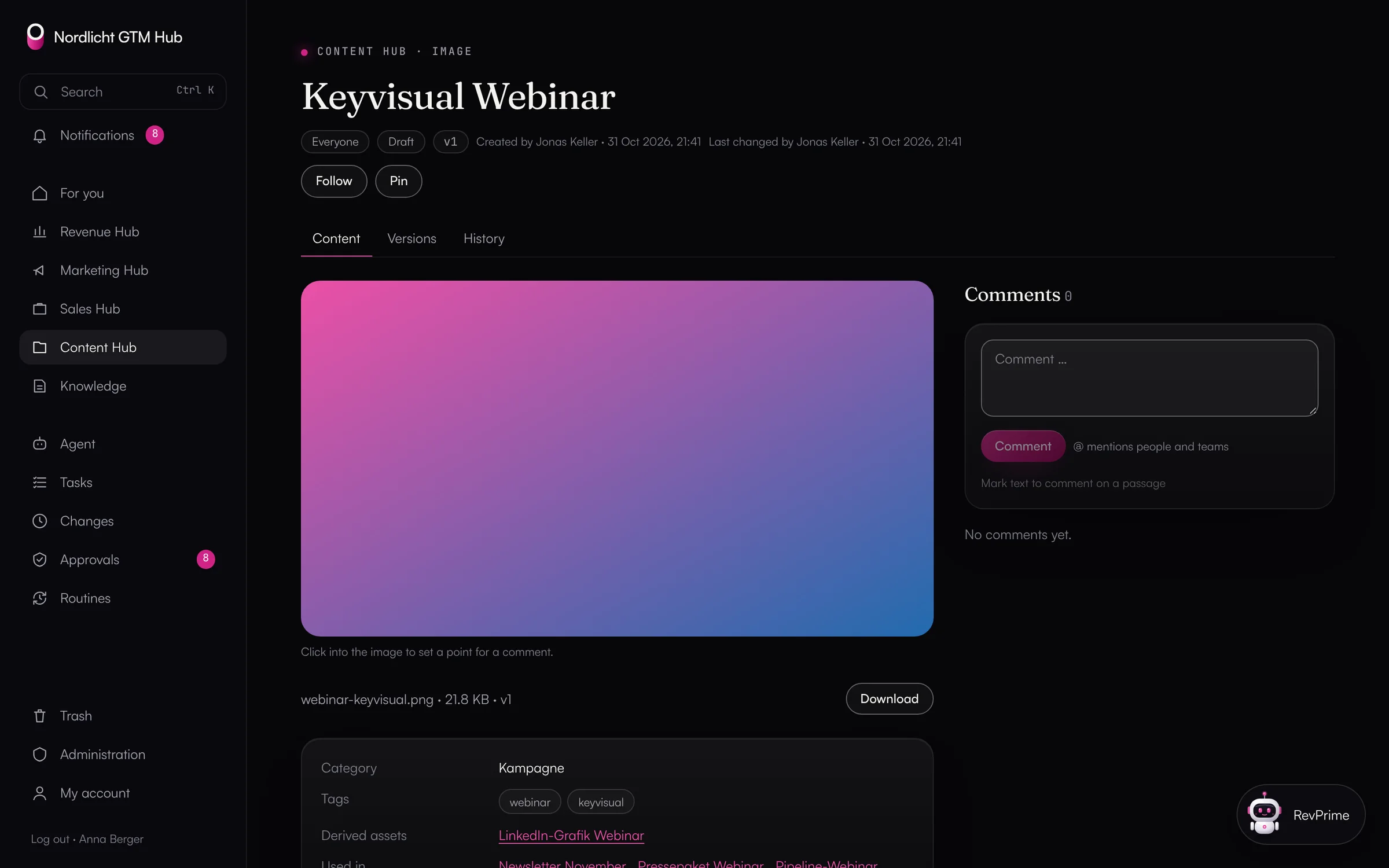
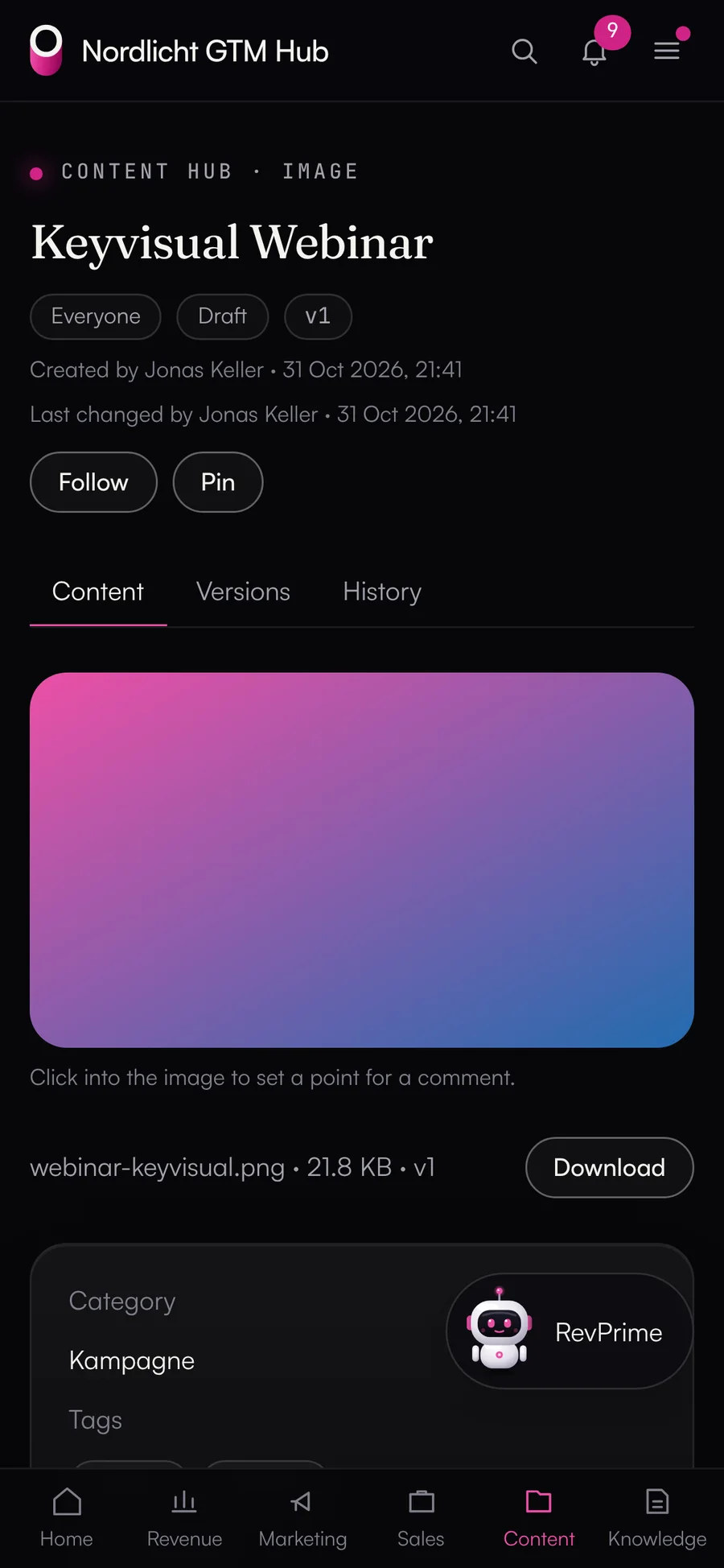
  • Content Hub: library with versions, editorial plan and share links
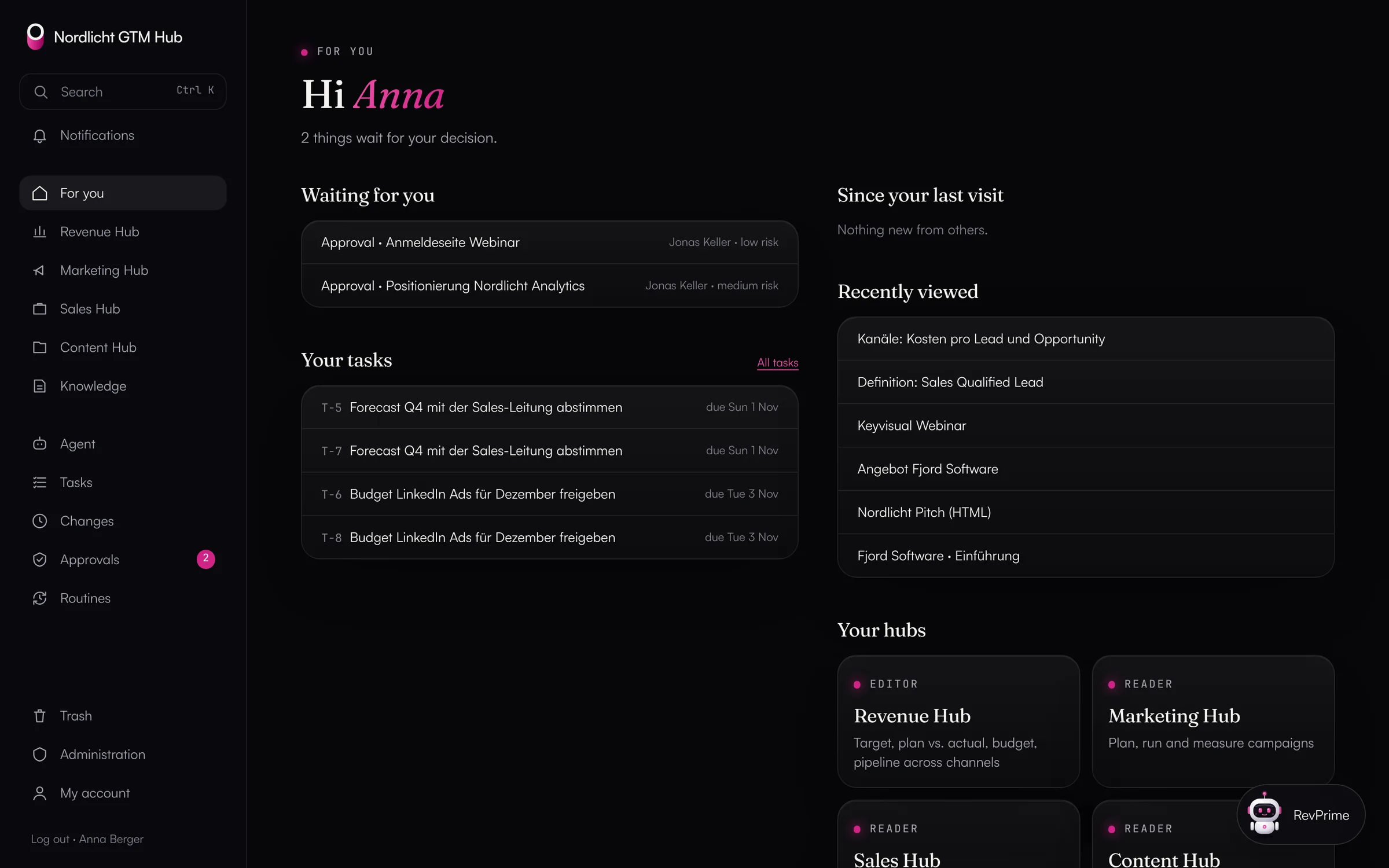
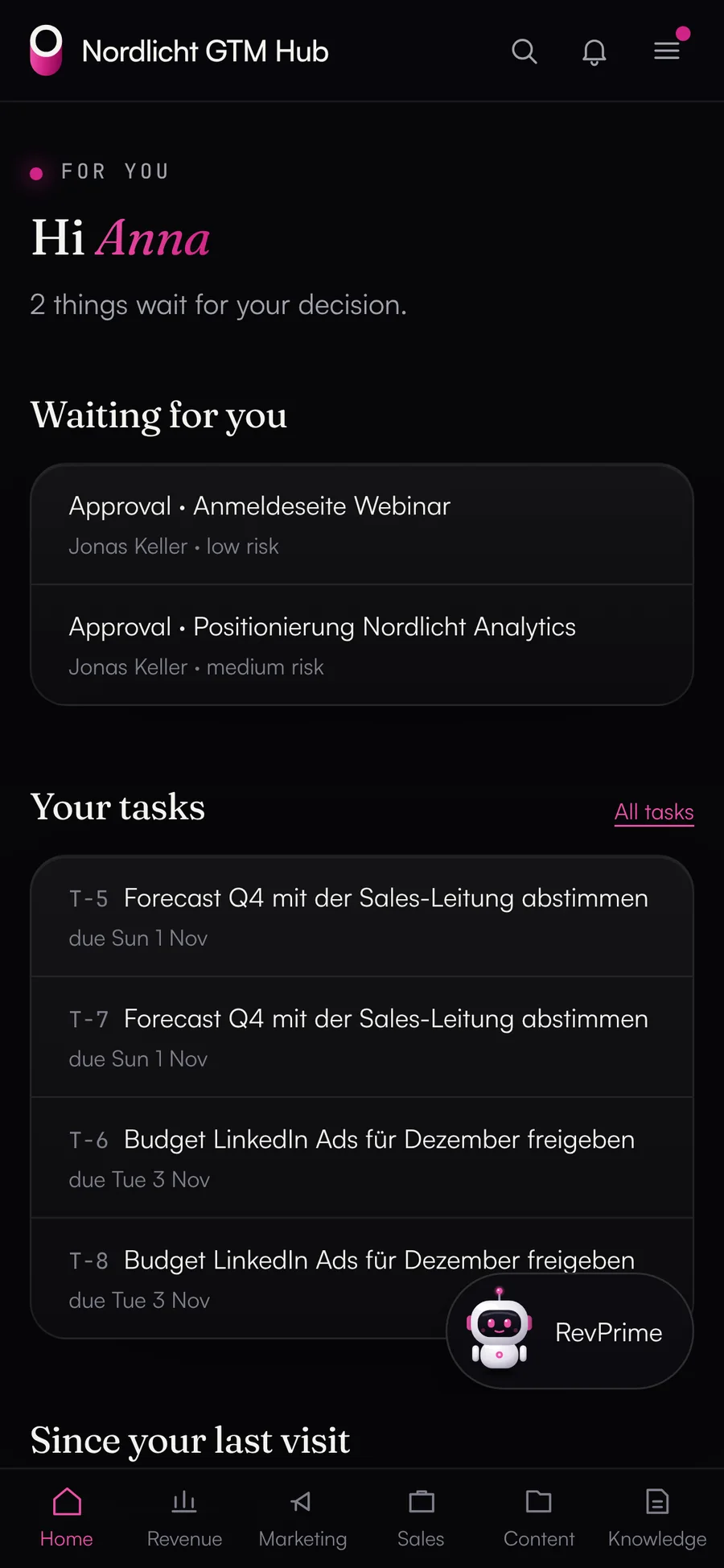
“For you” start page of the GTM Hub: open approvals, your tasks, changes since your last visit and the four hubs
All about the GTM Hub
RevPrime® Data Hub

Controlled access for your agents to CRM, ads and outbound

So your agents can run processes, not just read: you enable each tool one by one, revenue know-how built into the connectors, rules and approvals for every change. It also runs on its own with Claude, ChatGPT or any other MCP client.

  • HubSpot, Salesforce, Google Ads, LinkedIn Ads, Meta Ads, GA4, Instantly, HeyReach, Clay and more
  • Ready-made workflows such as the weekly pipeline report, deal hygiene and the ad ROI review
  • Rules, approvals in the hub, in Slack or via a link, limits and undo
  • Field definitions with every result, a fact check before any figure
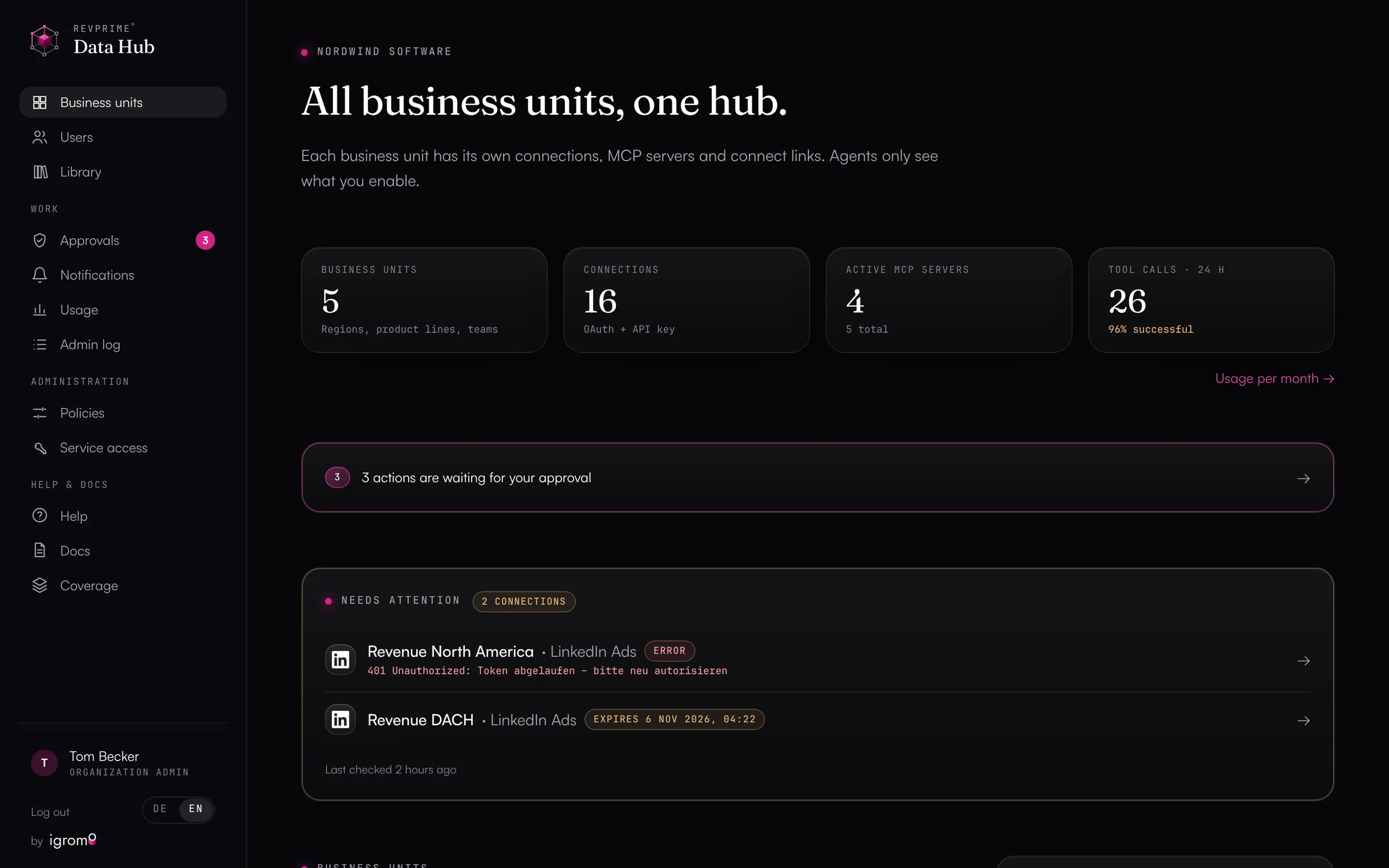
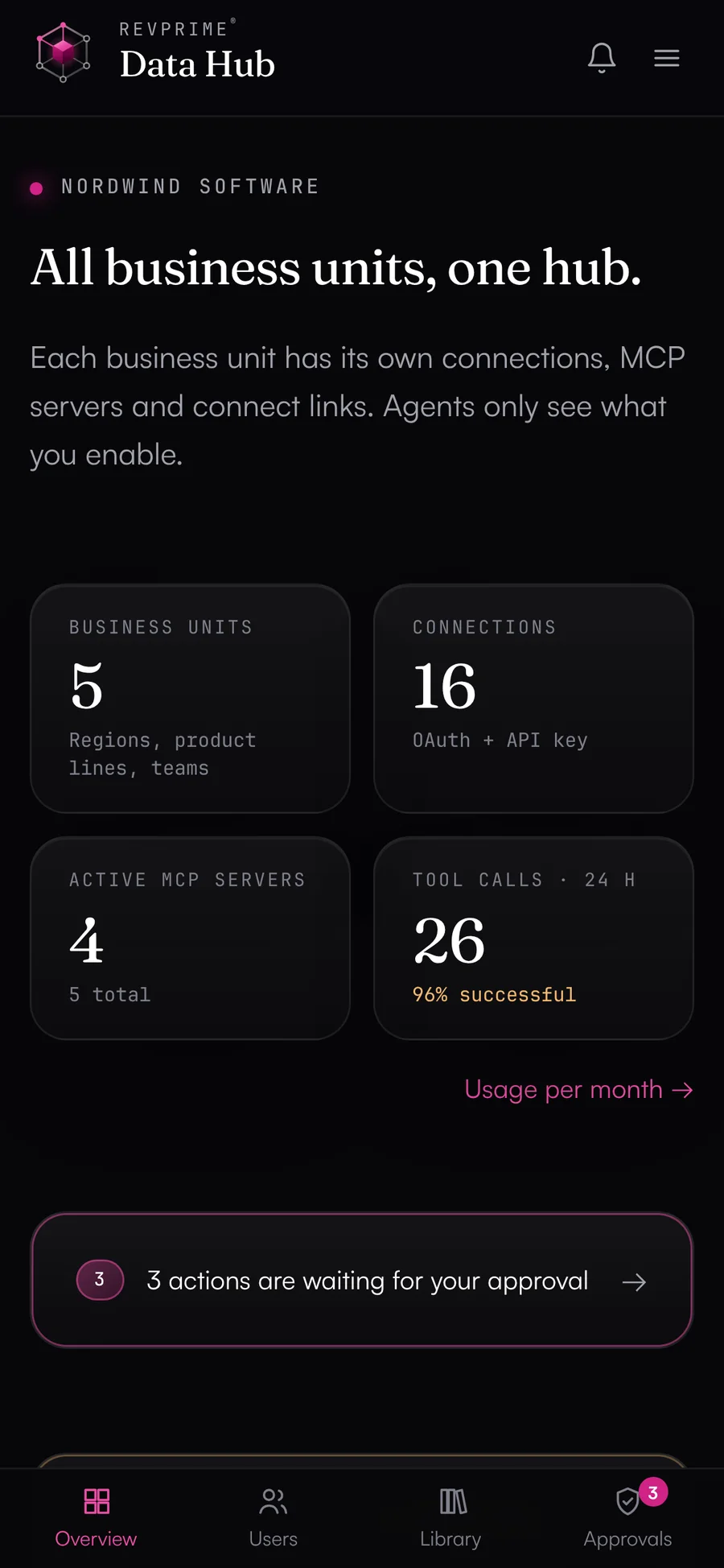
Data Hub overview with key figures and business units (demo data)
All about the Data Hub
Working together

Why automation only really works with both hubs.

The Data Hub brings the data and the control, the GTM Hub the plan, the context and the people on your team who decide. Connected, the exports between your tools go away, and every figure has a source, a data date and a person who asked for it.

  • Plan vs. actual without exports

    The Revenue Hub pulls won revenue, new customers, opportunities, new pipeline and ad spend per month from the Data Hub and works out the deviation from plan. Code does the math, never the language model.

  • Checked figures in the management report

    The management report and the Monday briefing end with the Data Hub's fact check. The report is only frozen once its figures have been checked against a new query.

  • One connection for agents

    Connect Claude or another client to the GTM Hub, and it also reaches the Data Hub's read tools, filtered by your team's data sources. One MCP server is enough.

  • Every query has a name on it

    The GTM Hub reads through a service access that can only read. Every request names the person it runs for, so it shows up in the Data Hub's activity log.

  • Two kinds of approval

    In the GTM Hub, agents propose changes and someone on your team confirms them. Changes in your HubSpot or your ad accounts follow the Data Hub's rules and approvals. The GTM Hub can't reach the Data Hub's write tools.

  • Field definitions and company knowledge

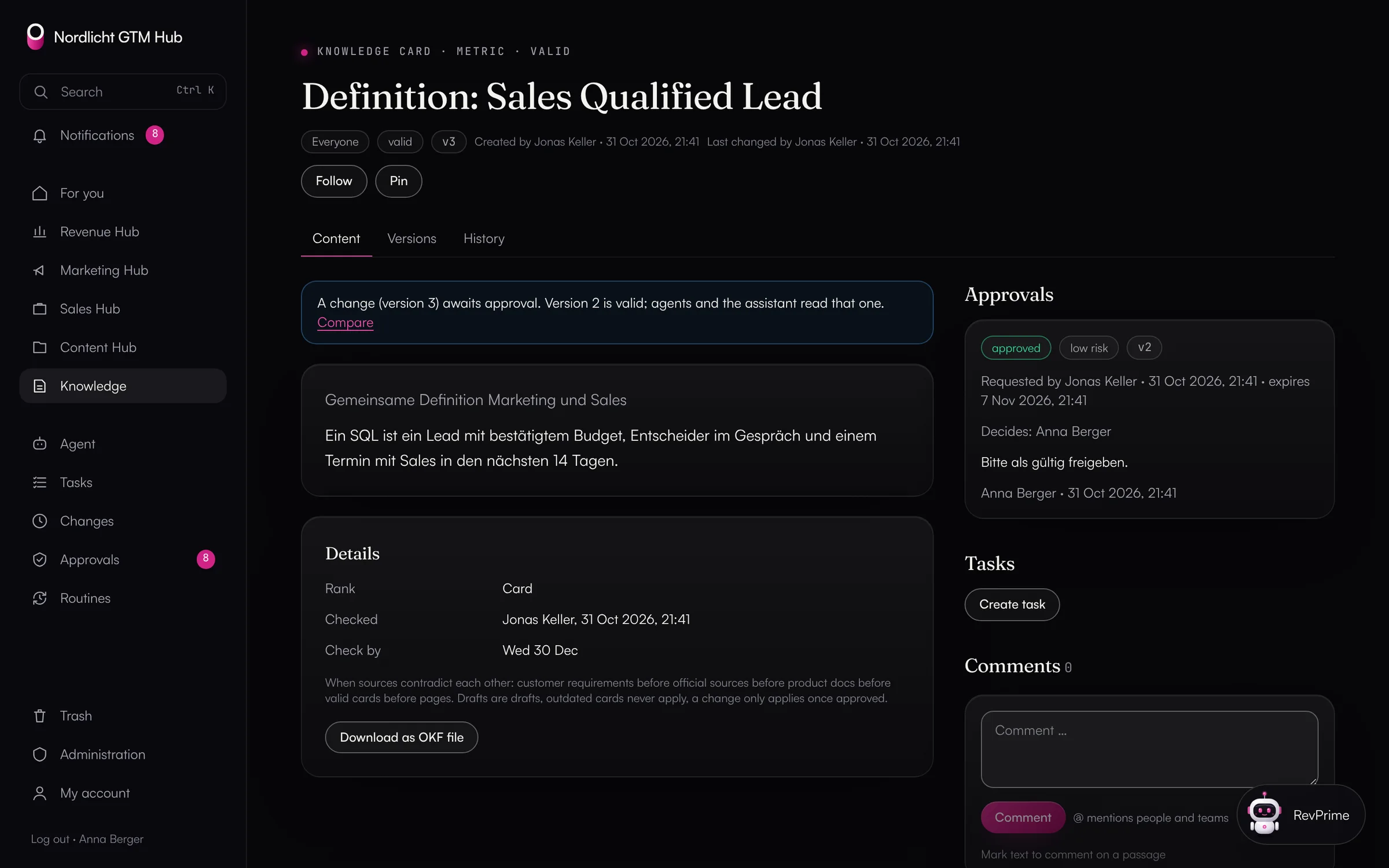
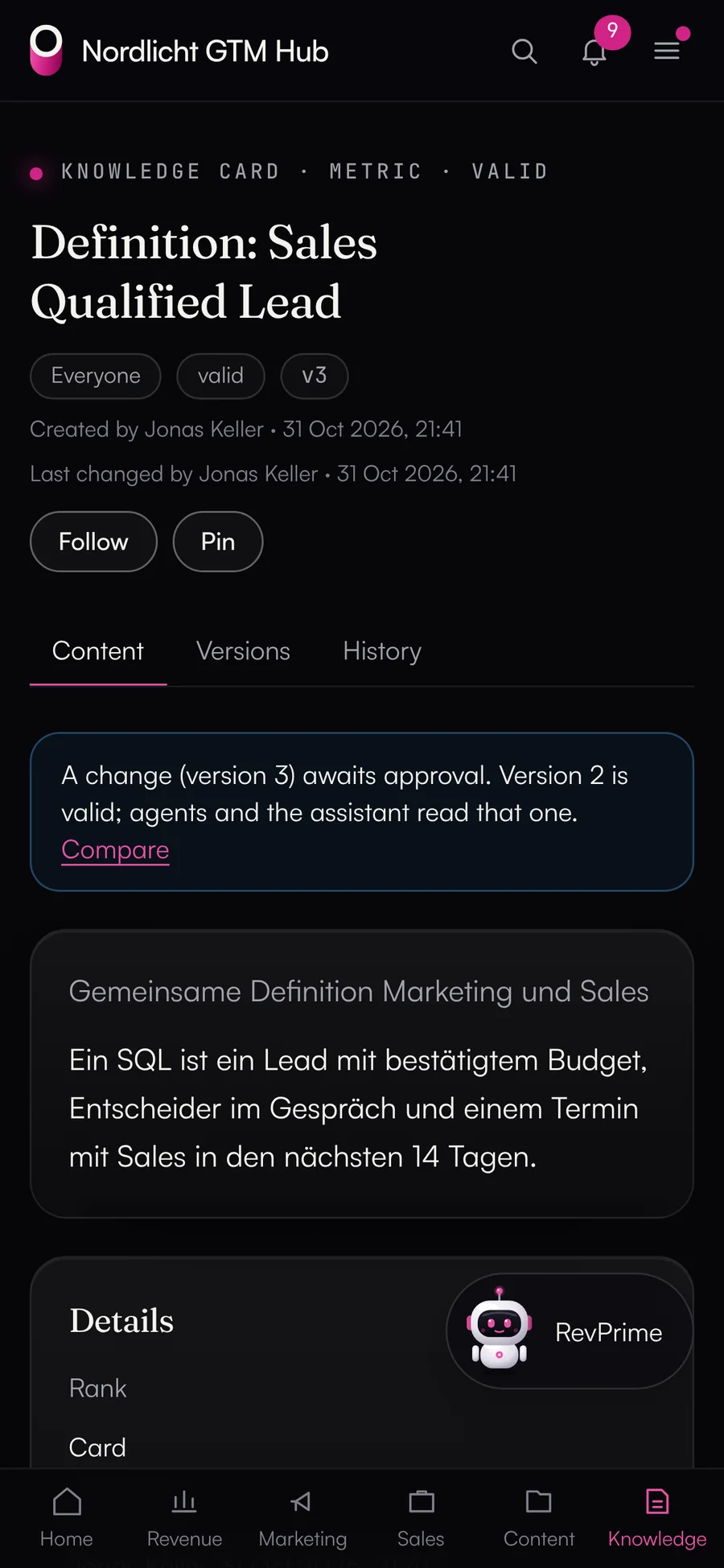
    The Data Hub explains the standard fields of every source, and the GTM Hub adds your company's own definitions as knowledge cards. The agent builds new dashboards on both.

An example

Monday, 7 a.m.: the revenue briefing is already there.

The briefing is on by default in the GTM Hub, with nothing to set up. Here's how it comes together:

  1. 107:00

    Fetch the numbers

    Through the Data Hub, the GTM Hub asks for plan vs. actual, ad spend per channel and the open HubSpot deals.

  2. 207:01

    Calculate and check

    The GTM Hub works out the deviation from plan, the change since last week and channels more than 10% over budget. The fact check verifies the figures against a fresh query.

  3. 307:02

    Summarize

    It adds activity per hub, open and overdue tasks per team, red and yellow deals from the deal radar, and objections that come up more often.

  4. 407:03

    Ask for confirmation

    Up to three suggested tasks wait for your confirmation. You and everyone else who can edit the Revenue Hub get an email and a push notification.

No language model writes the briefing; the text is built from the figures. It ends with what was checked.

Tour

A look inside the GTM Hub.

The actual product with demo data from a made-up SaaS company. The figures come through the Data Hub.

All about the GTM Hub

Are marketing and sales hitting the target together?

The business plan is a table with plan versions. Once an admin approves a version, it stays fixed. Next to it are the actuals from HubSpot and the ad accounts.

  • Plan vs. actual per month and year to date
  • Budget vs. spend, forecast to the end of the month and quarter
  • Campaigns and channels down to won revenue
  • Management report with a fact check at the push of a button
Learn more
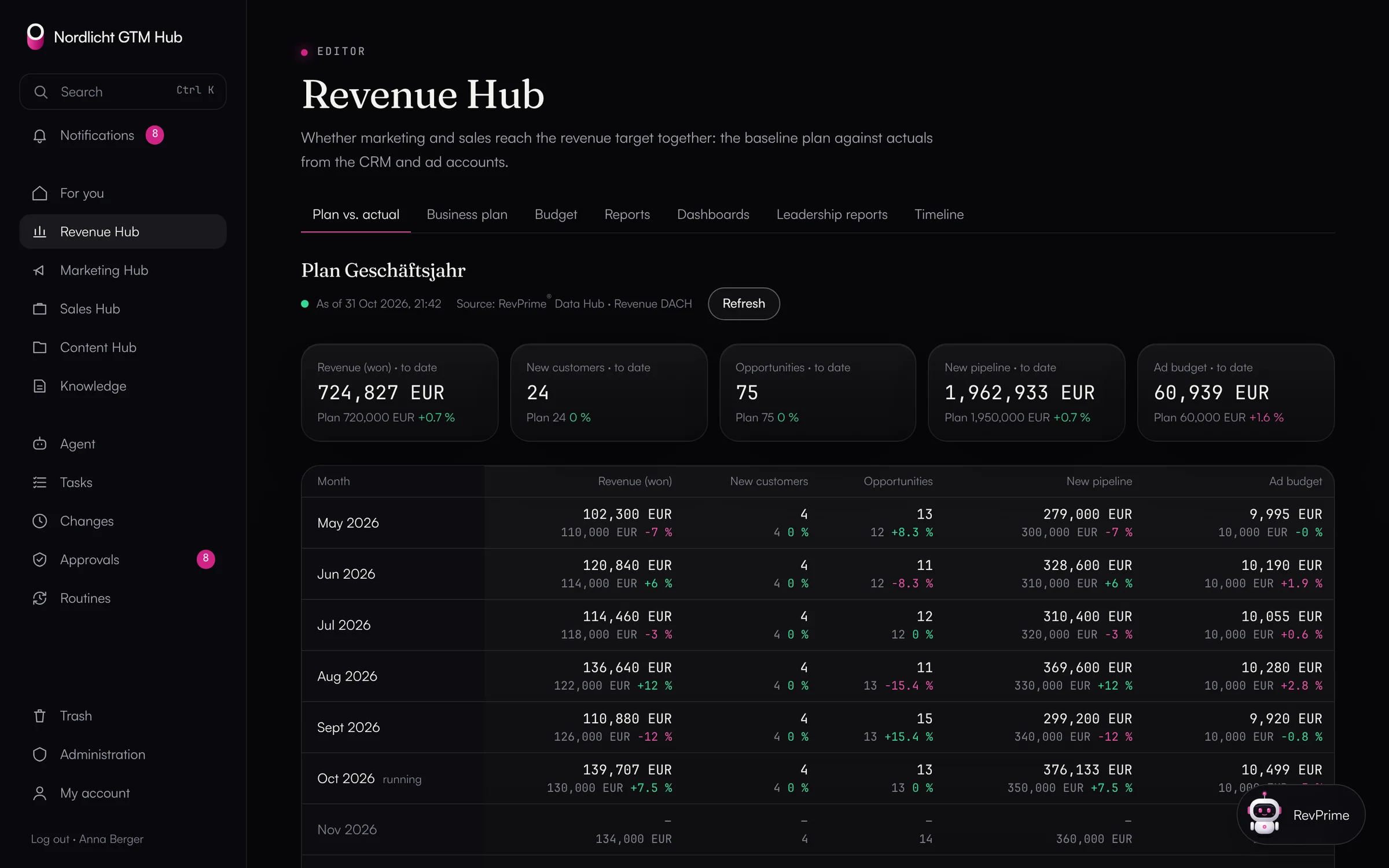
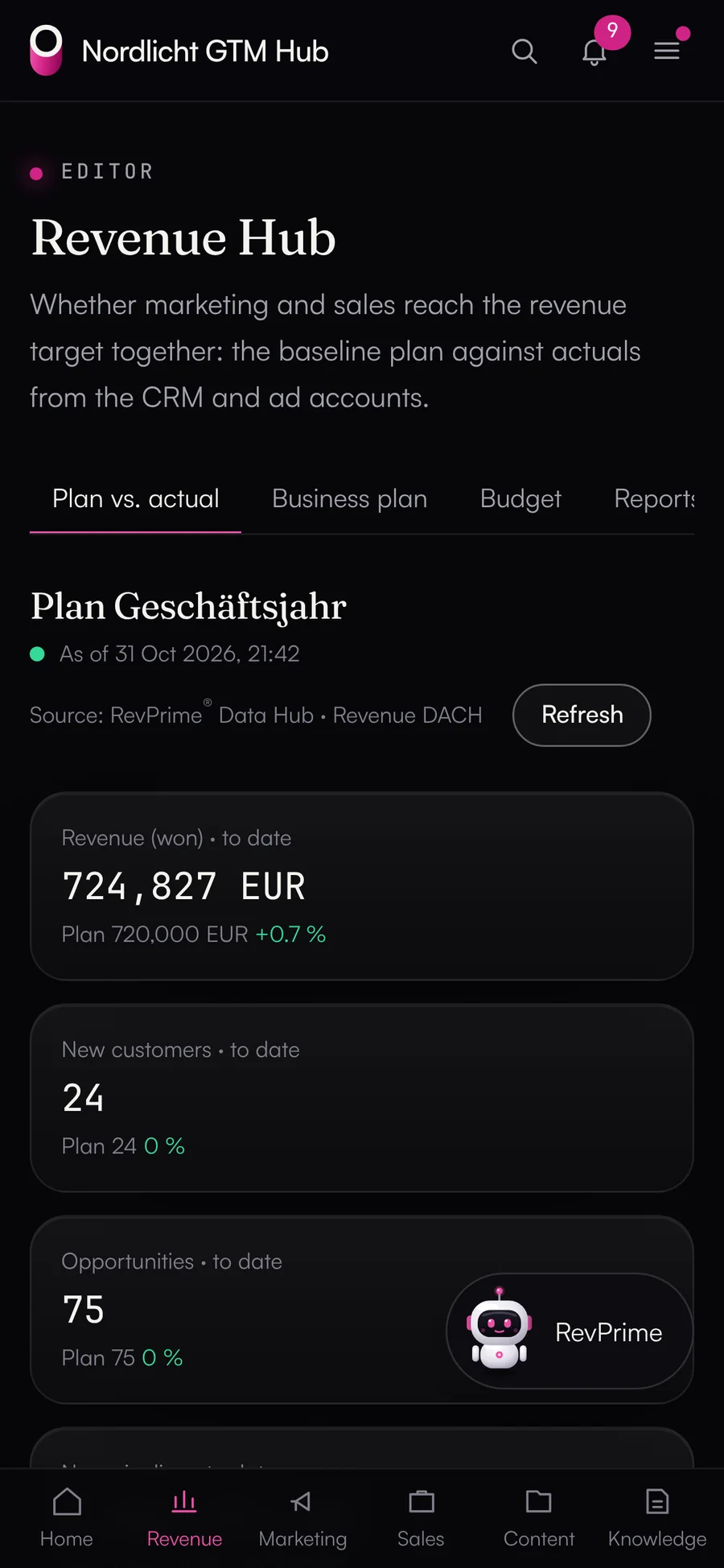
Revenue Hub: plan vs. actual per month with revenue, new customers, opportunities, pipeline and ad budget from the Data Hub
AI agents

Agents propose, people decide.

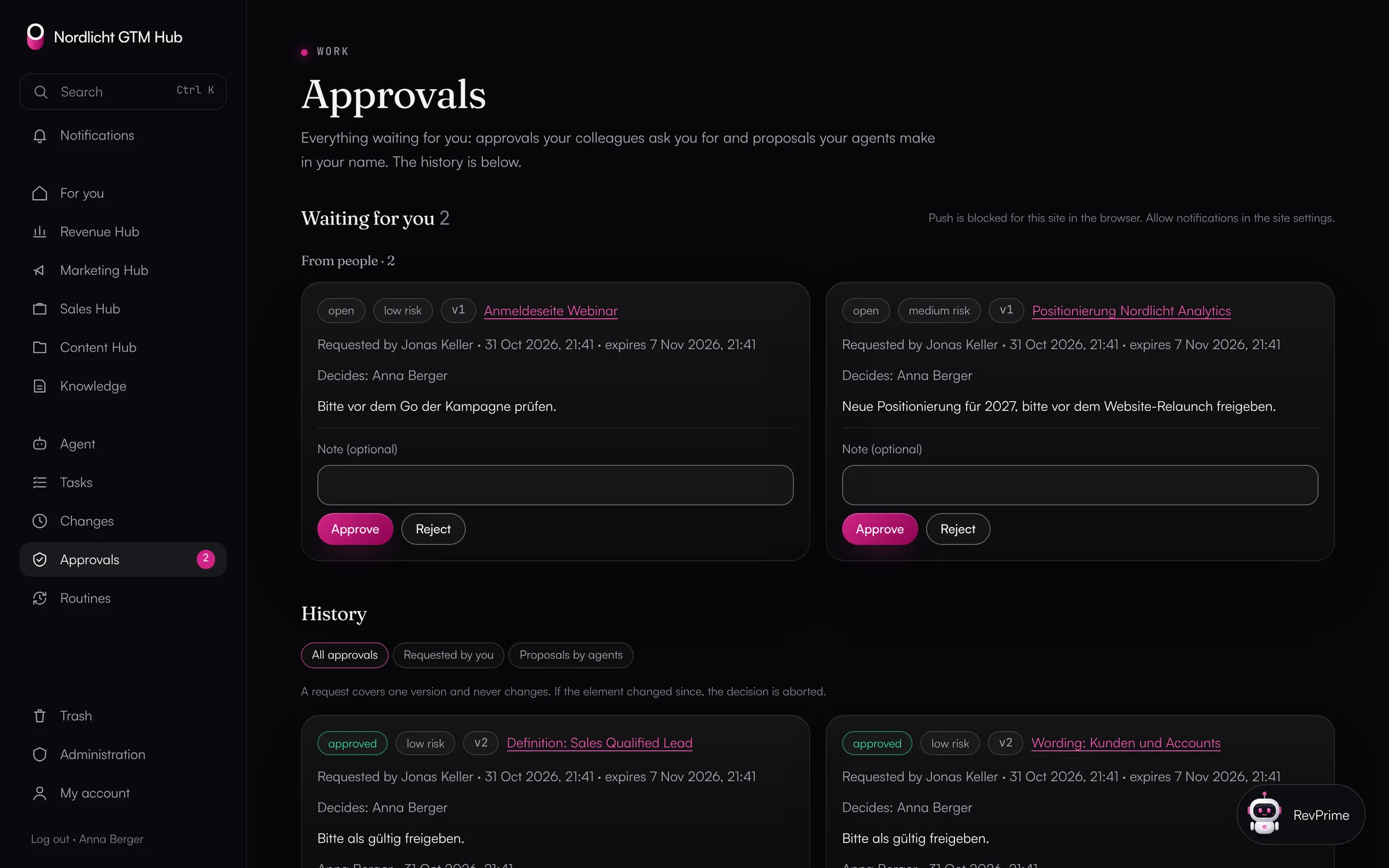
That goes for the built-in agent, for scheduled routines and for Claude Code over MCP: every write action becomes a signed proposal in the GTM Hub, with before and after. It's valid for 24 hours, checked again against the current state before it runs, and logged with the person and the channel.

  • ✓Confirm with a button in the chat, a short “yes”, or in bulk under Approvals
  • ✓Rights, sharing and people only on the confirmation page
  • ✓An agent never has more rights than the person asking
  • ✓Routines run on a schedule, read-only by default, with limits per run and per month

What agents can never do in the GTM Hub

  • delete permanently
  • touch keys, tokens or connections
  • export data
  • change limits, the kill switch or branding
  • grant approvals or confirm their own proposals
  • release share links, deal room links or offers
Works with
  • Claude
  • ChatGPT
  • Gemini
  • Grok
  • Perplexity
  • Mistral Le Chat
  • OpenClaw
  • Hermes Agent
  • n8n
  • Claude Code
  • Codex
  • GitHub Copilot
  • Cursor
+ 21 more →
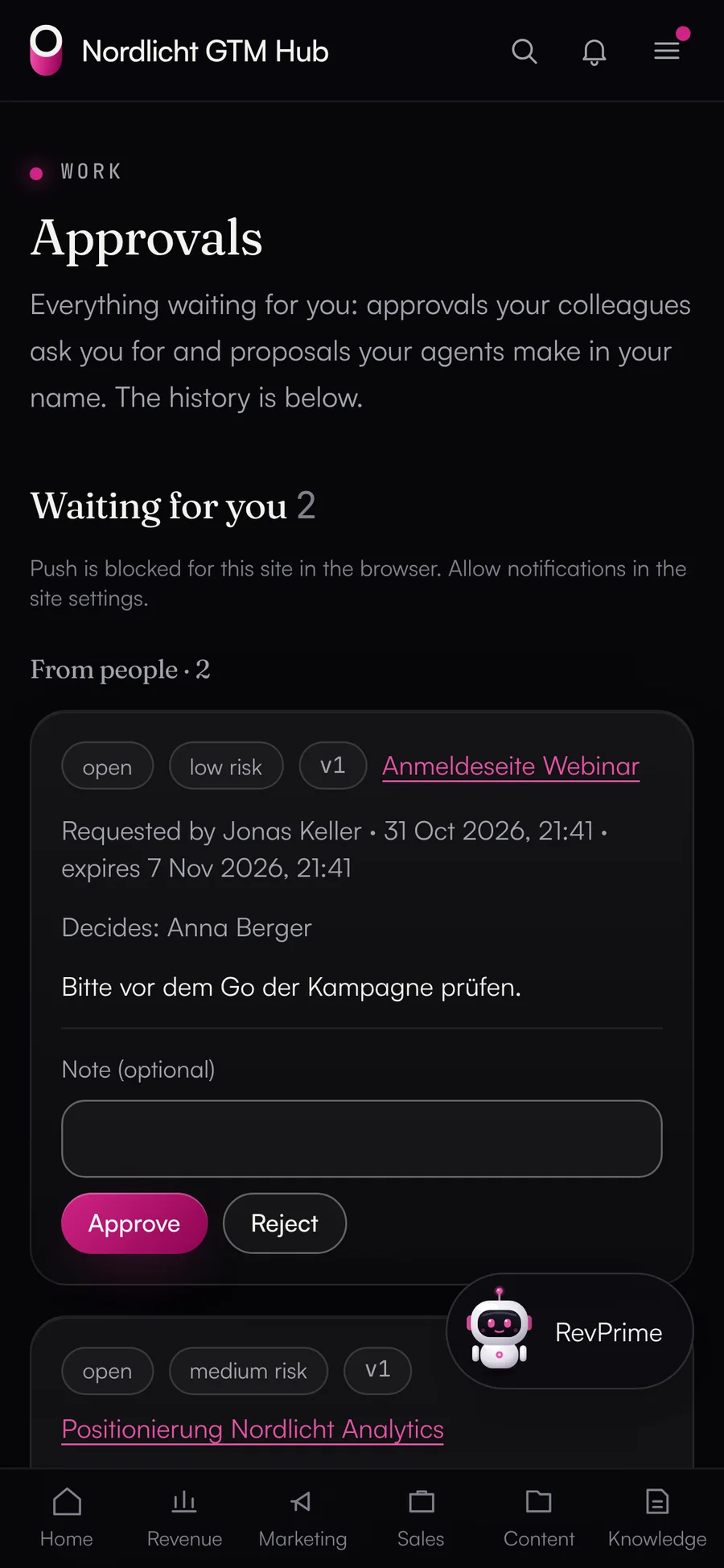
Approvals: proposals from agents and approval requests from colleagues
Data Hub · Fact checkWhat sets us apart

Automation you can trust.

An agent that writes reports or shifts budgets has to read the data correctly. Left alone, it takes cost in micros for euros or deal stage IDs for names. The Data Hub adds the field definitions to every result and checks figures against a fresh query at the vendor before they reach a forecast call or board deck. In the GTM Hub, the management report and the Monday briefing end with this check.

revprime__verify_claimsExample
  • Sessions, GA4, Oct 1–2718,420confirmed
  • Google Ads cost, Octobercorrect: €3,912.40 (cost_micros ÷ 1,000,000)€4,312deviates
  • New deals from paid social14confirmed
  • Emails read, InstantlyInstantly counts opens, not emails read61%not checkable
Data context on the result
Source Google Ads · account 123-456-7890 · fetched 13:04 · cost_micros: cost in micros of the account currency (EUR), divide by 1,000,000.
22
Data sources
including Clay's, HubSpot's and Meta's own MCP servers
365
Agent tools
curated, plus a generic API request per source
171
Write tools
never enabled automatically
4
Hubs in the GTM Hub
revenue, marketing, sales and content
Separate instance

Your GTM Hub runs separately from all the others.

igromo runs the GTM Hub from one codebase, and you get infrastructure of your own. What you customize is data: knowledge, dashboards, agents, routines and your branding.

  • Own database and domain

    Its own Vercel project in Frankfurt, its own Postgres database at Neon in Frankfurt, its own private file storage and your domain.

  • Your look

    Logo, colors, fonts and app icon follow your branding. The GTM Hub keeps the contrast needed for good readability on its own.

  • Export any time

    Your admins export everything as a ZIP: tables as JSON and CSV, knowledge as Markdown, assets with all versions, reports and dashboards as HTML. If you leave, you get the full export within 30 days.

  • Updates in rings

    A new version reaches a few instances first and everyone else later, only with green tests and after a minimum soak time. Plus a daily backup and a daily health check.

Security

Built to pass review by your IT team.

Both hubs store as little as possible, protect sign-in with a second factor and record who did what. The security page has the details.

  • Both hubs

    Hosted in Frankfurt

    Both hubs run on Vercel in Frankfurt (fra1), the databases at Neon in Frankfurt.

  • Both hubs

    Encrypted credentials

    The Data Hub stores tokens and API keys encrypted with AES-256-GCM, and the key isn't kept in the database. The GTM Hub does the same for the AI key.

  • GTM Hub

    Permissions checked twice

    The GTM Hub checks permissions centrally and enforces the same rules with row-level security in the database. The app role can't bypass them.

  • Both hubs

    Second factor and passkeys

    Two-factor authentication is required for admins. In the GTM Hub you can also sign in with a passkey.

  • GTM Hub

    Foreign HTML sandboxed

    The GTM Hub shows dashboards, decks, landing pages and uploaded HTML only in a sandbox, without network access and without access to the hub itself.

  • Both hubs

    No copies in the Data Hub

    The Data Hub only passes content through. The GTM Hub keeps query results as a data snapshot in your instance's database.

  • Both hubs

    Guardrails for agents

    Deletes and bulk changes in your connected tools need approval by default. In the GTM Hub, agents only write through proposals.

  • Both hubs

    History that can't be edited

    Every change is recorded with person, time, channel and before/after, every tool call in the Data Hub's activity log.

New

What we've shipped lately.

  • NewGTM Hub

    Monday revenue briefing

    Every Monday from 7 a.m., a report with plan vs. actual, budget, tasks, the deal radar and objections, ending with a fact check. You don't have to set anything up.

  • NewGTM Hub

    Deal radar

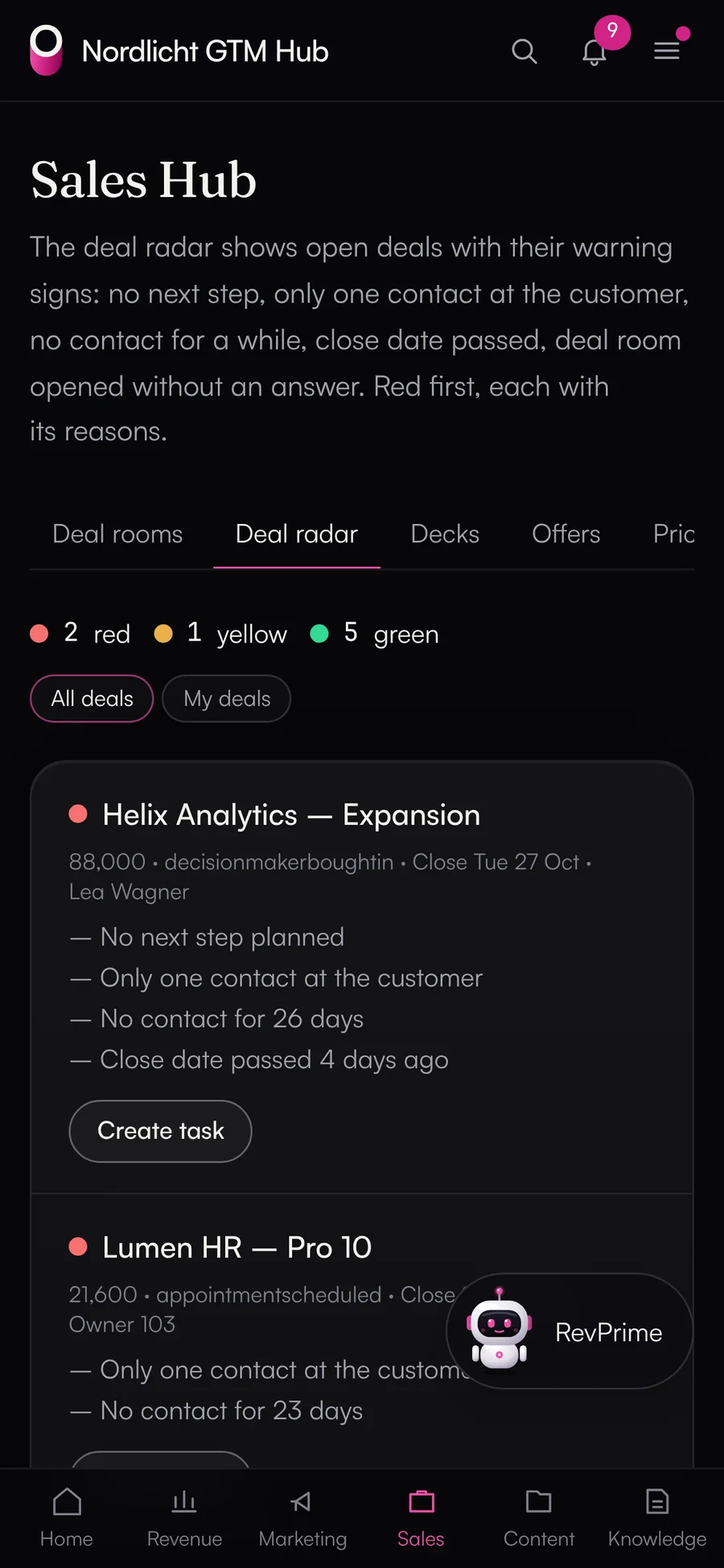
    A traffic light for every open HubSpot deal, with the reason: no next step, only one contact, no contact for a while, close date passed, or deal room opened without a reply.

  • NewGTM Hub

    Conversation insights

    Objections, competitors and feature requests from HubSpot calls, meetings and notes, month by month. Only the topic and a paraphrase without names are stored, never the transcript. Off by default.

  • NewGTM Hub

    Dashboards with the agent

    You describe a dashboard, the agent builds it on your confirmed field definitions and hands it to you as a proposal.

  • NewData Hub

    Meta Ads and Salesforce

    Two new sources in the Data Hub. Meta spend now shows up in the reports, and Meta's own MCP server is passed through.

  • NewData Hub

    Fact check and data context

    Field definitions with every result and a figure-by-figure check against the source, required by default.

FAQ

Common questions.

Do I need both hubs?

No. The Data Hub runs on its own: you connect the tools and hand them to Claude, ChatGPT or another MCP client. The GTM Hub needs the Data Hub for everything with outside data, meaning plan vs. actual, budget vs. spend, dashboards, the deal radar and the management report. The Content Hub, campaigns, decks, deal rooms, tasks and knowledge work without it.

Who is the platform for?

Revenue teams at sales-led B2B SaaS and AI companies on HubSpot or Salesforce: revenue leaders, marketing and demand gen, sales and SDR teams, and RevOps. It isn't built for online shops.

Does this work with Salesforce?

The Data Hub connects both HubSpot and Salesforce. In the GTM Hub, plan vs. actual, the deal radar and conversation insights read only from HubSpot today. With Salesforce, you get the Data Hub's read tools in the GTM Hub and everything that doesn't need CRM figures.

Where do the hubs run, and who operates them?

igromo operates both. The Data Hub runs at data.revprime.ai, with organizations and business units kept apart. You get the GTM Hub as your own instance, with its own Vercel project, database and file storage in Frankfurt, on your domain.

Which AI does the GTM Hub agent use?

Claude from Anthropic or OpenAI models, with your own API key. The key is stored encrypted in the GTM Hub, and only its last four characters are shown. A monthly cost limit and a kill switch apply to every agent and routine in your instance.

Can I connect Claude, ChatGPT or Claude Code directly?

Yes. The GTM Hub has its own MCP server with OAuth sign-in, and it passes the Data Hub's read tools through. When an agent writes something in the GTM Hub that way, it becomes a proposal. You can also connect the Data Hub directly, for example for agents that should write to your HubSpot. Its rules and approvals apply there.

What data does the platform store?

The Data Hub stores configuration, encrypted credentials and the activity log, not a copy of your CRM or ad data. The GTM Hub stores your team's work (plans, campaigns, assets, decks, knowledge, tasks) and query results as a data snapshot, in your instance's database. Personal data in dashboards follows its own rules: only the fields a tile shows, your reps only see their own rows, and every view is logged.

What happens if we leave?

You get a full export of the database and file storage in open formats within 30 days. Your admins can pull the same export themselves at any time before that. The software stays with igromo.

Does the platform calculate ARR, MRR or NRR?

Not yet. That needs a billing connector such as Stripe or Chargebee, which is planned. Until then, the Revenue Hub shows revenue from won deals in the CRM.

Find out what agents can take over in your team.

In 30 minutes, we'll go through your revenue processes and show you the GTM Hub and the Data Hub working with your own HubSpot or Salesforce.