


For every campaign, it's clear which version is approved.
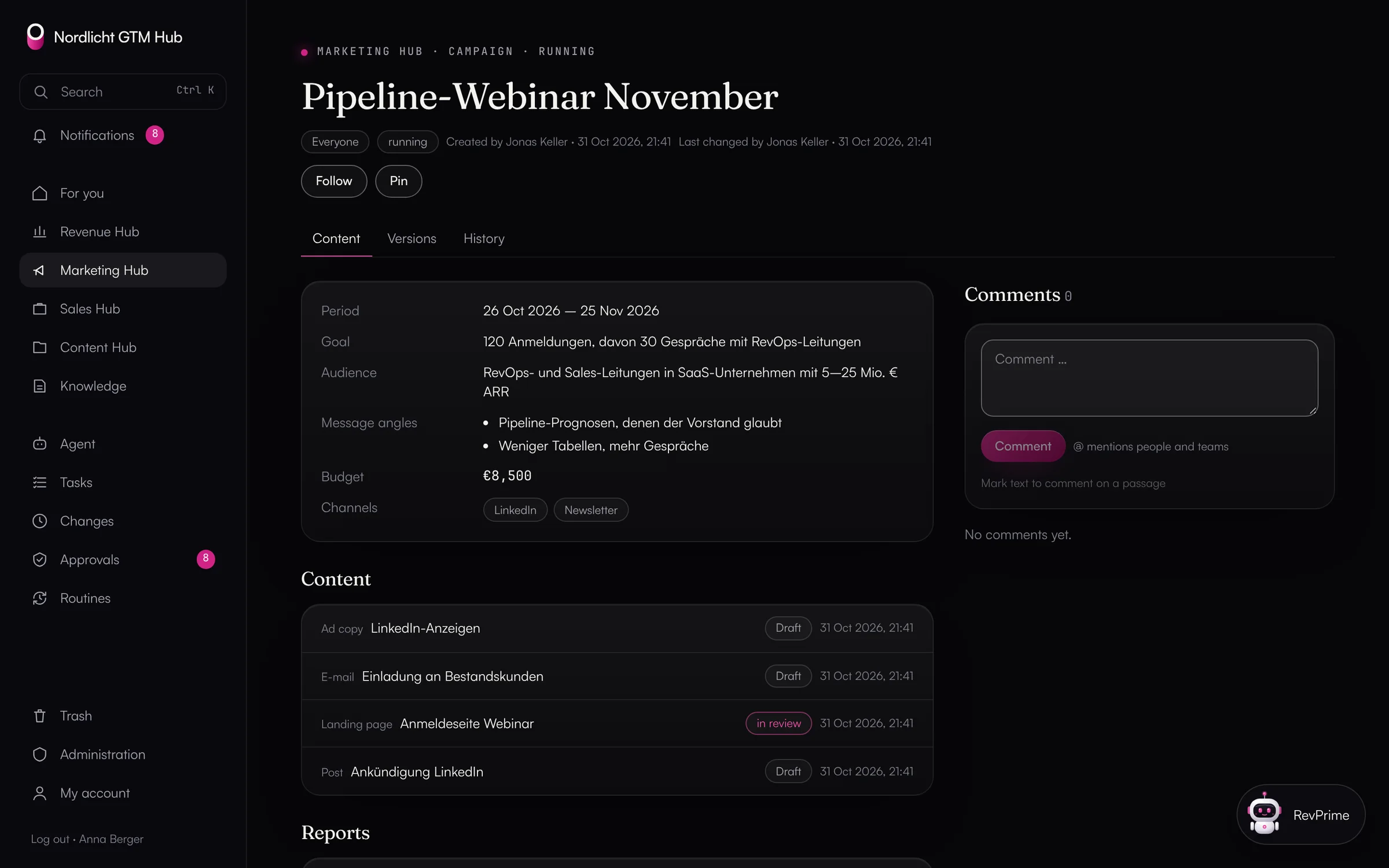
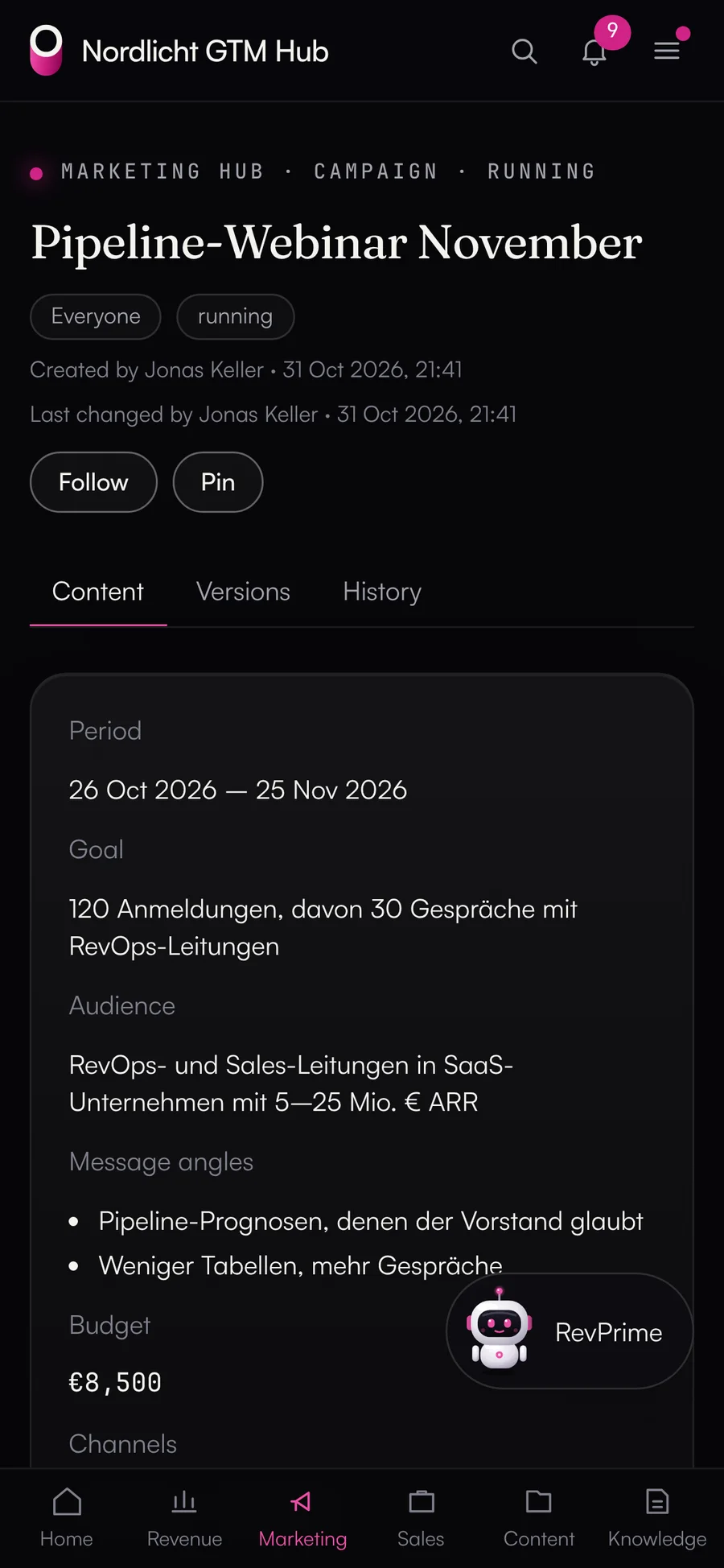
In the Marketing Hub, everything hangs off the campaign: goal, audience, message angles, budget, content, tasks and dashboards. Content has versions and only goes out after a four-eyes approval. Channel dashboards use figures from the Data Hub to show what a campaign brings in.
- Four-eyes approval for every piece of content
- Content rules the agent checks too
- Cost per lead and opportunity per channel
Which version is actually live?
The landing page draft is in a doc, the final version in the CMS, the ad copy in a spreadsheet. Approvals happen in chat, and if someone edits something after the approval, nobody notices.
What the GTM Hub does.
Campaigns with landing pages, emails, ad copy and posts, with versions, approvals and channel dashboards.
- 01
The campaign holds it together
A campaign has a goal, period, audience, message angles, planned budget with currency, channels and linked assets from the Content Hub. Its status is planning, running, paused or completed, and you can view it as cards, a board or a timeline.
- Everything in a campaign inherits its visibility
- Budget lines in the business plan can belong to the campaign
- 02
Content with versions and approval
Landing pages, emails with subject, preheader and plain-text version, ad copy with up to 20 variants, and posts. Every item moves through draft, in review, approved and published.
- “Approved” is only set by an approval from a second person
- New content after approval turns the item back into a draft
- HTML previews only in a sandbox
- 03
Content rules
Wording, facts and badges live in the GTM Hub as knowledge cards of the type “rule”. Every campaign item shows them, and “Check with the agent” reviews an item against them and proposes changes.
- 04
Channel dashboards and reports
Standard dashboards for channels (cost per lead and opportunity), campaigns (ad spend against pipeline) and ad spend per platform, plus your own. Reports on competitors, audiences, strategy and campaigns are frozen with “Finalize”.
- 05
Conversation insights
Once an admin switches it on, the GTM Hub reads HubSpot calls, meetings and notes plus questions from deal rooms every hour and pulls out objections, competitors and feature requests. It stores the topic, a paraphrase without names, the date and the source, never the transcript.
- Trends per month: new, rising, falling
- From a topic, the agent drafts an objection card, a battlecard or content ideas
- Only admins and CRM teams see paraphrases; everyone else sees topics and counts
What you should know.
- Publishing happens in the respective tool today. Publishing straight from the GTM Hub to HubSpot is planned.
- Image formats per channel from one original are planned.
- Conversation insights read HubSpot and deal rooms, not Gong or Salesforce yet. Before you switch it on, the hub points out duties toward your works council and customers.
Frequently asked questions.
›Who can approve content?
Whoever requests the approval chooses who decides. The database prevents anyone from approving their own request or their own version. Agents can never grant approvals.
›Can the agent write campaign content?
Yes, as a proposal. It creates or edits drafts, and the change only happens once you confirm it. It can't approve anything.
›Where do the dashboard figures come from?
From the Data Hub's reports. The GTM Hub precomputes dashboards opened in the last 14 days every hour, and each query shows how old its data is.
- Revenue HubBusiness plan, plan vs. actual and budget vs. spend with figures from your CRM and ad accounts.
- Content HubImages, videos, PDFs and texts with versions, an editorial plan, packages and share links.
- ReportsAd spend from Google Ads, LinkedIn Ads and Meta Ads against deals and revenue in HubSpot, in a single call.
See it with your own tools.
In 30 minutes, we'll show you the GTM Hub with your own tools and your use case.