


Claude, ChatGPT or n8n: one endpoint with exactly your tools.
Each MCP server in the Data Hub is its own endpoint with its own address and its own set of enabled tools. Clients like Claude.ai or ChatGPT only need the address and sign in with OAuth, so you don't copy tokens around. For automations and your own agents, a token in the header works too.
- OAuth with a connection code for your team
- Tool access per server
- Vendor MCP from HubSpot, Clay and Meta
Every client wants to connect differently
One supports OAuth, the next only API keys, a third can't handle more than 100 tools. Once tokens get passed around in chat, nobody knows which agent is working where with which access.
What the Data Hub does.
Claude, ChatGPT, Gemini, Copilot, Grok, Perplexity, OpenClaw, n8n and others sign in and get exactly the tools you enable.
- 01
Clients you can connect
The Data Hub speaks MCP over Streamable HTTP. The documentation covers setup for these clients:
- Claude.ai, Claude Desktop and mobile, Claude Code, the Claude API and Agent SDK
- ChatGPT, the OpenAI API and Codex
- Gemini CLI, Google ADK and Gemini Enterprise
- GitHub Copilot in VS Code, Cursor, Windsurf and Zed
- Microsoft Copilot Studio and M365 Copilot
- n8n, Make, LangChain and LangGraph, LlamaIndex, CrewAI, Mistral Le Chat
- Grok and Perplexity with custom connectors
- OpenClaw, Hermes Agent, opencode and coding agents in herdr
- Manus, Notion custom agents and Lovable
- HubSpot Breeze agents, Zapier, Kiro and Amazon Q Developer
- 02
Sign in with OAuth
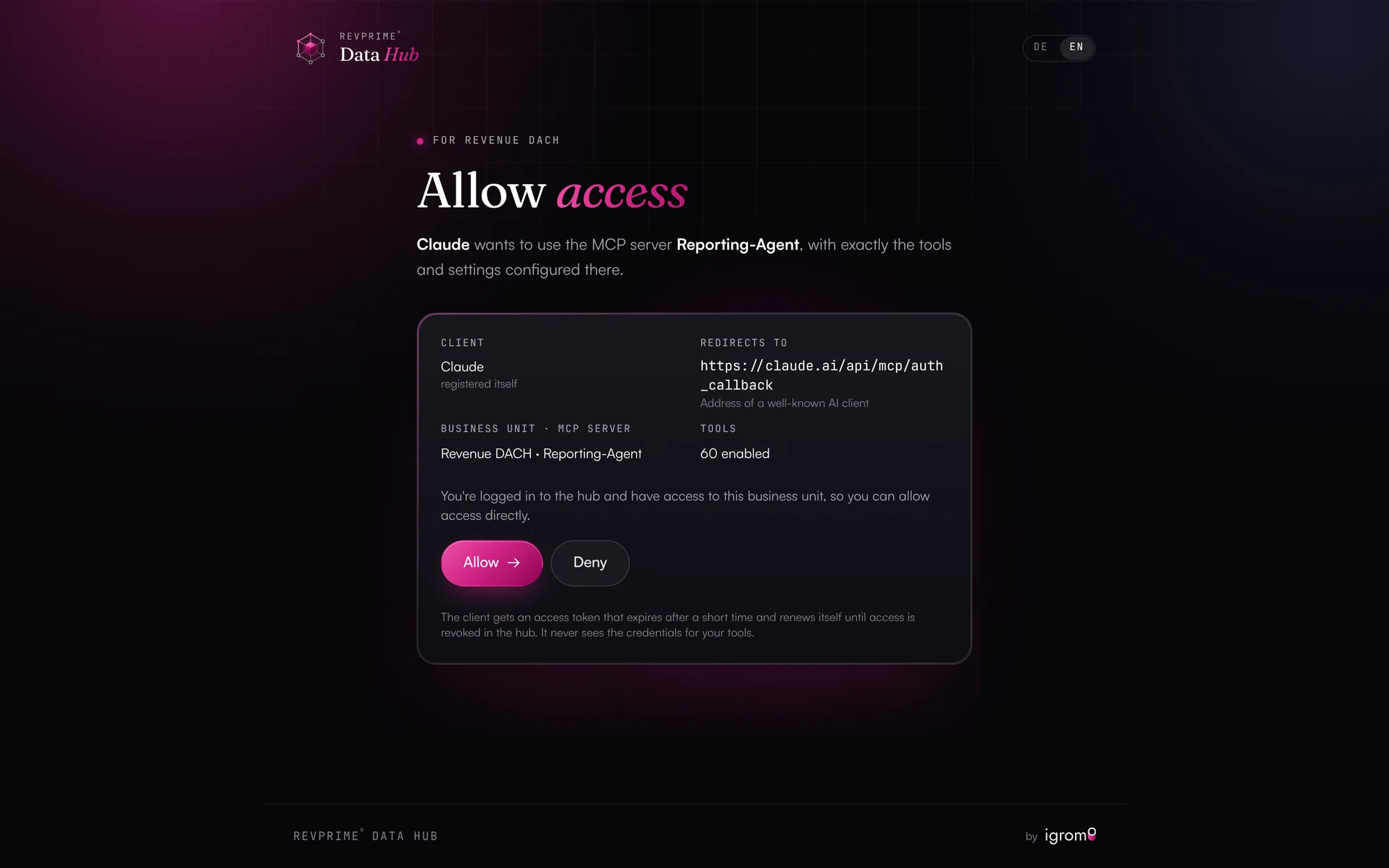
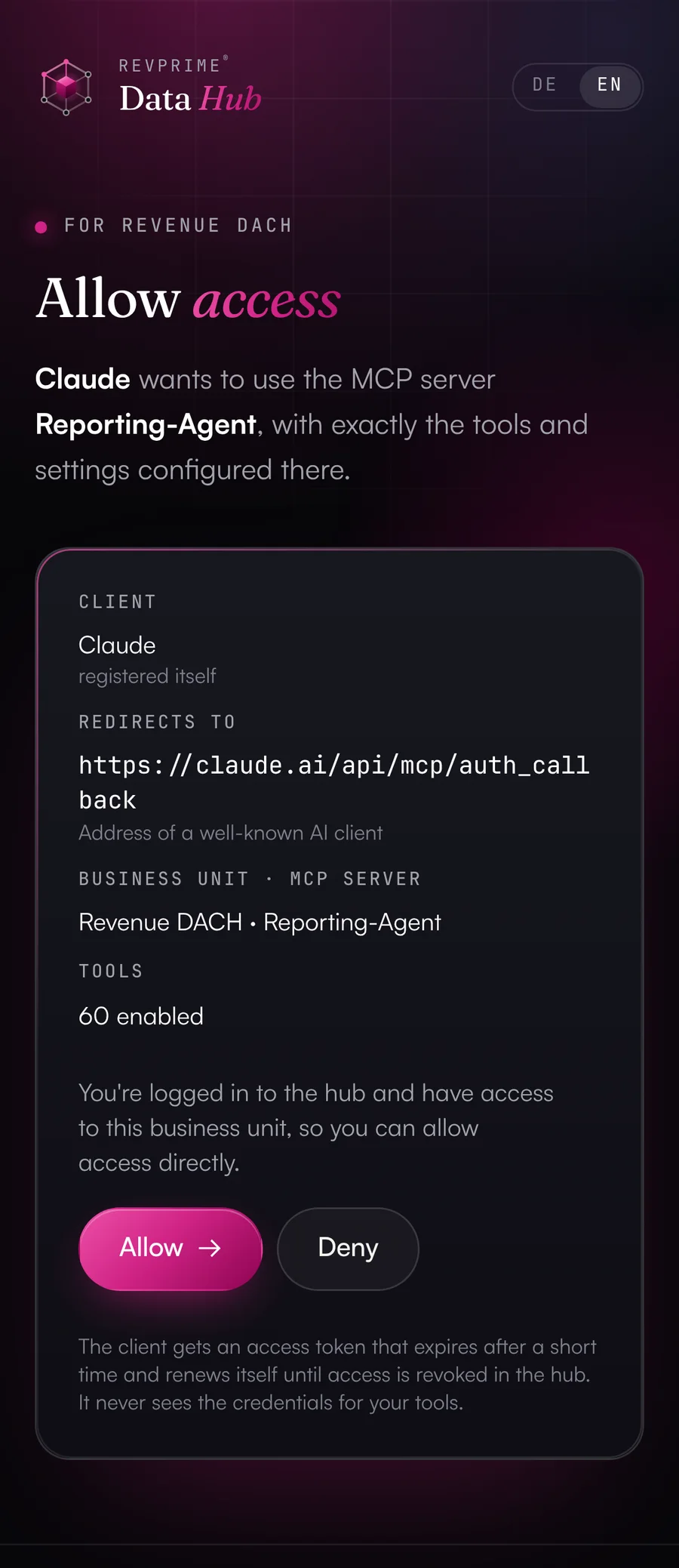
In the client, you only enter the MCP server's address. The client signs in to the hub, and on the consent page either a signed-in user allows access or someone without a hub account enters a one-time connection code.
- Connection code per MCP server, valid for 24 hours (configurable)
- Short-lived tokens the client renews itself, with rotating refresh tokens
- Each token works for exactly one MCP server
- Connected clients are listed on the business unit page and can be revoked one by one
- 03
Also for clients that can't register themselves
Claude, ChatGPT, Codex and Zed prefer to identify themselves with a metadata document from their vendor, and the consent page shows who's signing in. Other clients register themselves. For platforms that can do neither, such as Gemini Enterprise, a platform admin creates the client manually.
- 04
One server per job
Every MCP server has its own address, token and tool list. In tool access you pick read tools only, read and write tools, or each tool individually. Write tools are never enabled automatically. Past 100 tools the hub warns you, because some clients stop working reliably.
- 05
Vendor MCP from HubSpot, Clay and Meta
Some features only exist in the vendor's own MCP server, such as SQL-style CRM queries in HubSpot, audience lookups in Clay or industry benchmarks at Meta. The hub connects these servers per business unit and passes their tools through with the original descriptions, under the same tool access and the same log. Anything the vendor doesn't explicitly mark as read-only is treated as a write tool.
Use the hub from these tools.
Any client that speaks MCP over Streamable HTTP with OAuth or a token works. The documentation covers setup for these.
 Claude
 ChatGPT
 Gemini
- Microsoft 365 Copilot
 Grok
Grok Perplexity
 Mistral Le Chat
 OpenClaw
 Hermes Agent
 Grok Bot
- Manus
 Notion
 Lovable
 HubSpot Breeze
 n8n
n8n Make
Make Zapier
- Copilot Studio
 Claude Code
 Codex
Codex GitHub Copilot
 Cursor
 Windsurf
 Zed
Zed opencode
- Gemini CLI
- Kiro
- Amazon Q Developer
- Claude API & Agent SDK
- OpenAI API
- Google ADK
 LangChain
 CrewAI
- LlamaIndex
What you should know.
- Above 100 tools, some clients won't connect or silently drop tools. GitHub Copilot and Copilot Studio handle at most 128, Windsurf and Gemini Enterprise 100.
- Clients with a metadata document can only sign in as public clients with PKCE. private_key_jwt isn't supported yet.
- The hub doesn't control the client's own confirmation prompt. Only pass the token as ?key= in the address if a client can't set headers.
Frequently asked questions.
›Do I need a token for Claude.ai or ChatGPT?
No. You enter the MCP server's address and the client signs in with OAuth. A token in the header is meant for Claude Code, your own agents and automations like n8n.
›How does someone without a hub account connect their AI app?
Create a connection code for the MCP server on the business unit page and send them the address and the code. They add the address in their client, enter the code on the consent page and allow access.
›Can I revoke a client's access?
Yes. Every connected client is listed on the business unit page and can be revoked individually. You can also pause an MCP server or renew its token, which invalidates the old one immediately.
›Do playbooks show up in my client?
In clients that support prompts, such as Claude, Claude Code, VS Code or Cursor, they appear as commands. All others use the revprime__playbooks tool.
- Templates & playbooksReady-made MCP servers for reporting, CRM, outbound and ads, plus playbooks that show up as commands in your AI client.
- Guardrails & approvalsRules, approvals and limits for agents that write to your CRM and ad accounts.
- Security & privacyEncrypted credentials, isolated business units and hosting in Frankfurt. The Data Hub keeps no copy of your CRM or campaign data.
See it with your own tools.
In 30 minutes, we'll show you the Data Hub with your own tools and your use case.