


Plan vs. actual, without anyone building exports.
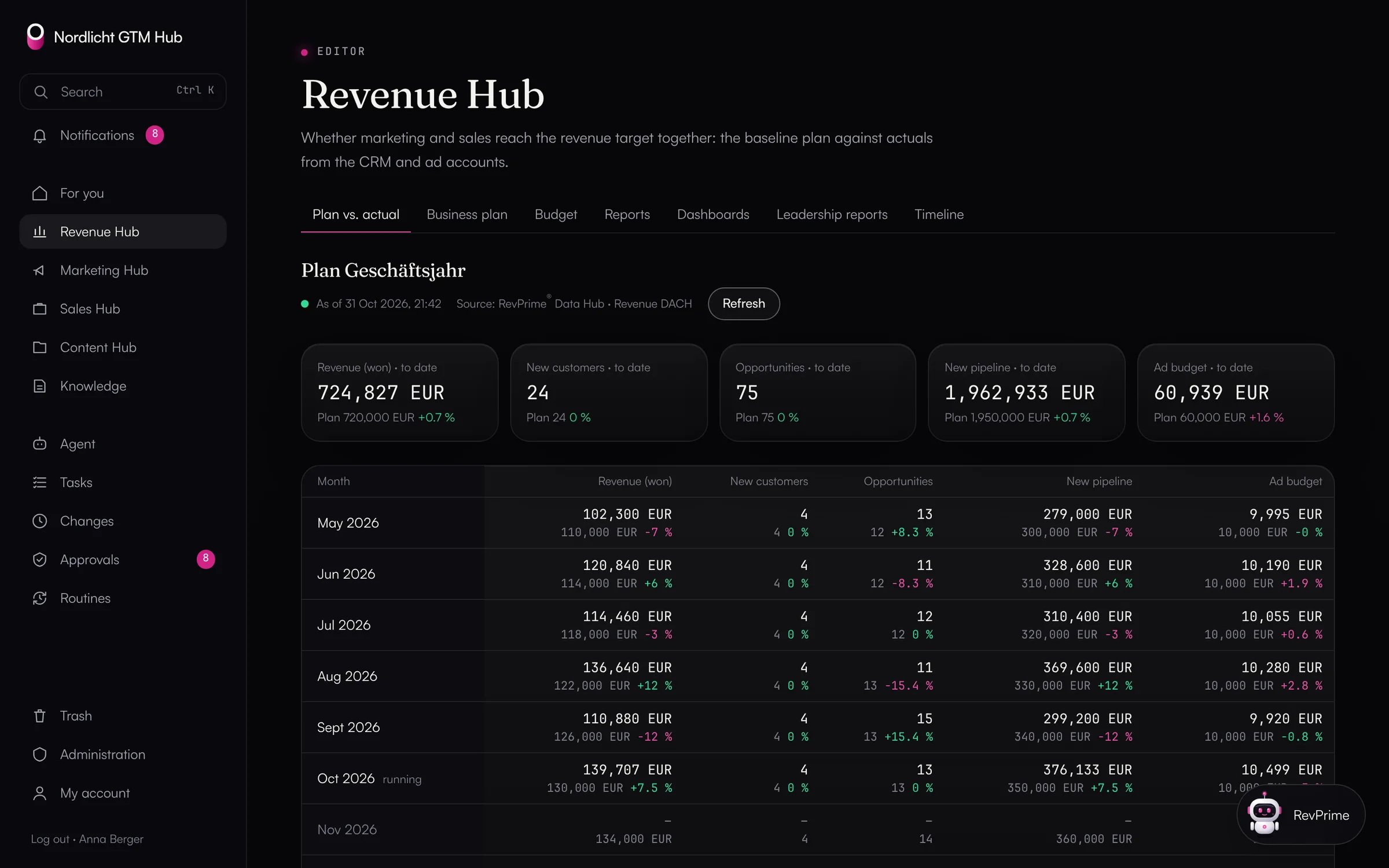
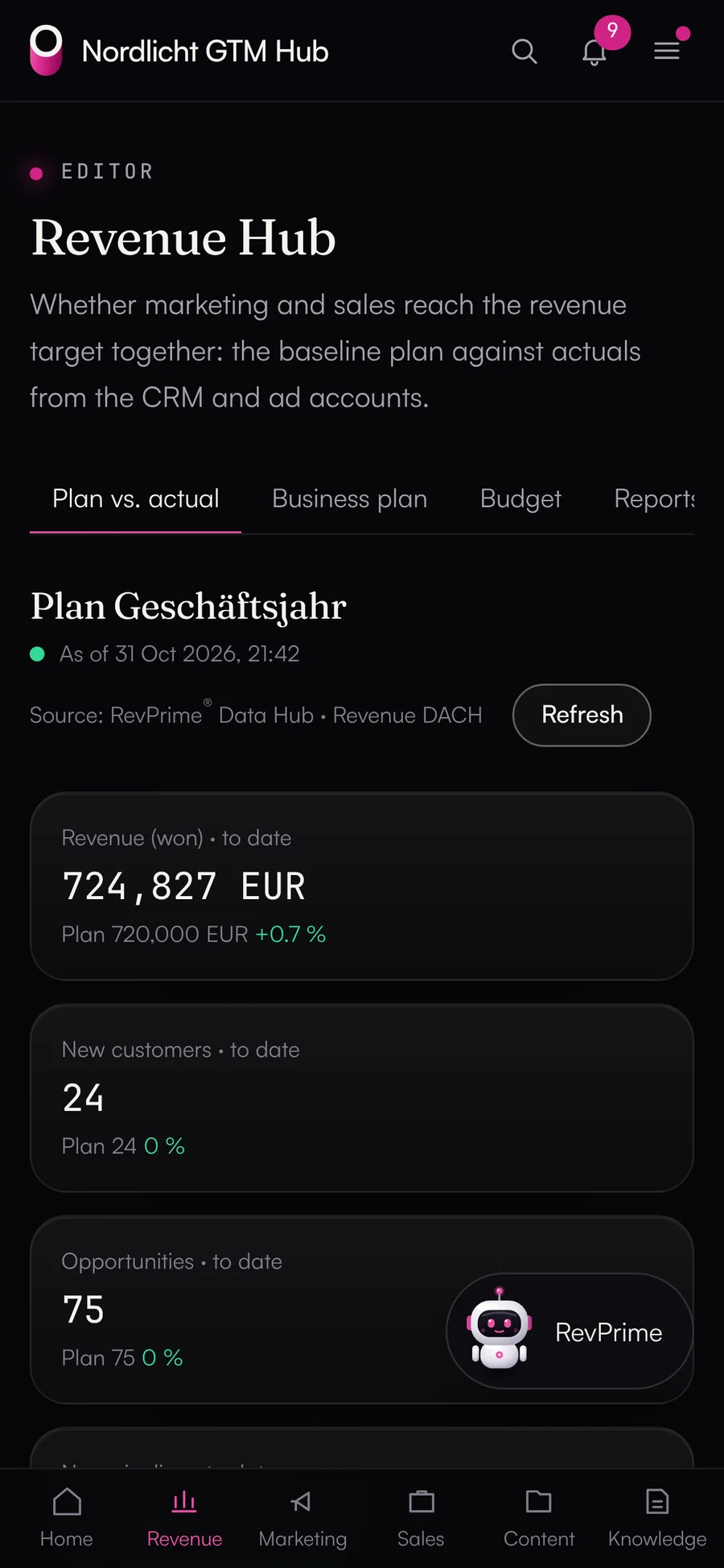
The Revenue Hub shows whether marketing and sales are hitting your revenue target together. Your plan lives in the GTM Hub as an approved plan version, and the actuals come from HubSpot and your ad accounts through the Data Hub. Every figure has a data date, a source and a business unit.
- Plan versions approved by admins
- Actuals from CRM and ad accounts
- Management report with a fact check
Plan vs. actual is manual work every month
Your plan sits in a spreadsheet, won deals in HubSpot, spend in three ad accounts. By the time the numbers are side by side, the month is nearly over, and nobody is quite sure which plan version was the one that counted.
What the GTM Hub does.
Business plan, plan vs. actual and budget vs. spend with figures from your CRM and ad accounts.
- 01
Business plan with plan versions
For each month, the plan holds the revenue target, new customers, opportunities, pipeline target and budget per channel and campaign, for 1 to 36 months. Edit it in a table or import a CSV, including from Google Sheets. Every saved state is a version.
- Only admins approve a plan version; after that it stays fixed, in the database too
- Changes become a new plan version based on it
- Budget lines can belong to a campaign in the Marketing Hub
- 02
Plan vs. actual
Next to every plan value are the actual value and the deviation, per month and year to date. The Data Hub supplies the actuals: won revenue by close date, new customers, newly created deals and their value, and ad spend per platform.
- Data date, source and business unit with an age indicator
- The GTM Hub doesn't convert currencies; it flags mismatches
- Totals and deviations are calculated in code, never by the language model
- 03
Budget vs. spend
The comparison runs per channel and month, with a forecast to the end of the month and quarter based on the daily run rate so far. It covers the plan's channels that belong to Google Ads, LinkedIn Ads or Meta Ads.
- Several channels on the same platform share one row
- Past months are final
- Other budget lines, such as events, have no actuals
- 04
Reports and dashboards
Campaigns with ad spend against pipeline and channels with cost per lead and opportunity, each with period, attribution and business unit. Plus the standard dashboard “Revenue and pipeline per month” and your own dashboards.
- 05
Management report and Monday briefing
One click creates a report for a month with plan vs. actual, budget vs. spend and figures no older than five minutes. It ends with the Data Hub's fact check, and “Finalize” freezes it. Every Monday from 7 a.m. there's also the revenue briefing, with no setup.
What you should know.
- Plan vs. actual reads CRM figures from HubSpot today. It isn't available for Salesforce yet.
- ARR, MRR and NRR need a billing connector (Stripe, Chargebee). Until then, the Revenue Hub works with revenue from won deals.
- A growth model working back from the revenue target and sales metrics such as win rate or sales cycle are planned.
- The Revenue Hub doesn't change budgets in your ad accounts. That goes through the Data Hub's rules and approvals.
Frequently asked questions.
›Who can see the Revenue Hub?
It holds revenue and budget figures, so by default only revenue leaders and admins see it. Who sees which hub, and with which role, is set per person.
›Can we bring our plan over from Google Sheets?
Yes, as a CSV in long format month;metric;channel;value, with German or English names and decimal commas. Google Sheets provides that through its CSV download.
›How do I know how current a figure is?
Every view shows the data date, source and business unit with an age indicator. “Refresh” pulls new figures from the Data Hub.
- Marketing HubCampaigns with landing pages, emails, ad copy and posts, with versions, approvals and channel dashboards.
- AI agent & routinesOne agent in every hub, scheduled routines and MCP for Claude, ChatGPT and Claude Code. Changes only as proposals.
- Fact checkField definitions on every result, and every figure checked against the source before it goes into a report.
See it with your own tools.
In 30 minutes, we'll show you the GTM Hub with your own tools and your use case.