RevPrime® Data Hub for sales-led B2B SaaS & AI

Agents that are allowed to work in your CRM, ad accounts and outbound.

The Data Hub connects HubSpot, Salesforce, ad accounts, web analytics and outbound tools and serves them to Claude, ChatGPT and other agents as MCP servers. That way, agents run revenue processes instead of just answering questions: pipeline reports, deal hygiene, leads into the CRM, campaign management. You decide tool by tool what an agent may do, deletes and large changes wait for approval, and every call is logged.

Works with
  • Claude
  • ChatGPT
  • Gemini
  • Grok
  • Perplexity
  • Mistral Le Chat
  • OpenClaw
  • Hermes Agent
  • n8n
  • Claude Code
  • Codex
  • GitHub Copilot
  • Cursor
+ 21 more →
  • HubSpot & Salesforce
  • Hosted in Frankfurt
  • AES-256-GCM
  • Per-tool permissions
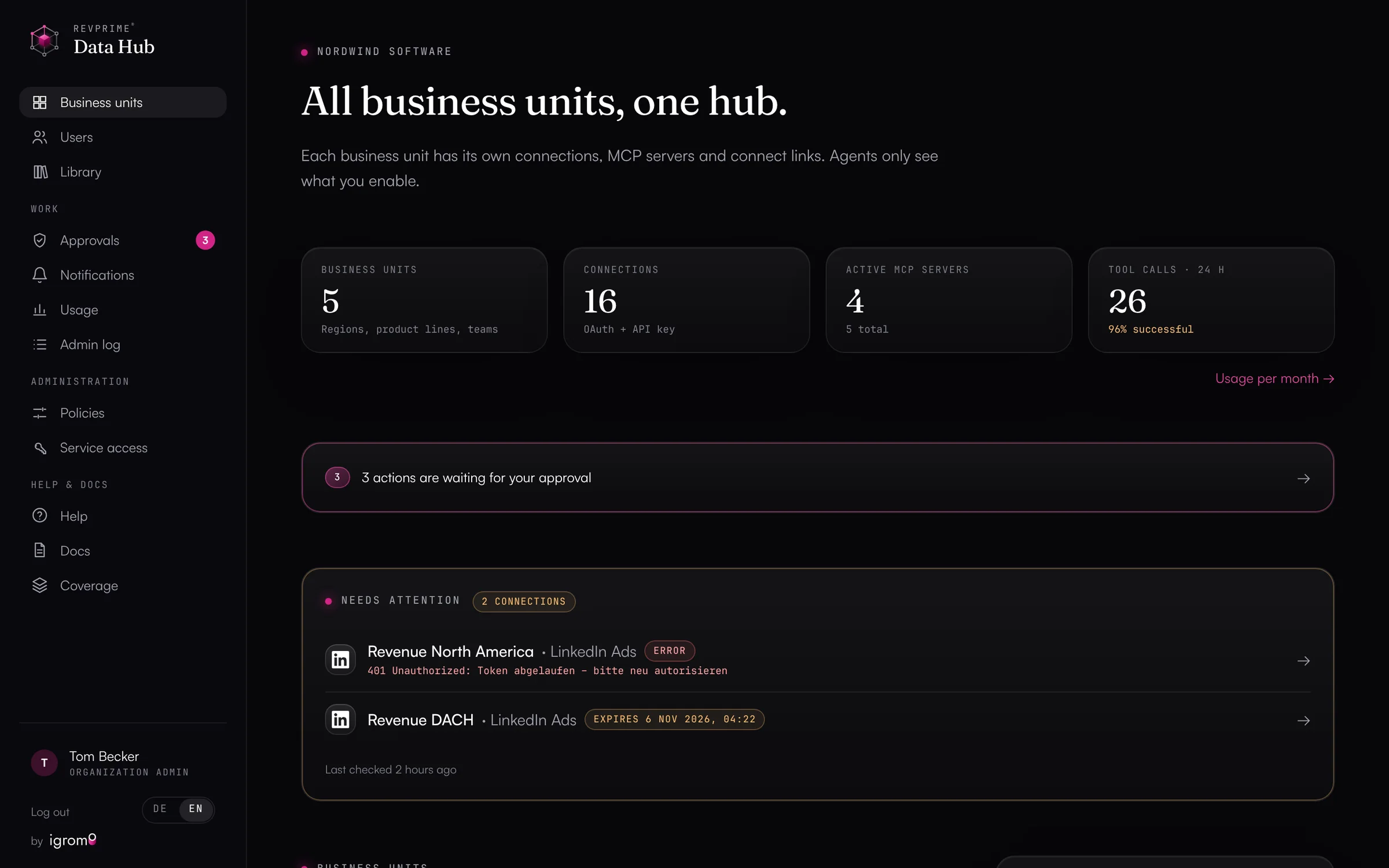
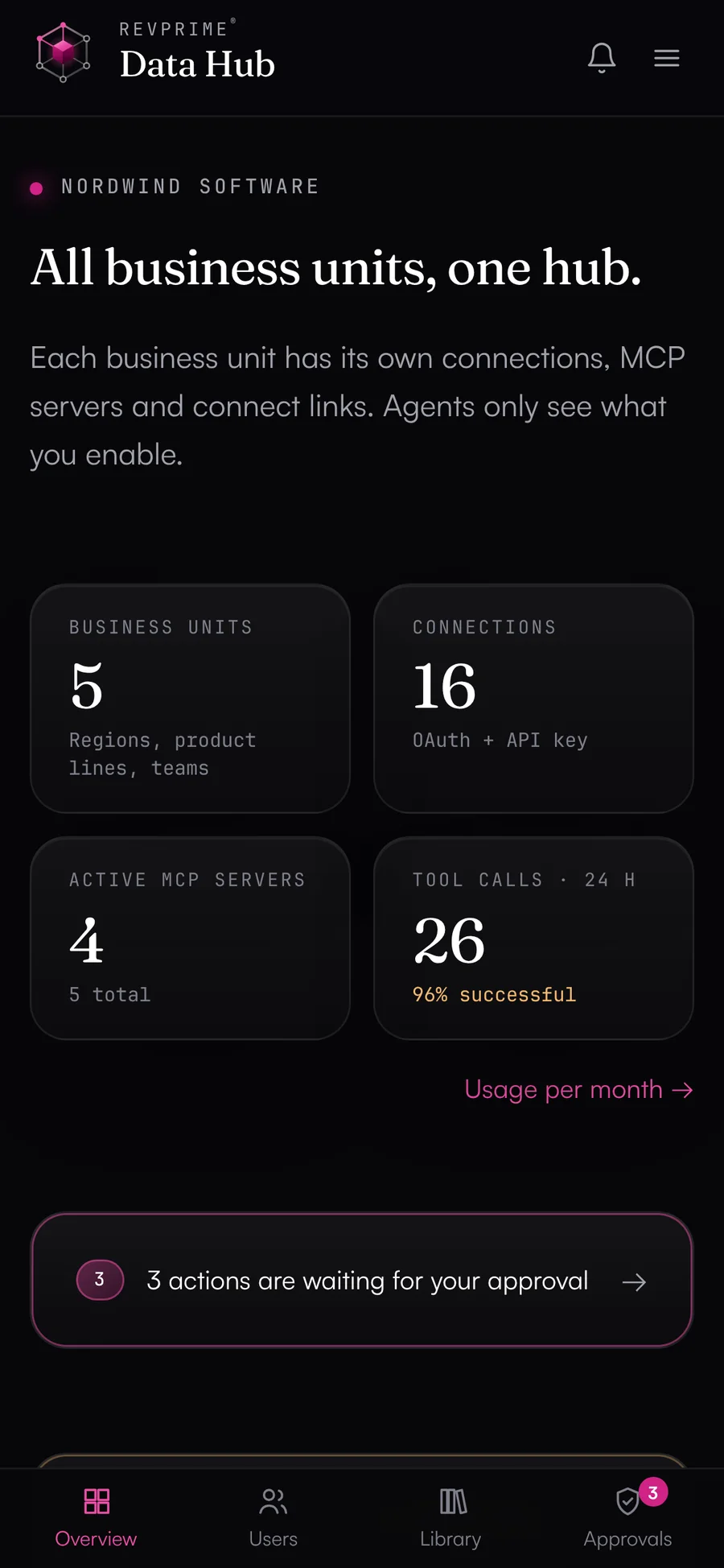
Data Hub overview with key figures and business units (demo data)

Actual product, demo data

Read the video as text

The video has no speech, only music. Scenes and on-screen text:

  1. 0:00Logo: RevPrime® Data Hub, for sales-led B2B SaaS & AI.
  2. 0:04“Your AI agent is smart.” In a chat someone asks: “How much pipeline did LinkedIn Ads bring in Q3?” The agent replies: “I don't have access to that. Can you send me an export?” Then: “But it doesn't know your pipeline.” Exports and forecast spreadsheets pile up.
  3. 0:12Problem 1 of 4: “Credentials everywhere.” A HubSpot token in a chat thread, a Google Ads login in a spreadsheet, LinkedIn access shared on Slack, a Clay API key in a .env file, an Instantly key in a prompt, a Salesforce login with a former RevOps lead.
  4. 0:17Problem 2 of 4: “Agents can do anything.” An agent with admin access is asked to clean up old contacts and deletes 1,240 of them without asking.
  5. 0:22Problem 3 of 4: “Numbers nobody checked.” A pipeline report by the agent shows wrong figures (cost per opportunity €740 instead of €1,150, pipeline €310,000 instead of €184,000, win rate 34% instead of 21%). Stamp: “Made up”.
  6. 0:27Problem 4 of 4: “Who changed that?” Changes overnight (a deal set to closed lost, a daily budget raised tenfold, a campaign paused, 312 contacts removed from a sequence), with no log and no way to undo them.
  7. 0:32“× every tool, × every agent, × every team. Marketing, sales, SDRs, RevOps: the mess grows with every agent.”
  8. 0:36“Meet the RevPrime® Data Hub. In three steps:” 1. Connect everything, 2. Set permissions, 3. Read & write.
  9. 0:44Step 1, “Connect everything”: HubSpot, Salesforce, LinkedIn Ads, Google Ads, Meta Ads, GA4, Clay, Instantly and HeyReach dock onto the hub. OAuth or API key, AES-256-GCM encrypted, hosted in Frankfurt. Then: “One MCP server for any agent”, connected to Claude, ChatGPT, Gemini, Copilot, Cursor, Perplexity, n8n and OpenClaw; revenue know-how in every connector.
  10. 1:00Step 2, “Set permissions”: tool access for the revenue agent's MCP server, read tools on, write tools with approval, one tool blocked. Guardrails: deletes only with approval, bulk brake above 10 records, emergency brake at 20 deletes per hour, 50 write calls per day. An approval request arrives in the Slack channel #revops-approvals (“The agent wants to update 14 contacts”) and gets approved and run. Approvals in the hub, in Slack or by link.
  11. 1:16Step 3, “Read and write”: in a pipeline review, Claude asks for the pipeline from LinkedIn Ads in Q3. The calls run through the hub (connections, LinkedIn analytics, HubSpot deals, a per-campaign report, the fact check). Answer with demo data: €184,000 pipeline, €1,150 per opportunity, fact check 4 of 4 figures confirmed. Then the agent creates 3 tasks for deals with no next step and pauses a campaign, with an undo button. Data context with deal stages, currency and time zone; every call is in the log.
  12. 1:36“What counts in the end.” For demand gen and revenue leaders: more pipeline (chart with demo data). For sales, SDRs and RevOps: a CRM you can trust, with four examples (call notes by chat, pipeline review, board reporting, CRM hygiene). “The agent pulls the numbers, your team works the pipeline.”
  13. 1:50“Your revenue data in any AI agent, under your control.” Book a demo, data.revprime.ai, B2B SaaS & AI, hosted in Frankfurt.
  • Google Analytics 4
  • Google Search Console
  • Google Tag Manager
  • Google Ads
  • LinkedIn Ads
  • Meta Ads
  • HubSpot
  • Salesforce
  • PPipedrive
  • Instantly
  • HeyReach
  • Clay
  • SalesViewer
  • Notion
  • ClickUp
  • Lusha
  • Clay MCP
  • HubSpot MCP
  • Meta Ads MCP
  • Fibbler MCP
  • Notion MCP
  • ClickUp MCP
  • Lusha MCP
  • PMPipedrive MCP
24
Data sources
including Clay's, HubSpot's and Meta's own MCP servers
399
Agent tools
curated, plus a generic API request per source
186
Write tools
never enabled automatically
0
Copies of the data
content is only passed through
Why a hub

Agents need real pipeline data and clear limits.

Without the hub

  • ✕Credentials for HubSpot, Salesforce and your ad accounts sit in chats, spreadsheets and .env files.
  • ✕Every agent needs its own logins or API keys for every tool, plus its own rules.
  • ✕Nobody knows exactly what an agent is allowed to read or change in your CRM.
  • ✕The agent reads deal stage IDs as names or adds up amounts in euros and dollars.
  • ✕An agent is asked to “clean up” and deletes contacts your sales team still needs.
  • ✕The forecast call has figures from an agent, and nobody knows whether they're right.
  • ✕When something goes wrong, you can't tell which agent called what.

With the Data Hub

  • ✓Whoever holds the admin access connects your tools, such as RevOps, the HubSpot or Salesforce admin or your ads team. They can do it right in the Data Hub or through a connect link that expires.
  • ✓Each agent gets its own MCP endpoint and token. It never sees the credentials for your tools.
  • ✓You enable tools one by one. Write tools are never enabled by default.
  • ✓With every result, the agent learns what the fields mean, for example that the deal stage is an ID and which amount is in your company currency.
  • ✓Deletes and bulk changes wait for approval by default. After 20 deletes in an hour, the server refuses any more.
  • ✓Before the agent states a figure, it checks it against a fresh query at the vendor.
  • ✓Every call is logged with time, tool, result and duration. You can revert changed HubSpot fields and campaign statuses in one click.
Revenue know-how

Connectors that understand pipeline.

An agent with API access doesn't know your revenue logic yet. It reads deal stage IDs as names, adds euros to dollars, or takes Google Ads costs in micros for euros. The Data Hub's connectors carry the knowledge that usually sits with your RevOps team. They explain each source's standard fields to the agent and match ad spend against pipeline without anyone merging exports.

  • Field definitions for CRM and ads

    With every result, the agent learns what the fields in it mean, including unit, currency, time zone and the usual trap. This covers HubSpot, Salesforce, GA4, ad accounts and outbound tools.

  • Ad spend against pipeline

    Campaign ROI across Google Ads, LinkedIn Ads and Meta Ads against contacts, deals and revenue in HubSpot: cost per opportunity, open pipeline, won revenue and ROAS per campaign, by first or last touch.

  • Channels through to closed won

    Contacts, deals and won revenue per source in HubSpot, with paid search and paid social spend alongside. That gives you cost per lead and per opportunity for every channel.

  • Playbooks from RevOps routine

    Ready-made playbooks include the weekly pipeline report, CRM deal hygiene, ad ROI review, campaign audit, outbound review and webinar leads to CRM. Report playbooks end with the fact check.

  • Templates per agent

    Read-only reporting, pipeline upkeep in the CRM, outbound with Instantly, HeyReach, Clay and Lusha, campaign management for ad accounts, intent signals from SalesViewer and Fibbler, and handoffs in ClickUp and Notion, each with the right tools, rules and approvals.

  • Careful defaults

    New campaigns start as drafts or paused, and most Google Ads changes run as dry runs. Deletes or changes to more than 10 records wait for approval.

What the agent learns about a HubSpot deal
dealstage
Internal ID of the deal stage, not its name. list_pipelines returns the names.
amount
Amount in the deal's currency. For totals across currencies: amount_in_home_currency.
closedate
Expected or actual close date (UTC). On open deals it can be in the past.
hs_forecast_amount
Weighted amount: amount × forecast probability.

Shortened. The agent gets the full definitions in English.

Fact check & data contextWhat sets us apart

Figures you can rely on.

Agents miscalculate and misread fields, such as cost in micros taken as euros, deal stage IDs taken as names, or opens taken as emails read. The Data Hub tells every agent what the data means. Before a figure goes into a forecast call or board deck, the agent checks it against a fresh query at the vendor.

  • ✓Field definitions for every source: meaning, unit, currency, time zone, common traps
  • ✓Data context on every result: source, account, time of fetch
  • ✓Fact check before any figure, required by default

We don't know of any other MCP hub that re-checks its agents' figures.

How the fact check works
revprime__verify_claimsExample
  • Sessions, GA4, Oct 1–2718,420confirmed
  • Google Ads cost, Octobercorrect: €3,912.40 (cost_micros ÷ 1,000,000)€4,312deviates
  • New deals from paid social14confirmed
  • Emails read, InstantlyInstantly counts opens, not emails read61%not checkable
Data context on the result
Source Google Ads · account 123-456-7890 · fetched 13:04 · cost_micros: cost in micros of the account currency (EUR), divide by 1,000,000.
How it works

From tool to agent in three steps.

  1. 01

    Connect

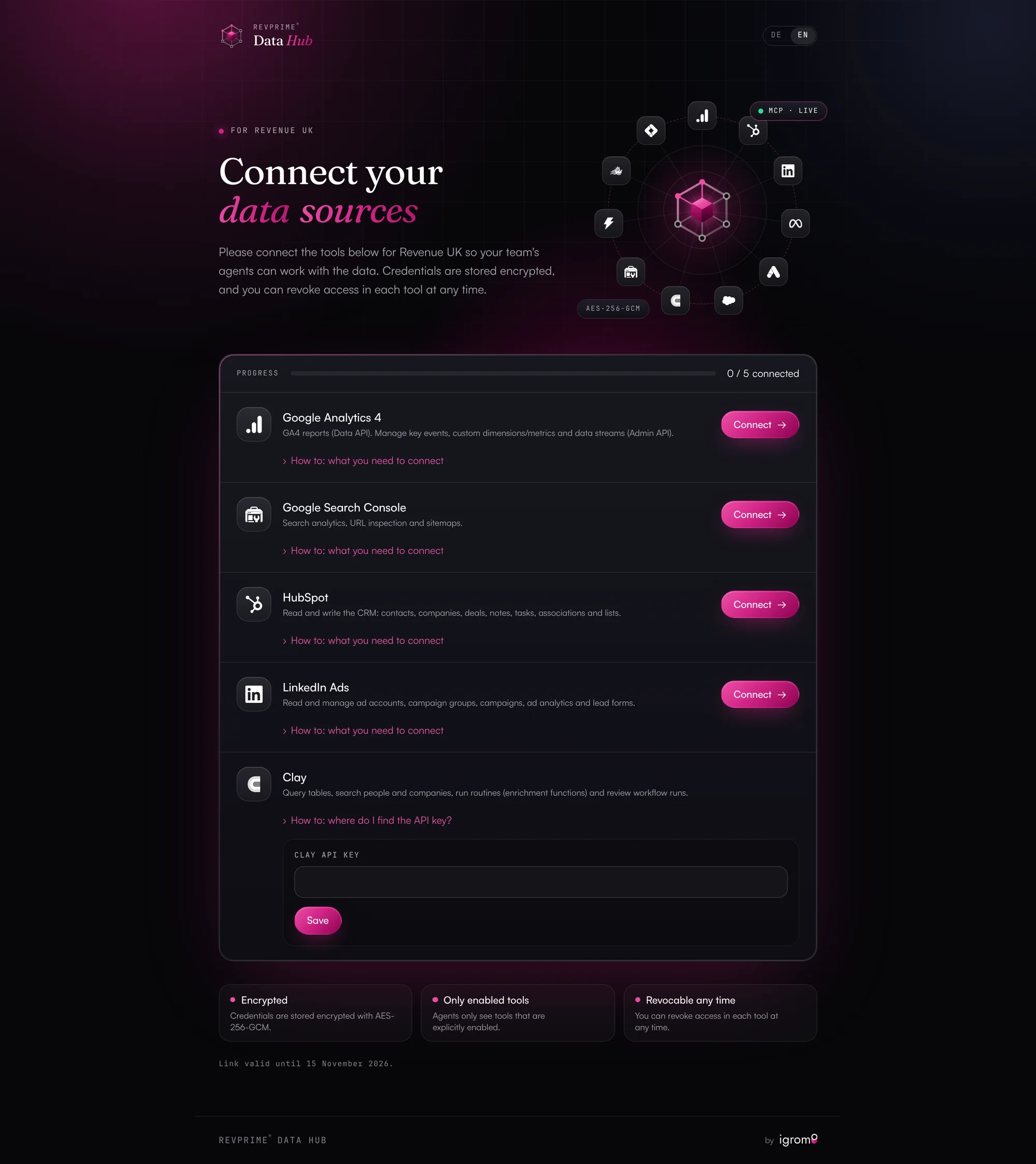
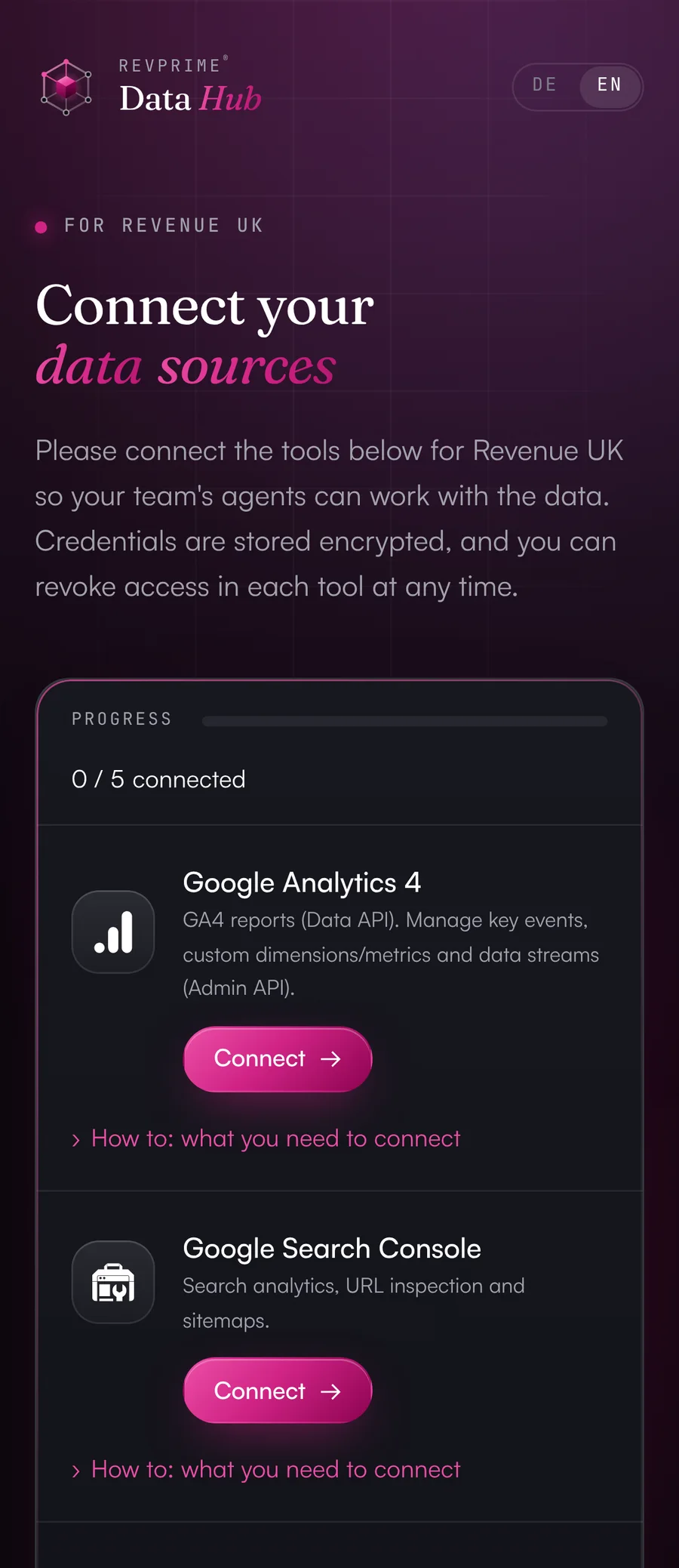
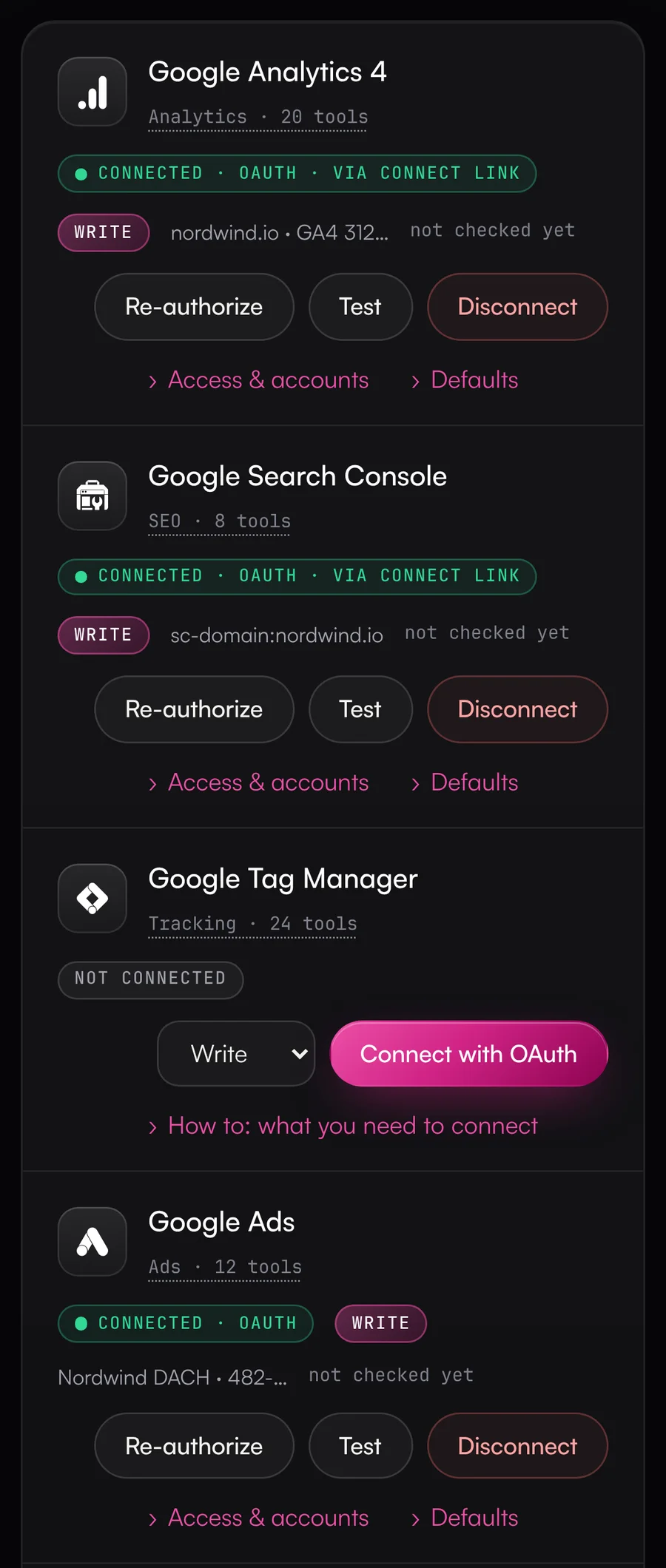
    Create a business unit, for example Revenue DACH, a product line or your SDR team. Connect your tools yourself with OAuth or an API key. Or send a connect link to the person who holds the admin access, such as the HubSpot admin or someone on your ads team. That person doesn't need a Data Hub account and can't see any other data. The page behind the link explains, for each tool, which permissions are needed and where to find the key.

    Connect page where the person with admin access connects their tools
  2. 02

    Set permissions

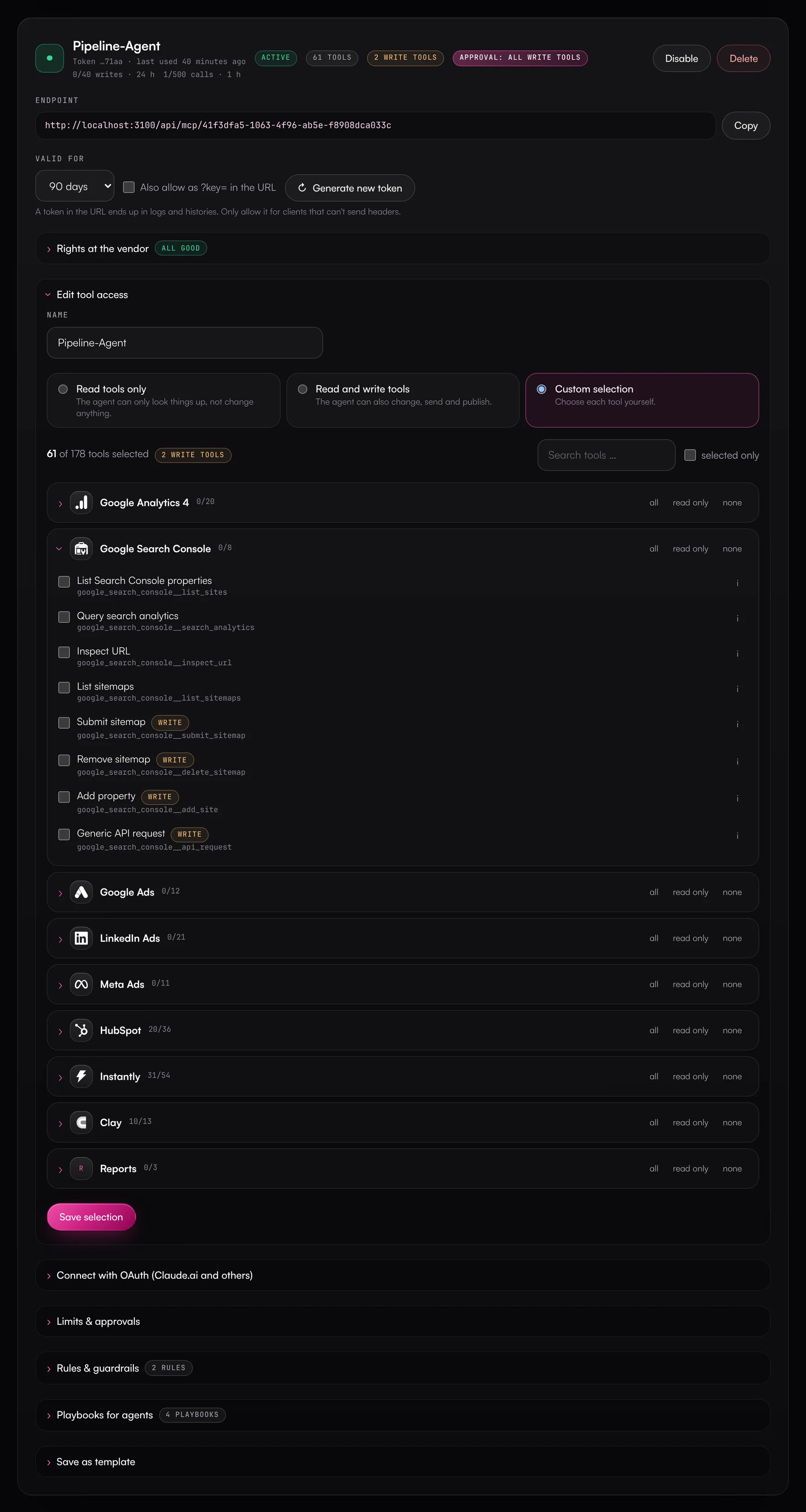
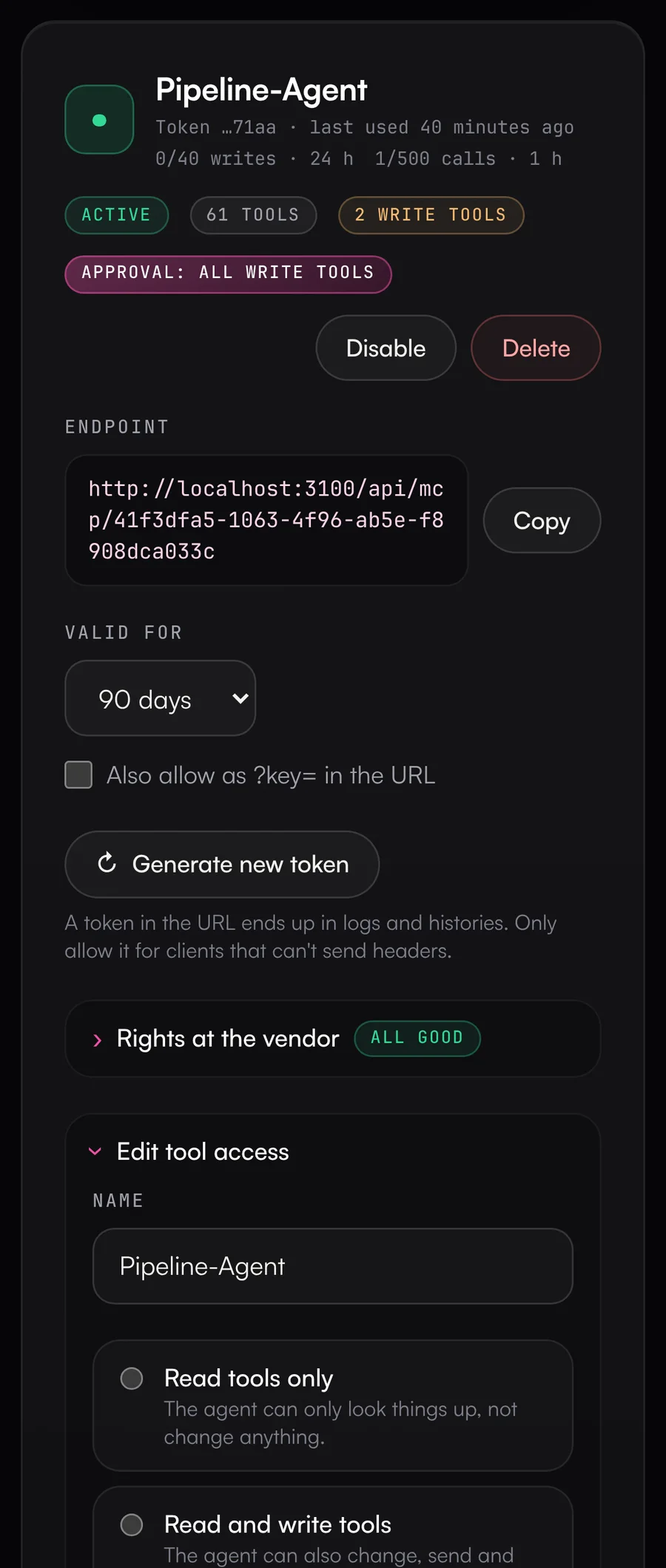
    Create an MCP server for each agent and decide what the agent may do: read only, read and write, or pick tools one by one. There are templates for reporting, pipeline upkeep, outbound and campaign management. Your own rules define what runs without asking, what needs approval and what's blocked. The agent gets these rules before it calls its first tool.

    Tool access for an MCP server, with read and write tools enabled one by one
  3. 03

    Put it to work

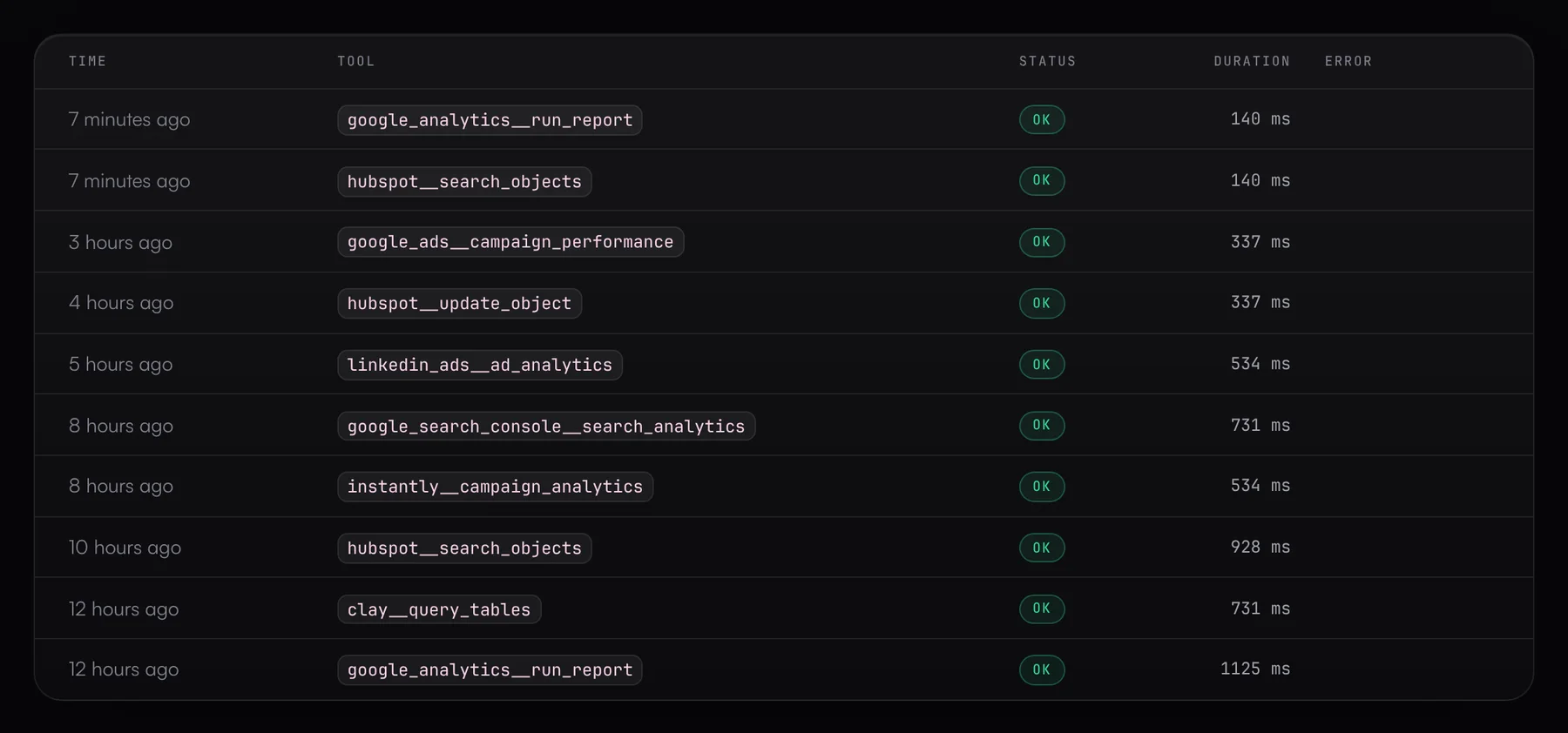
    Add the MCP server URL to Claude, ChatGPT, Gemini, Copilot or any other MCP client. Most clients log in with OAuth and don't need a token in the config. The agent gets playbooks like the weekly pipeline report or CRM deal hygiene ready to use. It works with your live data, and the activity log shows you every call.

    claude mcp add --transport http revprime \
      https://data.revprime.ai/api/mcp/<server-id> \
      --header "Authorization: Bearer rp_mcp_…"
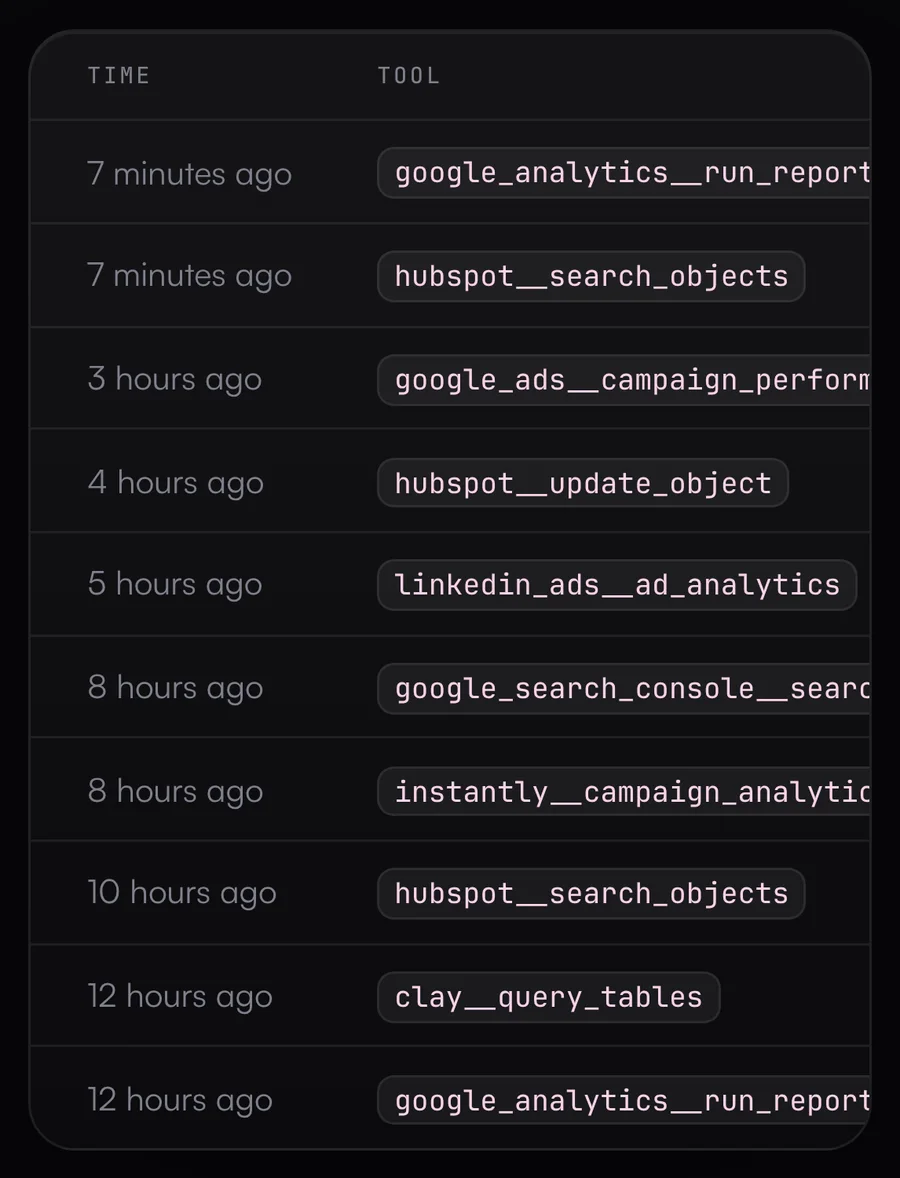
    Activity log listing every tool call with status and duration
Who it’s for

For everyone who owns revenue in B2B SaaS.

Revenue leaders, marketing and demand gen, sales and SDR teams, and RevOps ask different questions of the same data. Each role has its own page with use cases and answers to common questions.

Features

What’s in the hub.

Each business unit, whether a team, a region or a product line, has its own connections and agents, and you can trace every call afterwards.

Connections

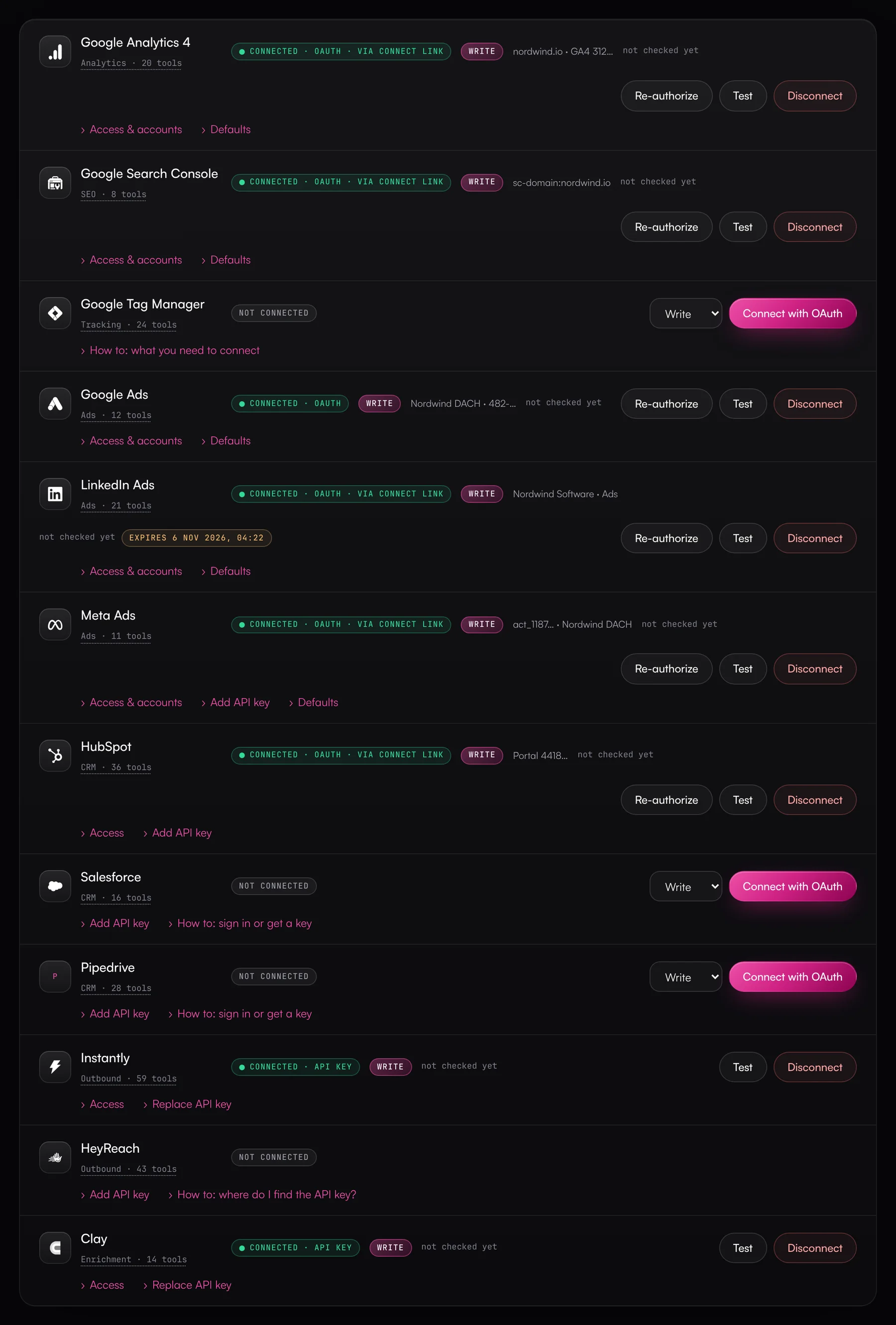
All your revenue tools in one place.

You connect with an OAuth login or an API key. The Data Hub refreshes tokens on its own, and defaults like the GA4 property only need to be set once. You can test any connection or disconnect it in one click. Disconnecting deletes the stored credentials.

  • HubSpot, Salesforce, Google Ads, LinkedIn Ads, Meta Ads, GA4, Search Console, Tag Manager, Instantly, HeyReach, Clay, Lusha, SalesViewer, Fibbler, Notion and ClickUp
  • OAuth 2.0 with PKCE wherever the vendor supports it
  • Custom REST connectors, set up without code
Connections of the Revenue DACH business unit to GA4, Search Console, Google Ads, LinkedIn, Meta Ads, HubSpot, Instantly and Clay
Transparency

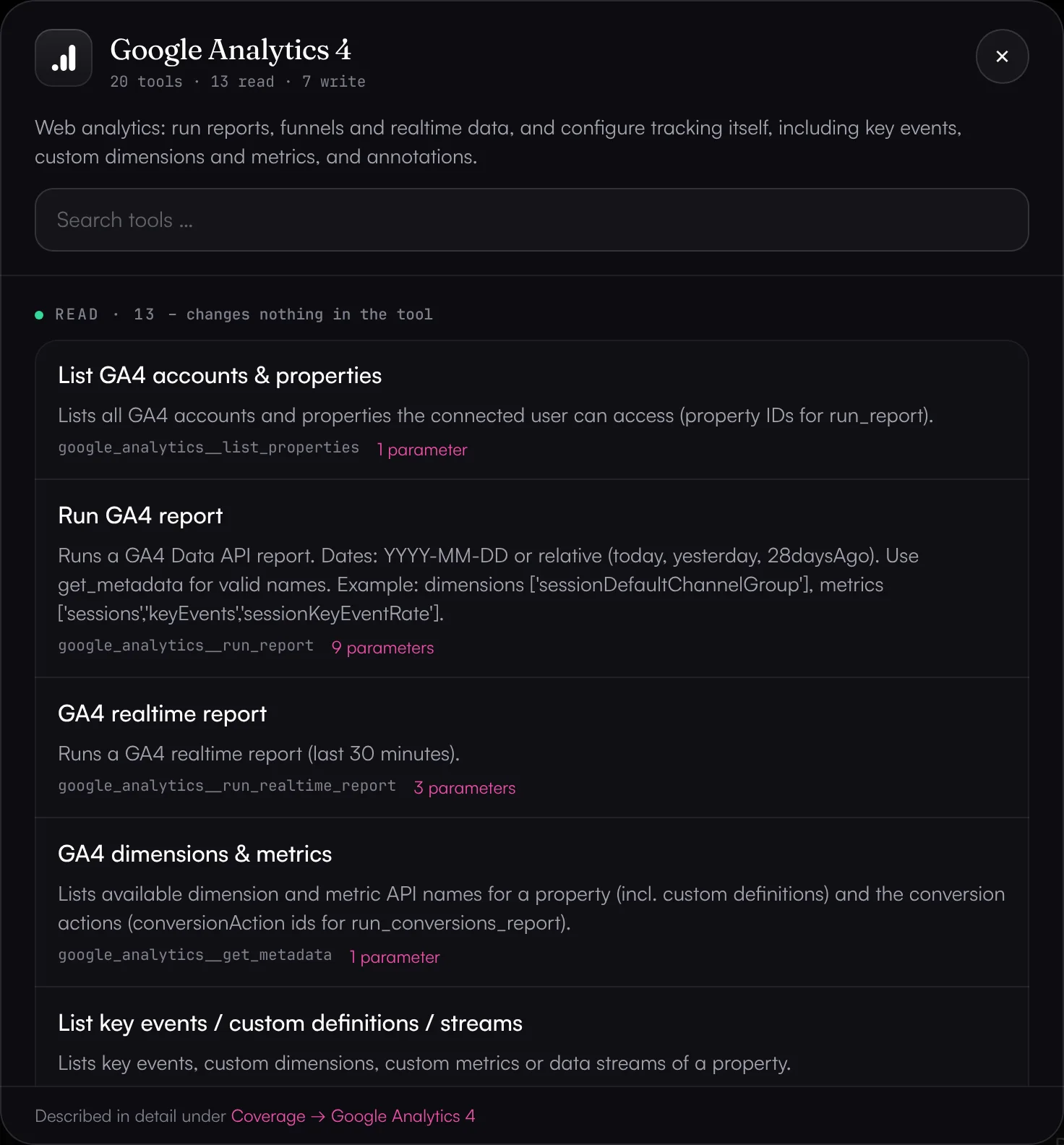
You know what every tool does.

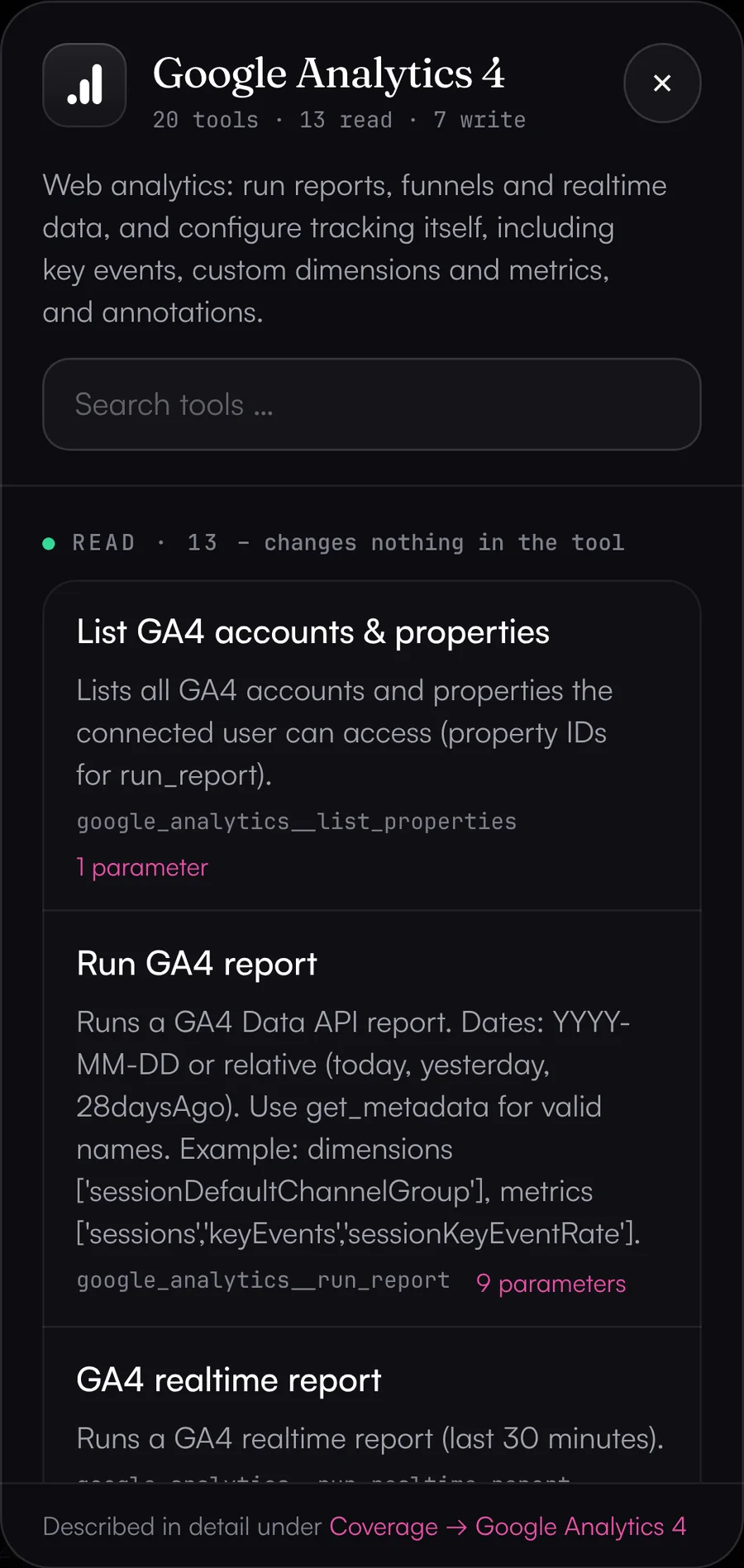
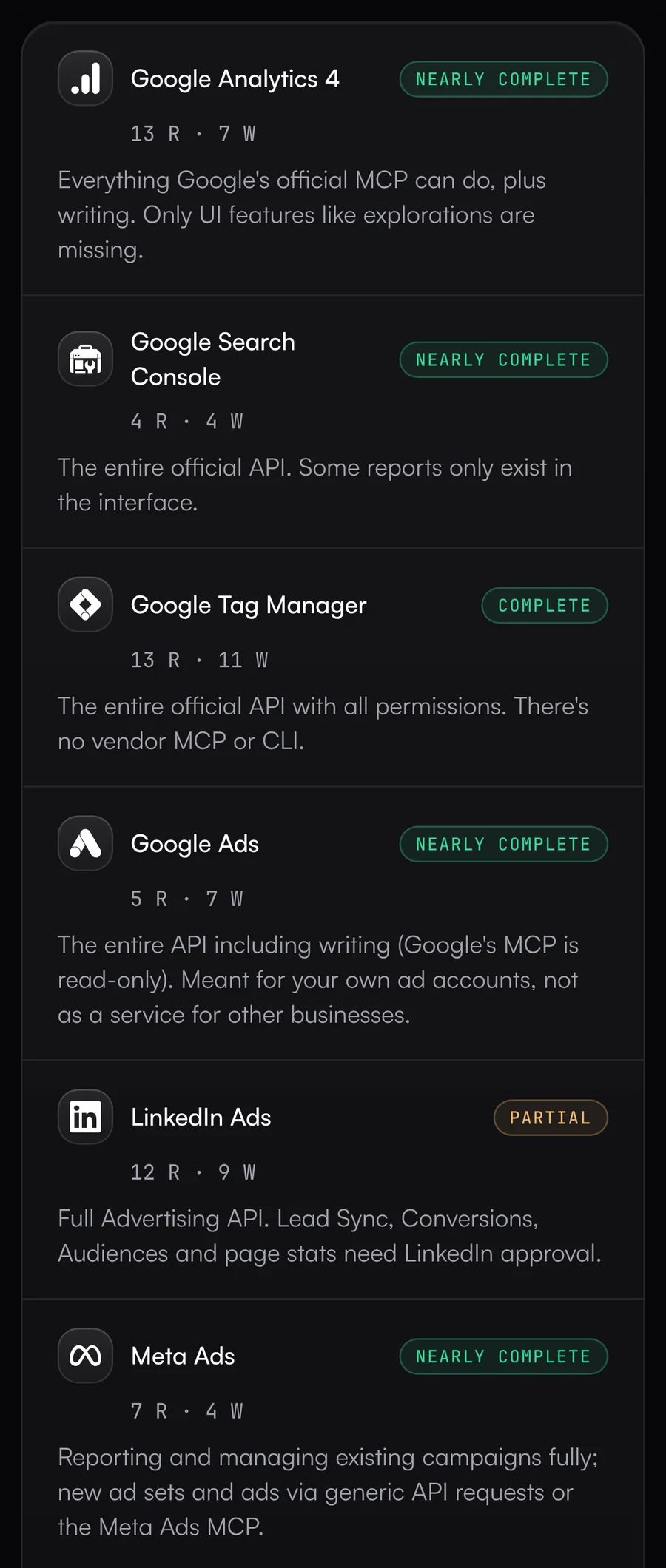
Click the tool count on a source (for example “20 tools”) and you see every function of the API: what it's for, whether it reads or writes, and which parameters it takes.

  • Read and write tools listed separately
  • Careful defaults: drafts, paused campaigns, dry runs for most Google Ads changes
  • Generic API requests for everything else, limited to the vendor's own endpoints
Tool list for Google Analytics 4 showing each tool's purpose and parameters
Guardrails & rules

So no agent deletes things by accident.

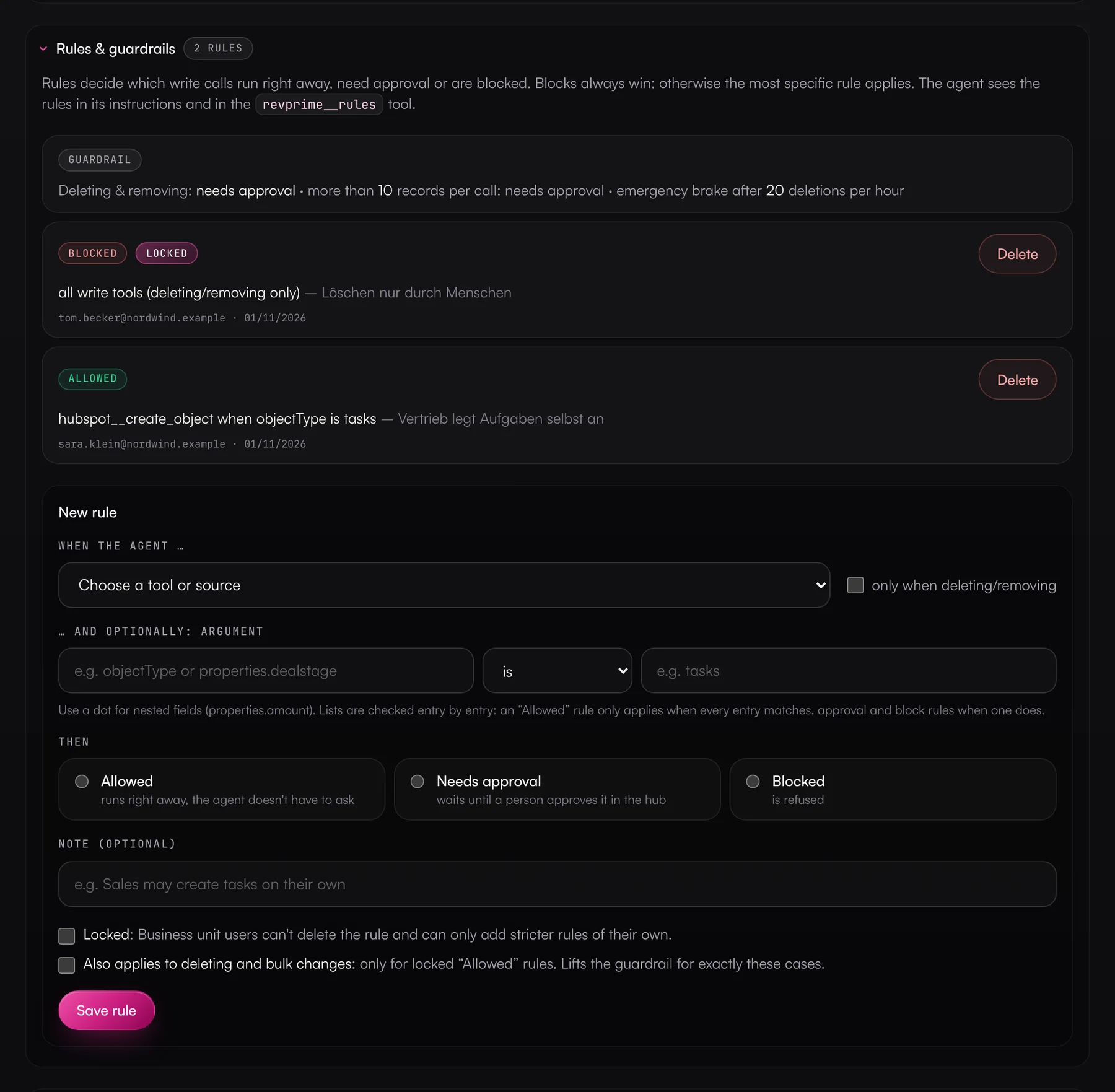
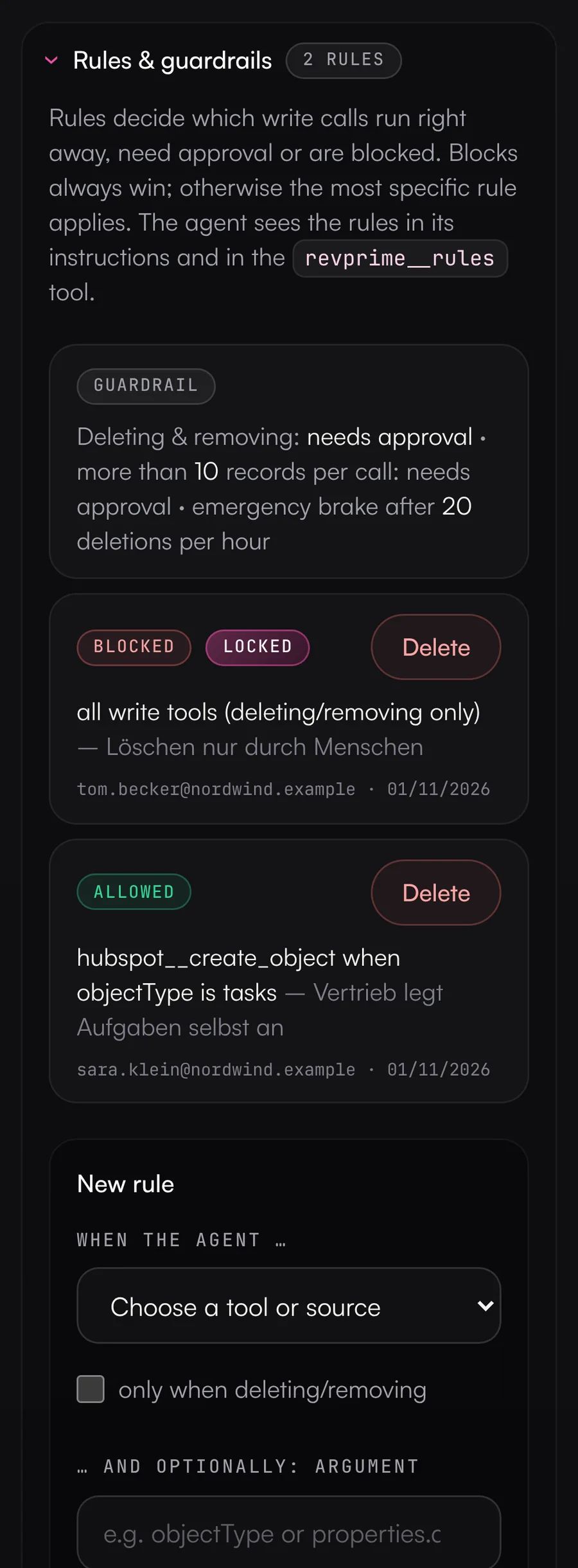
The Data Hub checks every write call with its actual arguments before anything reaches the vendor. Deletes and large batches need approval by default, and an emergency brake stops runs of deletes. Your own rules decide what can run without asking.

  • Delete, archive and unsubscribe need approval by default
  • Approval required once a single call changes more than 10 records
  • Emergency brake after 20 deletes per hour and MCP server
  • Rules per tool, source or argument (e.g. only create tasks), which admins can make mandatory
Rules for an MCP server (blocked, needs approval, no approval), one of them locked by RevOps
Teams & roles

Every team sees only what's theirs.

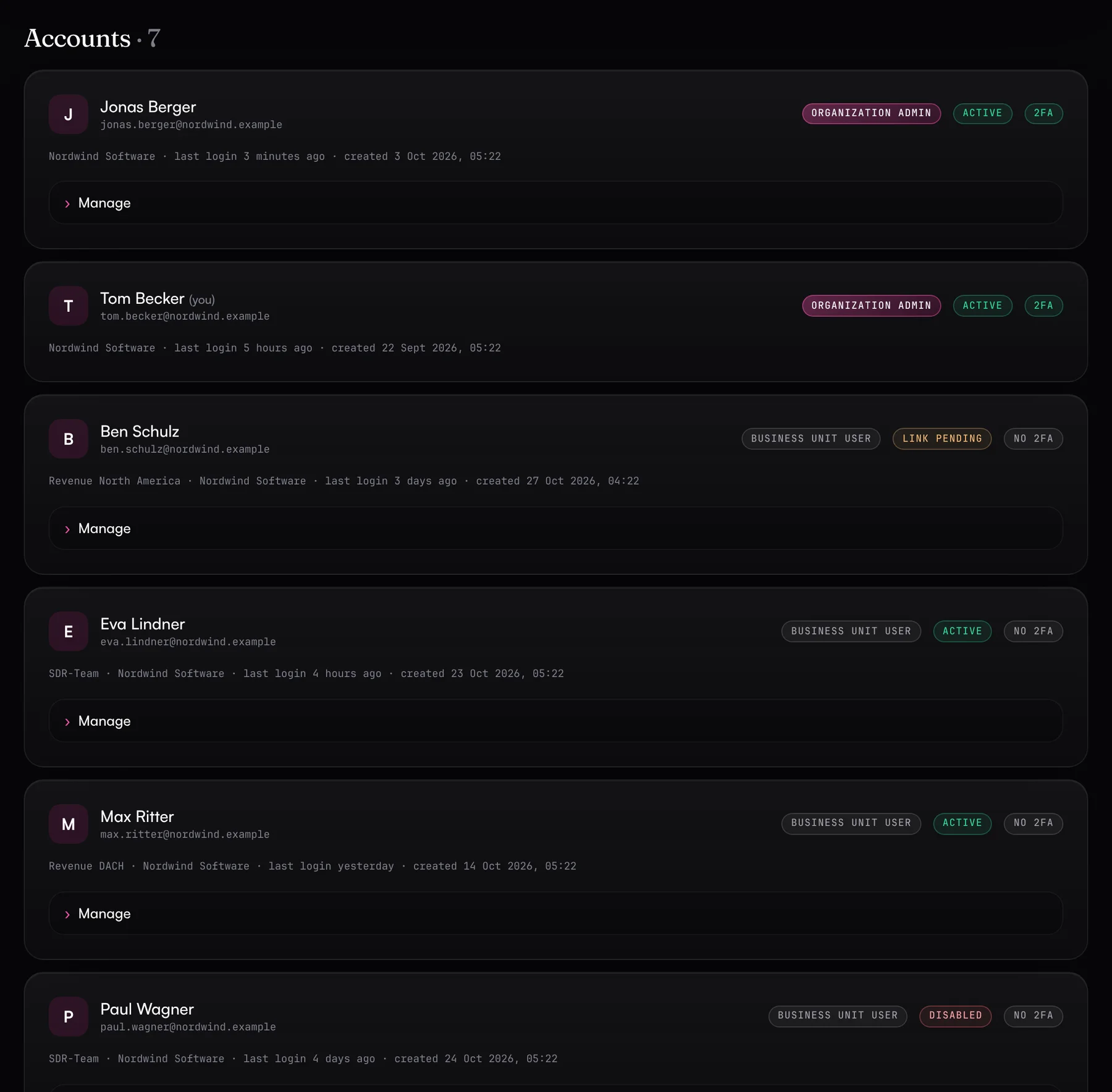
In the Data Hub, your company is an organization. Inside it you create business units, for example per team, region or product line, each with its own connections and agents. Business unit users only see the business unit they're assigned to. New users join by invitation only, and admins always log in with a second factor.

  • Your marketing, sales or SDR teams can look things up themselves: connections, agents, approvals, activity log
  • Access level per connection: Read, Write or Admin
  • Limit logins with many accounts to approved ones, such as a single ad account
Users with roles: organization admins from RevOps and business unit users from marketing, sales and the SDR team
Coverage

How far each source goes.

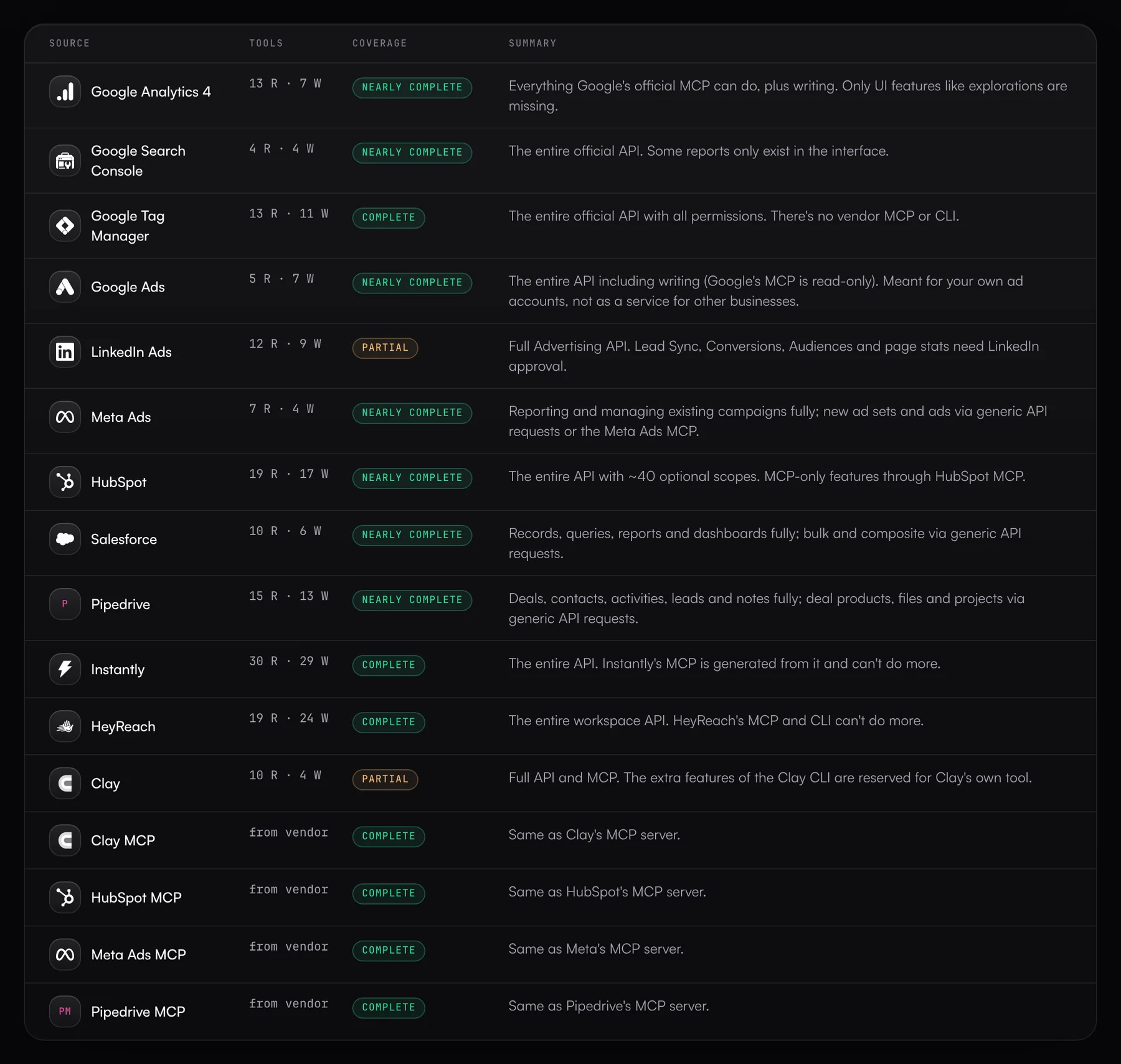
Each source spells out what an agent can read and change, what else it can reach through generic API requests, and where it stops. The comparison point is what the vendor's own tools can do.

  • Vendor MCPs from Clay, HubSpot and Meta passed through
  • Regular checks against new API versions
  • Limits are spelled out, too
Coverage of each source compared with the vendor's own tools
Security

Handing over access takes trust.

The Data Hub stores as little as possible and encrypts every secret. You enable each tool individually, and every call is logged.

  • Encrypted at rest

    OAuth tokens and API keys are stored in the database encrypted with AES-256-GCM. The key is kept elsewhere, so a copy of the database alone isn't enough to read them.

  • Tokens stored as hashes

    MCP server and connect link tokens are stored only as SHA-256 hashes and compared in constant time.

  • Business units and accounts kept apart

    An MCP server only knows the connections of its own business unit, and organizations can't see each other. Logins with many accounts can be limited to approved ones.

  • Guardrails

    Write tools are never enabled by default. Deletes and bulk changes need approval by default, and an emergency brake stops runs of deletes. Campaigns are created as drafts or paused.

  • No copy of your data

    The Data Hub doesn't store contacts, campaigns or reports. It fetches them from the vendor on every call and passes them to the agent. Approvals are the exception: the arguments and result of that one action are kept, encrypted.

  • Permissions and approvals

    Every connection has an access level. For GA4, Search Console, Tag Manager, LinkedIn and Meta, the Data Hub only requests the vendor permissions that level needs. Add to that your own rules, approvals in the hub, in Slack or via a link, and limits per agent.

  • Two-factor login and admin log

    Admins always log in with a second factor from an authenticator app. Repeated failed attempts lock the login. Every login and every change goes into the admin log, and logs are deleted after a retention period you set.

  • Hosted in Frankfurt

    The Data Hub runs on Vercel (fra1), the database on Neon (aws-eu-central-1). All traffic uses HTTPS with HSTS, and outgoing requests only go to the vendors' own endpoints.

New in the hub

What we’ve shipped lately.

Most recently, Meta Ads and Salesforce joined as sources, along with checked figures and reports across sources. Before that came undo for agent changes, custom rules, access levels, monitoring, approvals and OAuth for more AI clients.

  • New

    Meta Ads & Salesforce

    Meta Ads covers advertising on Facebook and Instagram. Its spend shows up in the cross-source reports, and status changes can be undone. Salesforce comes with SOQL, reports and record upkeep. The Data Hub also passes through Meta's own MCP server.

    • Meta: Facebook login or system user token, allowed accounts at ad account level
    • Salesforce: login or integration user, sandboxes included
    • Meta Ads MCP with benchmarks and ad creation (beta)
  • New

    Fact check & data context

    With every result, the agent learns what the fields mean, including unit, currency, time zone and common traps. Before it states a figure, it checks it against a fresh query at the vendor and learns which figures hold and which don't.

    • Field definitions for every source
    • Checked figure by figure, with read calls only
    • Required by default, can be turned off per MCP server
  • New

    Ad spend vs. pipeline

    Two reports across sources: campaign ROI, with cost from Google Ads, LinkedIn Ads and Meta Ads against contacts, deals and revenue in HubSpot, and cost per lead and per opportunity for each channel.

    • First or last touch, your choice
    • UTM values without a matching campaign are listed
    • Results aren't stored
  • New

    Undo for agent changes

    In the activity log, you revert an agent's change with one click, such as changed HubSpot fields or a campaign status. Only references are stored for this, and anything someone has changed since stays untouched.

    • HubSpot, Google Ads, LinkedIn Ads, Meta Ads, Instantly, HeyReach
    • Old HubSpot values from the property history
    • References kept for 30 days
  • New

    Rights at the vendor

    For each MCP server, the Data Hub shows which enabled tools the connected account isn't allowed to use at the vendor, and how to fix that. The agent learns about these gaps before it calls the tools.

    • Permissions at Google, LinkedIn, HubSpot, Meta and Salesforce
    • Roles in LinkedIn, Meta and Search Console
    • Refusals in the log, including API keys
  • New

    Usage & quotas

    The Data Hub counts calls, write actions and Clay usage per business unit and month. It records counts only, no content. With packages you set quotas per business unit and get a warning at 80 and 100 %. If you want, it refuses calls beyond the quota.

    • Calls, write actions, errors, Clay rows and credits
    • CSV export per month or per business unit
    • Read calls keep working when only the write or Clay quota is used up
  • New

    Guardrails & custom rules

    Every write call is checked along with its arguments. Deletes and large batches need approval by default, and an emergency brake stops runs of deletes. With your own rules, you can pre-approve routine work or block specific actions.

    • Rules per tool, source or argument
    • Admins can make rules mandatory
    • The agent knows its rules before it calls anything
    Rules for an MCP server (blocked, needs approval, no approval), one of them locked by RevOps
  • New

    Teams, regions & roles

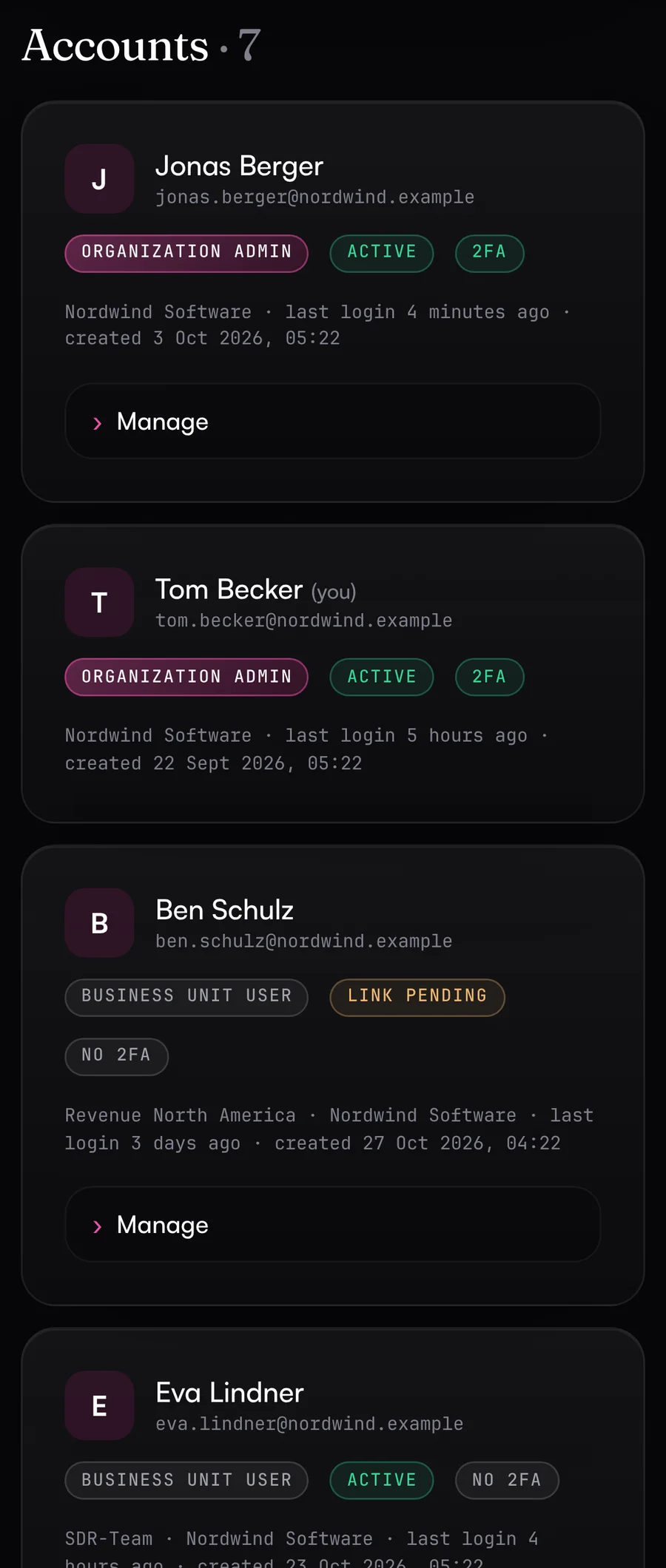
    Three levels with their own permissions: the platform, the organization with its business units (teams, regions or product lines), and business unit users. Access is by invitation only, and admins log in with a second factor.

    • Organizations can't see each other
    • Teams can see just their own business unit if you want
    • Admin log per organization
    Users with roles: organization admins from RevOps and business unit users from marketing, sales and the SDR team
  • New

    Access levels & allowed accounts

    Each connection gets an access level: Read, Write or Admin. For GA4, Search Console, Tag Manager, LinkedIn and Meta, the Data Hub only requests the vendor permissions that level needs. For logins with many accounts, you choose which of them the agent can reach.

    • Account lists for GA4, Search Console, Tag Manager, Google Ads, LinkedIn Ads and Meta Ads
    • Requests to other accounts are rejected before they reach the vendor
    • A connect link won't replace a working connection unless you allow it
    Connections of the Revenue DACH business unit to GA4, Search Console, Google Ads, LinkedIn, Meta Ads, HubSpot, Instantly and Clay
  • New

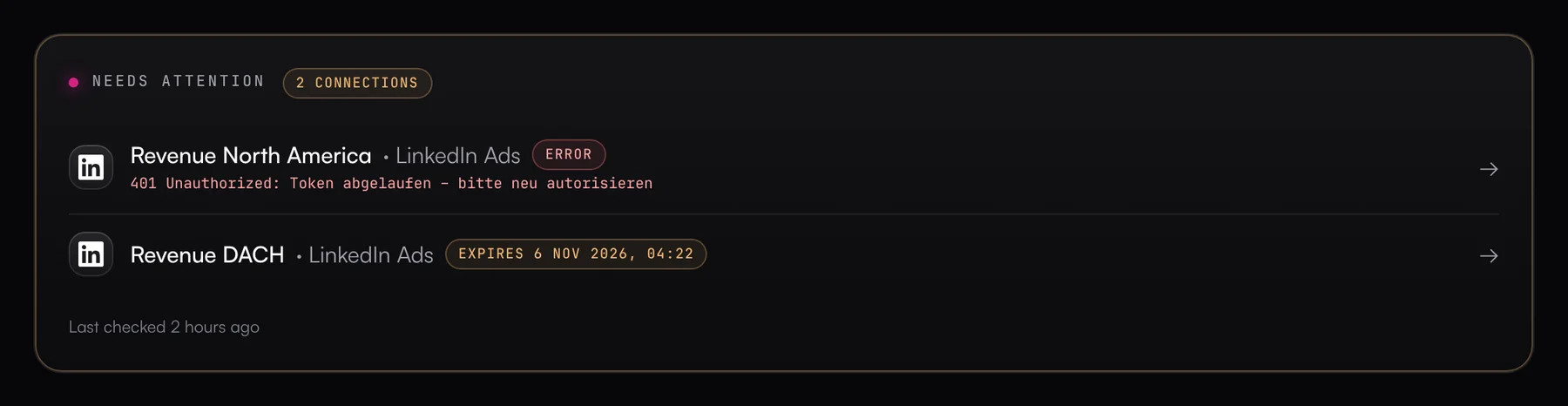
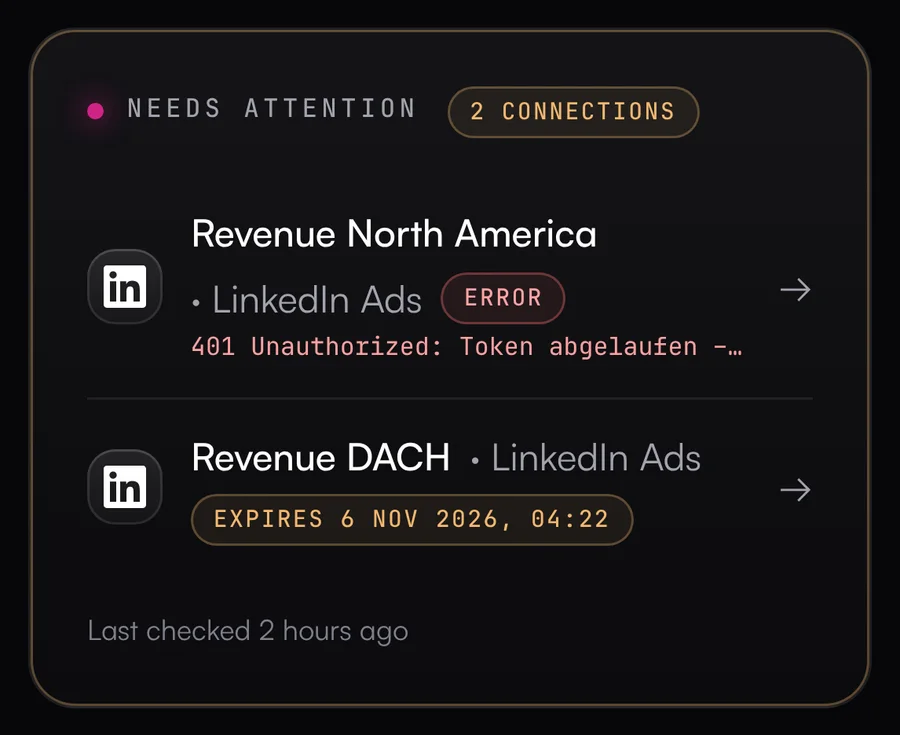
    Connection monitoring

    Every morning the Data Hub checks all connections and flags access that's about to expire. If something breaks, you get a warning by email, Slack or Teams. The email includes a connect link for the person who can renew the access.

    • “Needs attention” section on the overview
    • Reminders while the problem lasts, and an all-clear once it's fixed
    • “Check all now” runs the check right away
    “Needs attention” section with one failing connection and one about to expire
  • New

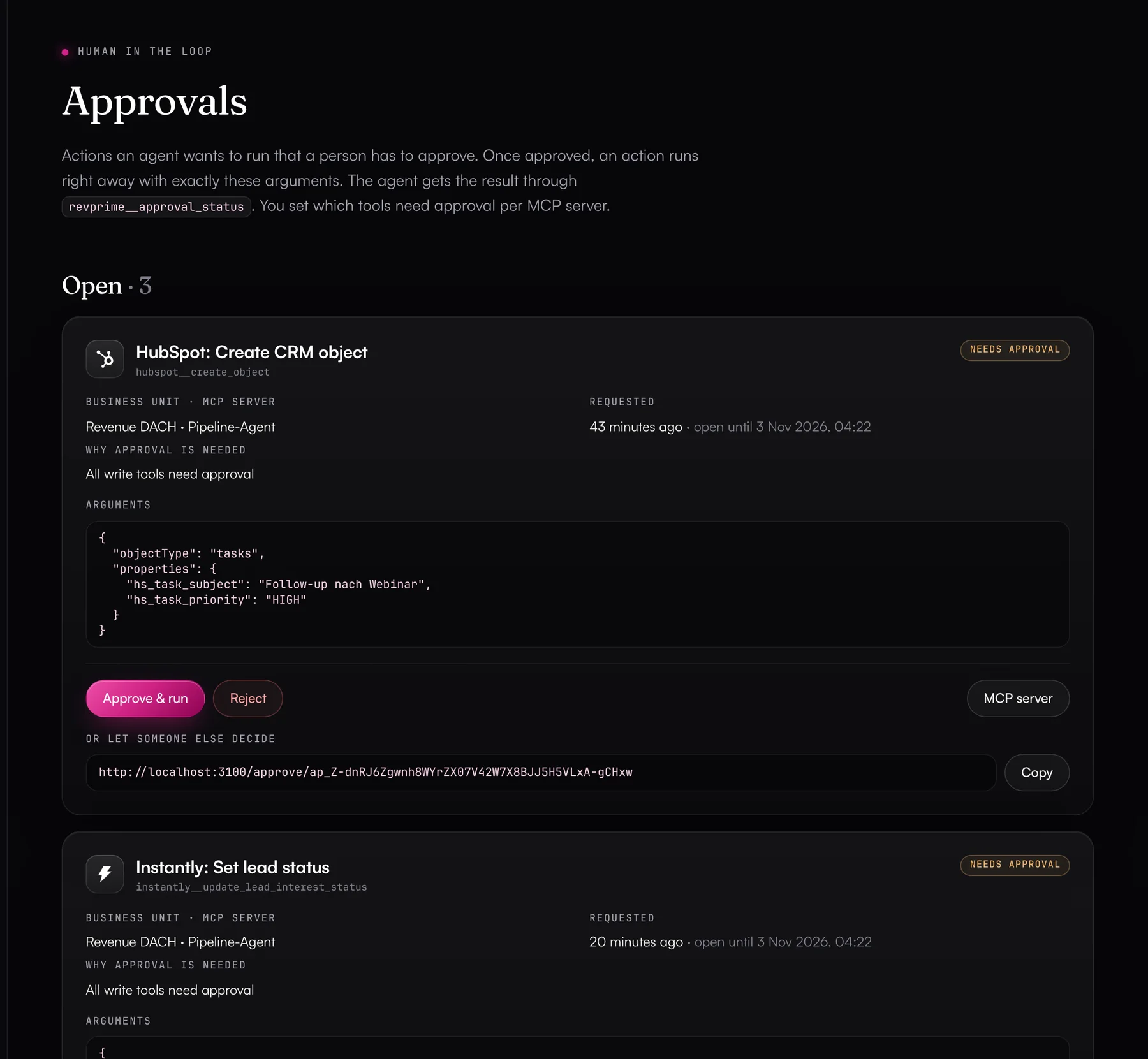
    Approvals & limits

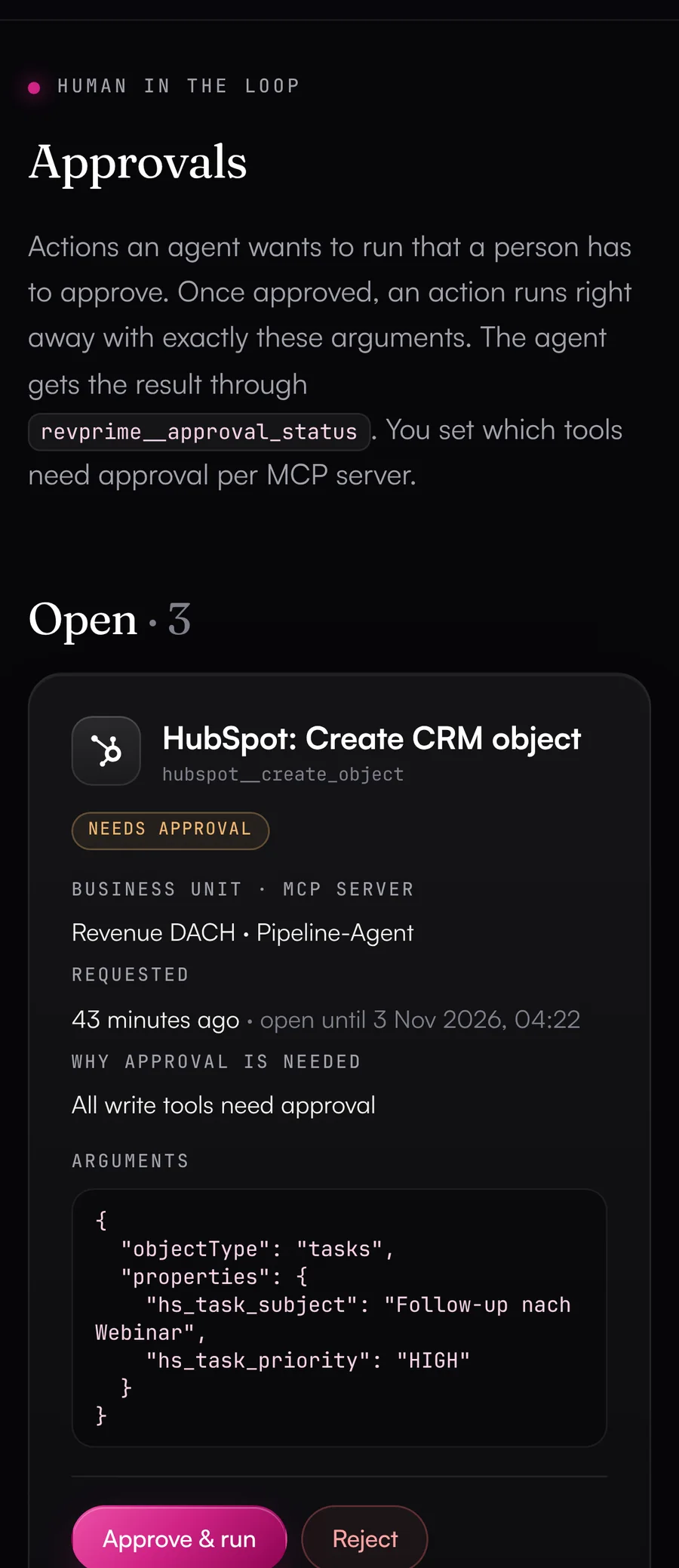
    For each MCP server, you decide whether all write actions or only selected ones wait for a person to approve them. Your head of sales or CRM owner, for example, can approve in the Data Hub, in Slack or through a link, with all arguments on screen. Once approved, the action runs right away.

    • Approval by a person, set per agent
    • Limits: 50 write calls per day and 500 calls per hour (defaults)
    • Every value adjustable per MCP server
    Pending approvals: agent actions waiting for a person to confirm them
  • New

    OAuth for many AI clients

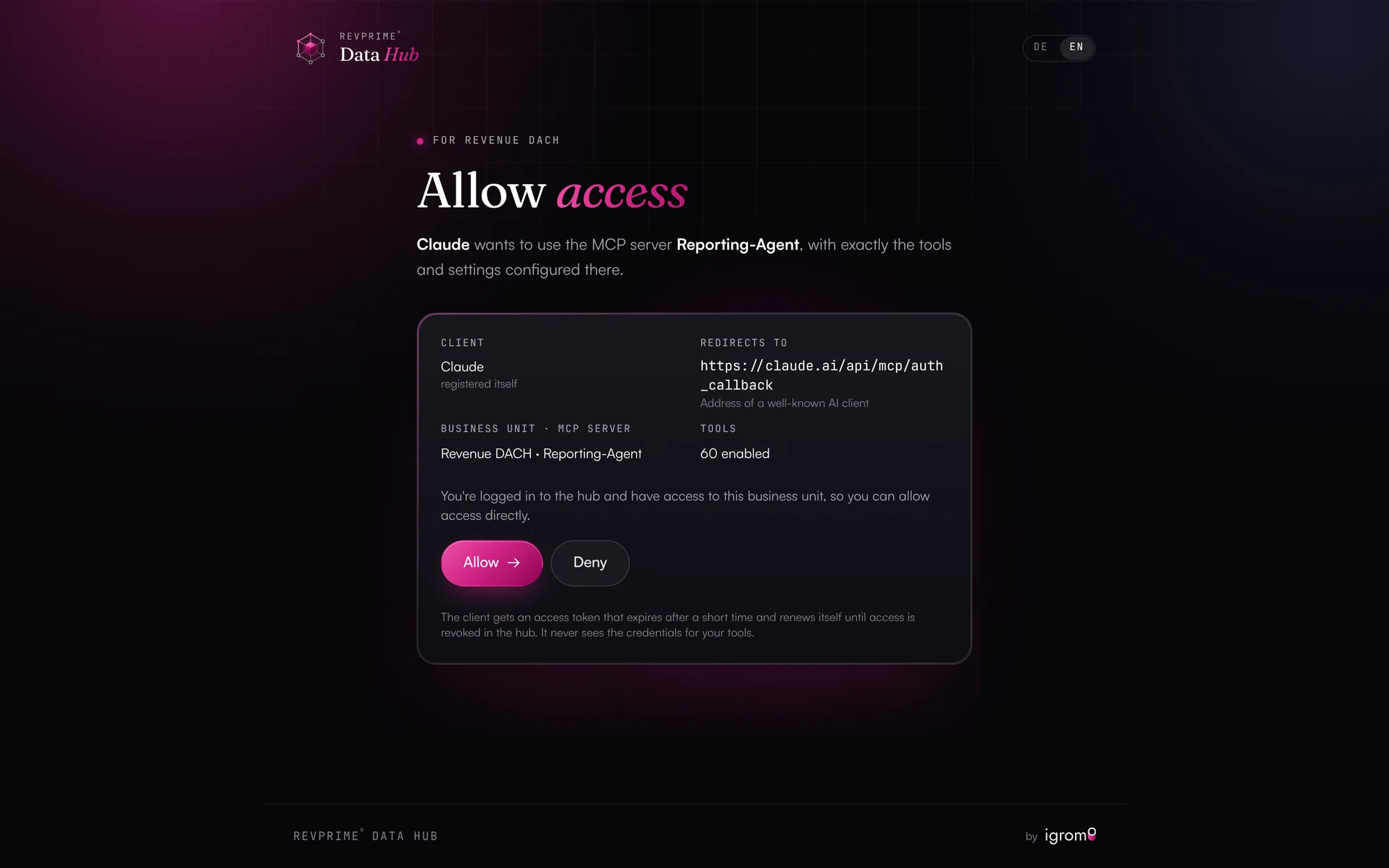
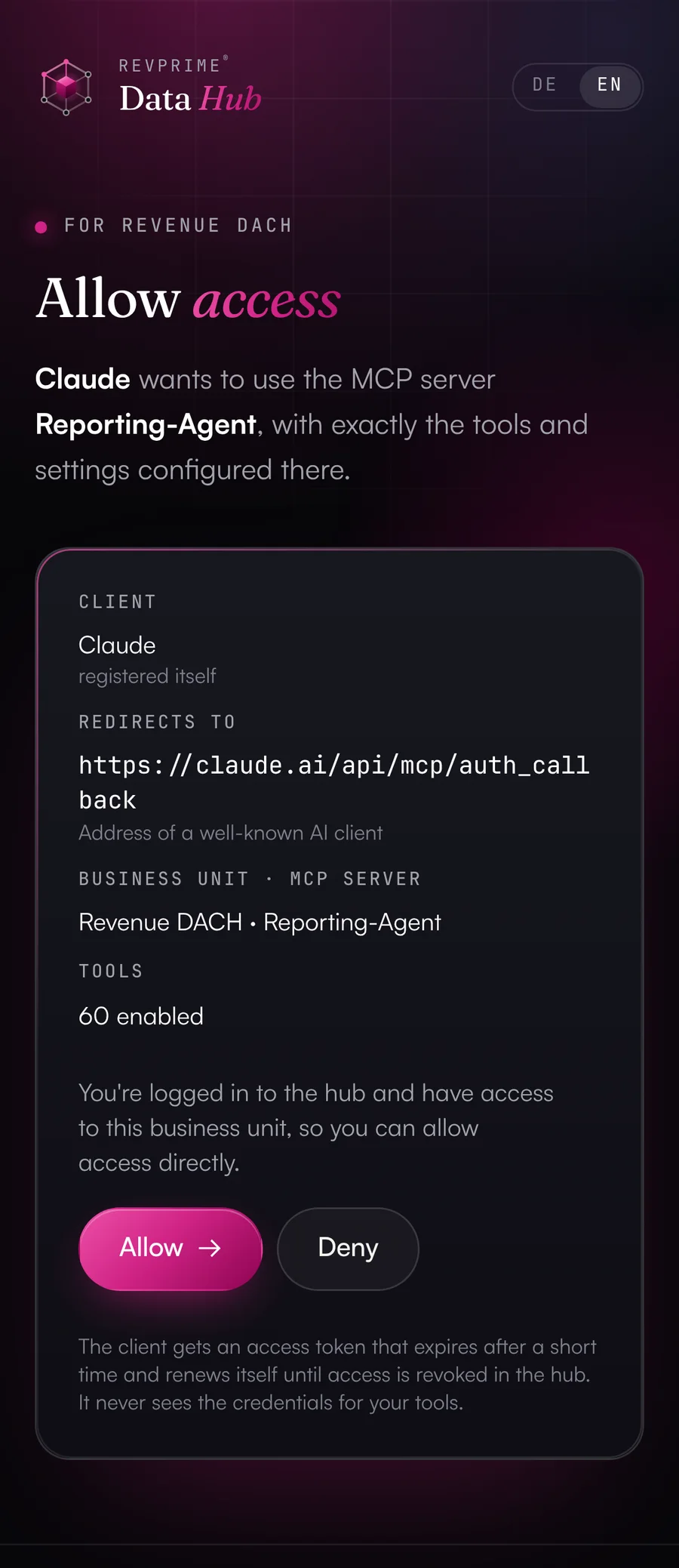
    Claude, ChatGPT, Gemini, Copilot, Grok, Perplexity and others connect with just the MCP server URL, no token in the config. The consent page shows which client is asking. You allow access yourself, or someone without a Data Hub account, such as someone on your sales team, enters a one-time connection code.

    • Client identity is verified (client ID metadata)
    • Access is limited to that one server
    • Manually registered clients for platforms without self-registration
    Consent page where Claude is granted access to an MCP server
Part of the RevPrime® GTM platform

In the GTM Hub, the whole team works with this data.

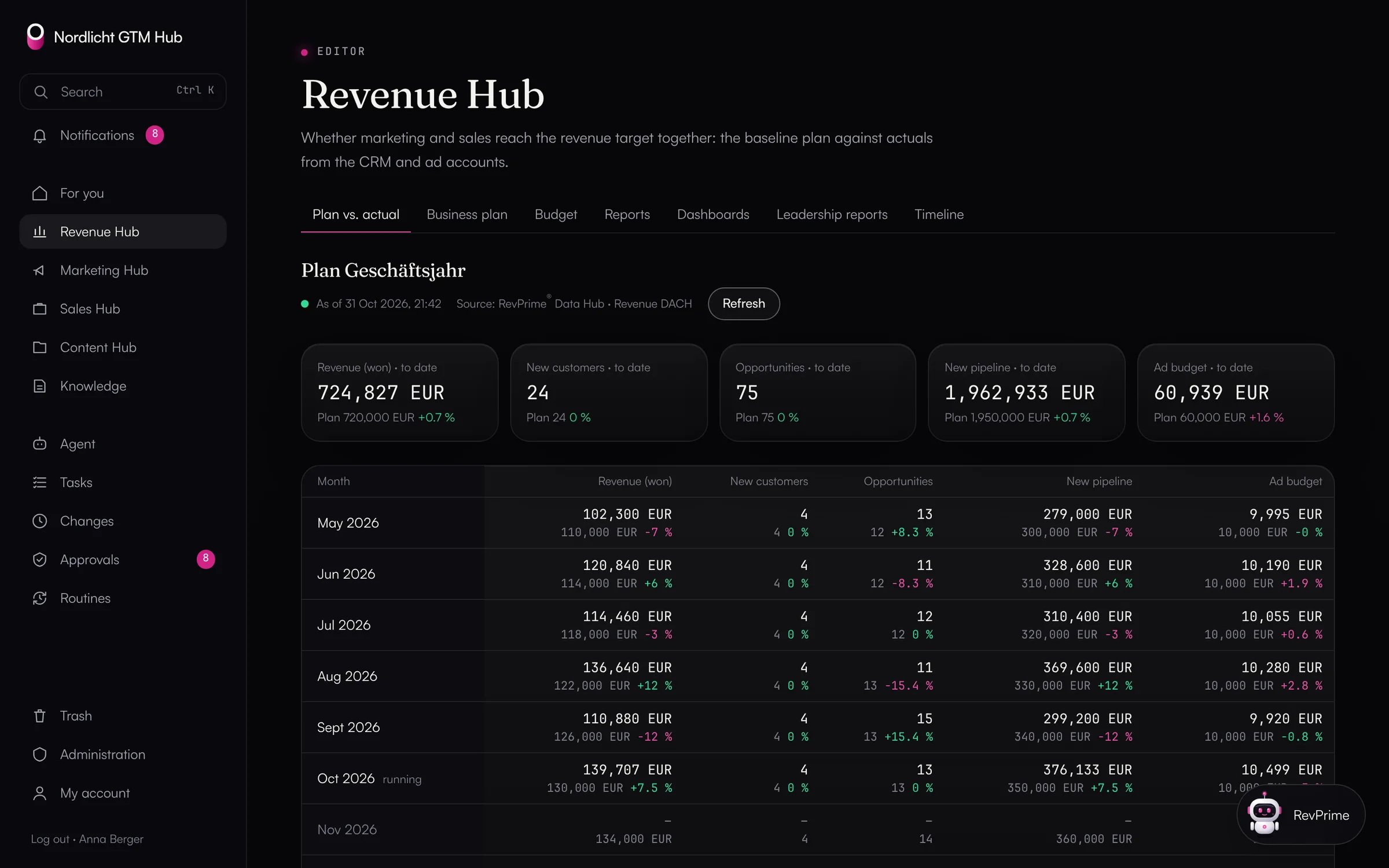
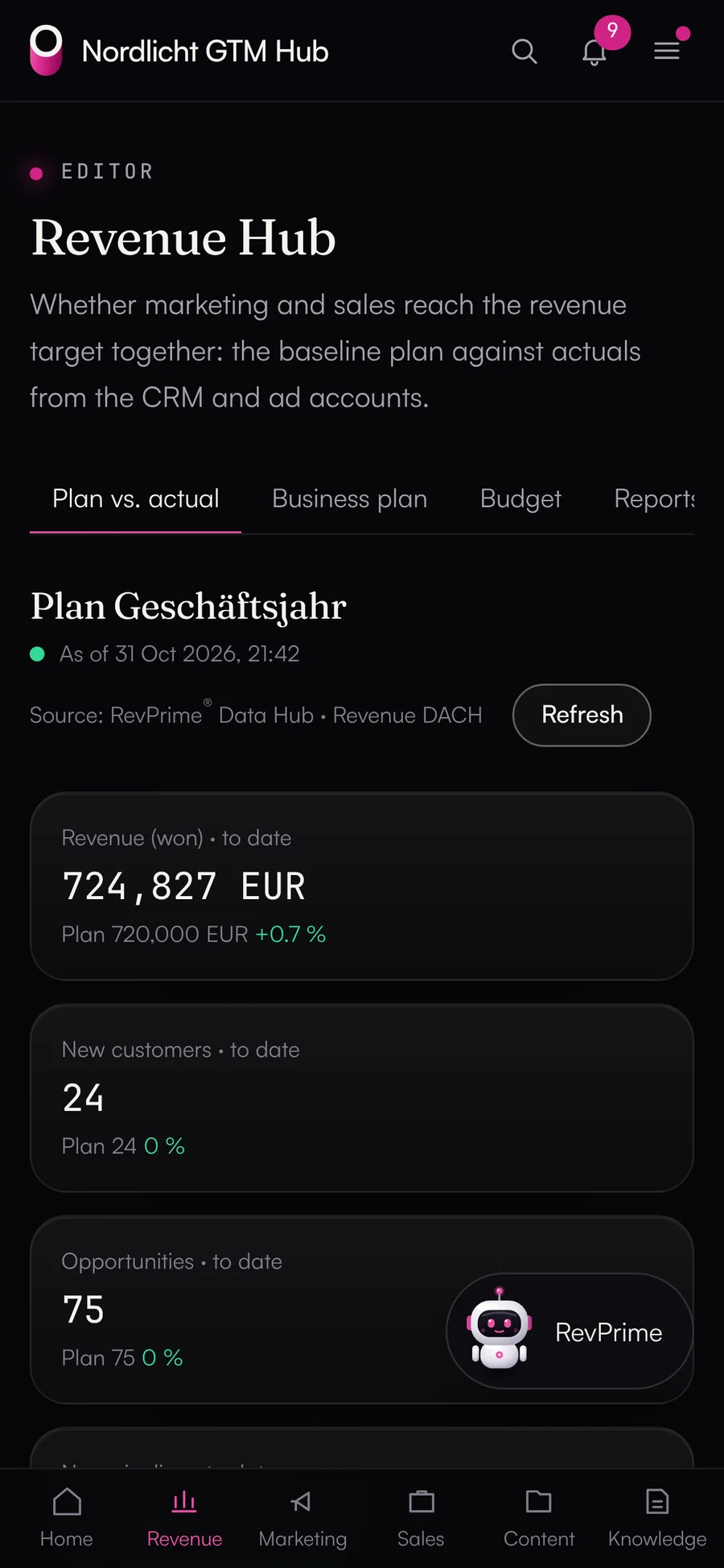
The Data Hub works on its own with any MCP client. The GTM Hub uses it as its only source of outside data: plan vs. actual in the Revenue Hub, channel dashboards, the deal radar and the management report read through a service access that can only read and ties every request to a person.

Revenue Hub: plan vs. actual per month with revenue, new customers, opportunities, pipeline and ad budget from the Data Hub
FAQ

Common questions.

What is MCP?

The Model Context Protocol is an open standard that lets AI agents like Claude work with other systems. The Data Hub gives each agent its own MCP endpoint. Through it, the agent sees exactly the tools you've enabled.

Do colleagues need a Data Hub account?

No. Anyone who only needs to connect tools, such as the HubSpot admin or someone on your ads team, gets a personal connect link. It's valid for 1 to 30 days, and you can revoke it at any time. Through the link, that person connects only the tools you picked, with instructions for each one, and can't see any other data. If you want, you can also invite them to the Data Hub; they'll then see only their own business unit.

Does the Data Hub store our pipeline and CRM data?

The Data Hub doesn't keep a copy of your data. It stores configuration, encrypted credentials and the activity log. Content is fetched from the vendor on every call and only passed on to the agent. For approvals, the arguments and result of that single action are kept, encrypted. On top of that, it keeps a few details without any content: references for undo (record IDs, field names and the previous campaign status, 30 days), monthly usage counters (counts only) and, for the rights check, the connected account's role per account.

Can an agent change deals or campaigns without asking?

Only if you enable write tools for its MCP server. Even then, deletes and calls that touch more than 10 records need approval by default, and an emergency brake halts runs of deletes. With your own rules, you can pre-approve routine work, require approval or block actions, including based on arguments. There are also limits per day and per hour. Campaigns are created as drafts or paused, and most Google Ads changes run as dry runs by default. If the agent applies Google's optimization recommendations, though, they take effect right away.

Which AI clients work with it?

Any MCP client that supports Streamable HTTP. That includes chat assistants like Claude, ChatGPT, Gemini Enterprise, Microsoft 365 Copilot, Grok, Perplexity and Mistral Le Chat; agents like OpenClaw, Hermes Agent, Manus, Notion custom agents and HubSpot Breeze; automation with n8n, Make, Zapier and Copilot Studio; and developer tools like Claude Code, Codex, opencode, Gemini CLI, GitHub Copilot, Cursor, Windsurf, Zed and Kiro, including when they run inside herdr. Most log in with OAuth and only need the MCP server URL. A token in the header works too. For platforms without self-registration, you set up an OAuth client by hand.

Who is the Data Hub for?

For sales-led B2B SaaS and AI companies. It fits if your pipeline lives in HubSpot or Salesforce and you use agents in marketing, sales and RevOps. A typical setup has one business unit per team, region or product line. The Data Hub isn't built for online stores: there are no connectors for shop systems, and the field definitions and reports revolve around deals, opportunities and pipeline.

What does revenue know-how in the connectors mean?

The connectors return more than raw data. With every result, the agent gets the definitions of the fields it contains, for example that the deal stage in HubSpot is an internal ID, that open deals can have a close date in the past, or that Salesforce keeps the weighted amount as ExpectedRevenue. On top of that come reports across sources (ad spend against deals and pipeline per campaign and channel), ready-made playbooks like the weekly pipeline report, and templates for typical agents.

Can several teams or regions work separately?

Yes. You can set up each team, region or product line as its own business unit with its own connections and agents. Anyone in marketing, sales or your SDR team who should look in can get a login to exactly that business unit. New users join by invitation only.

Can an agent do more than the connected account can?

No. Each tool works with the permissions granted when the account was connected, often with fewer, because the connection's access level and allowed accounts narrow them further. If the account lacks a permission in the tool itself, the Data Hub can't add it.

Give your agents real pipeline data.
In 30 minutes, we’ll show you the Data Hub working with your own HubSpot or Salesforce.