


Agents in your CRM without putting data quality at risk.
You own the CRM, and now marketing, sales and SDRs want to point agents at it. In the Data Hub you decide for each agent which tools it can use, what runs without asking and what waits for approval. You can revert changes to HubSpot records in one click.
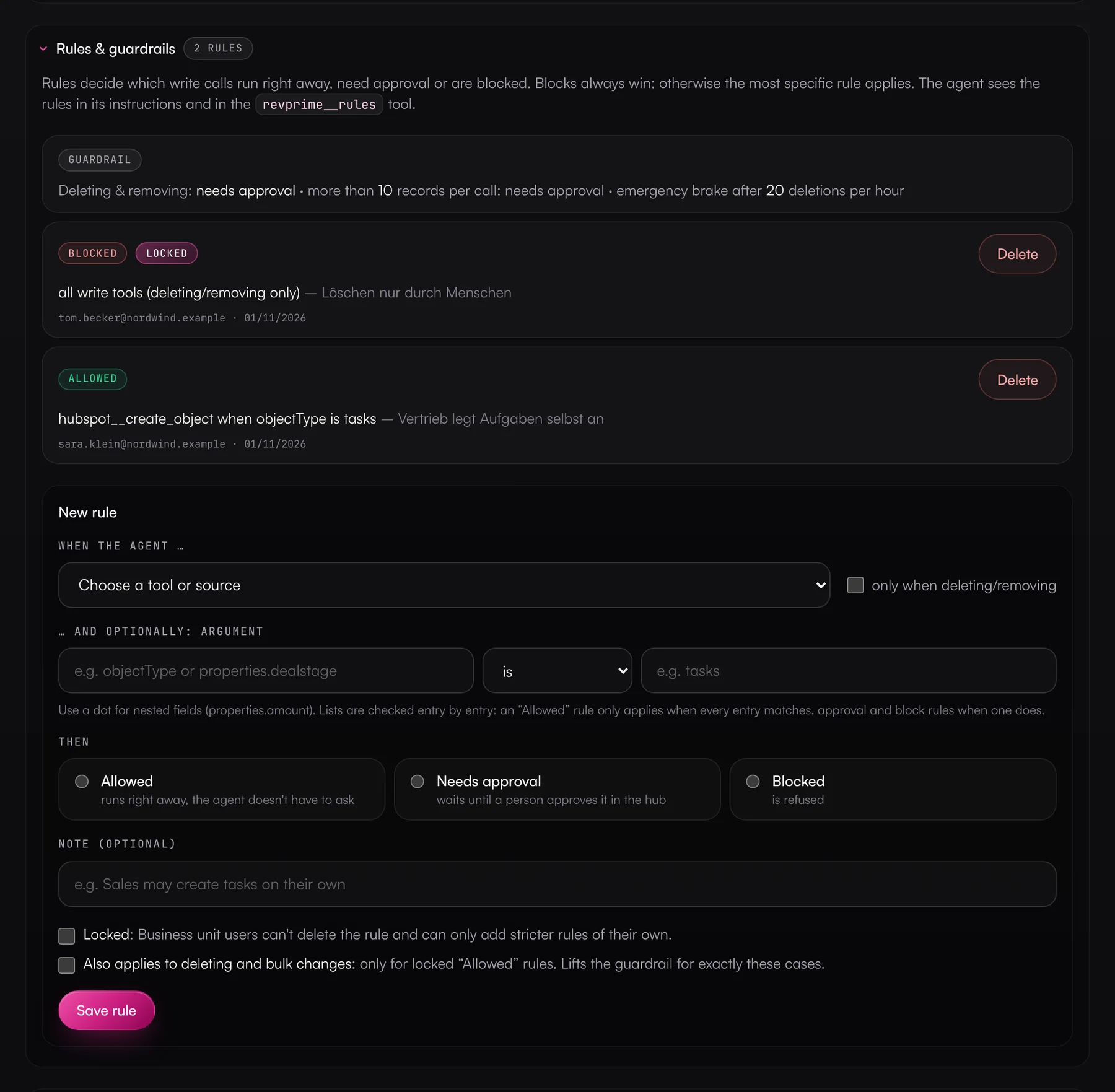
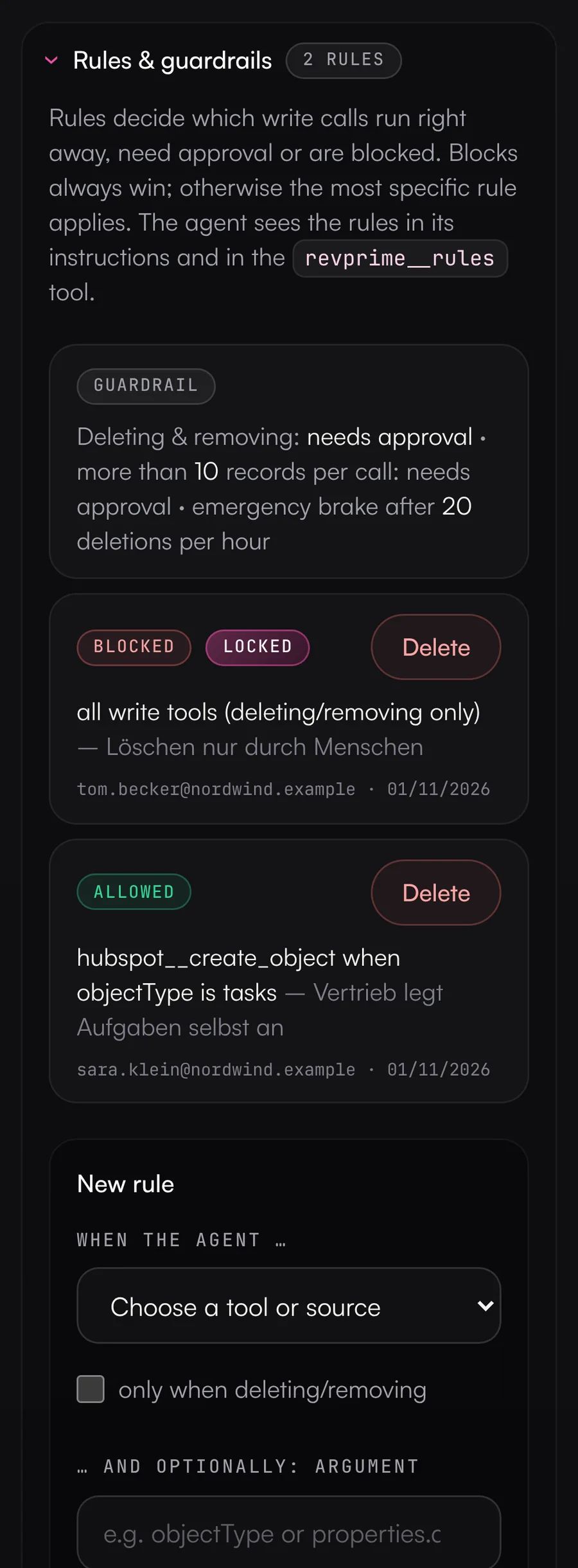
- Rules per tool and argument
- Undo for HubSpot changes
- Rights check against the vendor
What slows you down today.
Every team wants an agent in your CRM
Marketing wants to enrich leads, sales wants notes and tasks, the SDR team wants to run sequences. You end up with full-access API keys in five different tools.
One bad run can break a thousand records
An agent sets the wrong lifecycle stage or overwrites deal owners in bulk. Cleaning up takes longer than the run did.
Nobody knows who changed what
The change history only shows the integration user. Which agent acted, and on whose instruction, stays unclear.
Permissions don't line up
The agent is supposed to update deals, but the connected account lacks the scope. You only notice once the errors start.
One thing leads to another.
From bottleneck to result in five steps.
- 01
Agents in your CRM are coming, with or without you.
Better to have the rules in one place before every team builds its own integration.
- 02
Each agent gets its own access and its own rules.
Every agent has an MCP server with its own tool access. Rules per tool, source or argument define what runs without asking, what needs approval and what's blocked, for example tasks yes, deals only with confirmation.
- 03
Bulk changes need an OK.
If a call changes more than 10 records or deletes anything, it waits for approval by default. After 20 deletes in an hour, the server refuses any more.
- 04
Mistakes can be undone.
Before changes to HubSpot records, the Data Hub notes which fields are affected. Undo pulls the old values from HubSpot's history and never overwrites anything someone changed since.
- 05
You see gaps before they cause trouble.
The rights check shows, for each MCP server, which enabled tools the connected account isn't allowed to use at the vendor, and how to fix it.
What this looks like day to day.
- 01
Deal hygiene before quarter close
Before the quarter closes- The agent finds deals with no amount, an outdated close date or no activity.
- Your rules let it create tasks for the owners right away.
- Changes to deals wait for your approval, and anything touching more than 10 records always does.
ResultAfterwards, forecasting and reporting can rely on your CRM.
Uses

- 02
Lifecycle stages after an event
After an event or webinar- The agent matches attendees against the CRM and suggests the next lifecycle stage for each contact.
- Moving 40 contacts to SQL shows up as an approval request in your Slack channel.
- If a match was wrong, you revert it in the activity log.
ResultSales gets the right leads, and wrong changes don't stay in the CRM.
Uses - 03
Outbound replies to CRM
Running outbound sequences of the SDR team- The agent reads replies from Instantly and HeyReach and sorts them by interest.
- It creates interested contacts in the CRM with the conversation context.
- It flags campaigns with weak reply rates along with a suggestion. Your rules decide whether it may pause them itself or only after approval.
ResultHot leads don't sit in the inbox, and the CRM shows what happened.
Uses

- 04
Reviewing agent access
Monthly or before an audit- For each MCP server, you see which tools are enabled and which of them the connected account isn't allowed to use at the vendor.
- The activity log shows every call with agent, tool, result and duration, including refused ones.
- You export usage per business unit and month as CSV.
ResultWhen IT asks what the agents do in the CRM, you have an answer with evidence.
Uses
Tasks yes, deals only with confirmation.
Rules apply per tool, source or argument. As an admin, you can lock them, and the agent knows them before it calls its first tool.
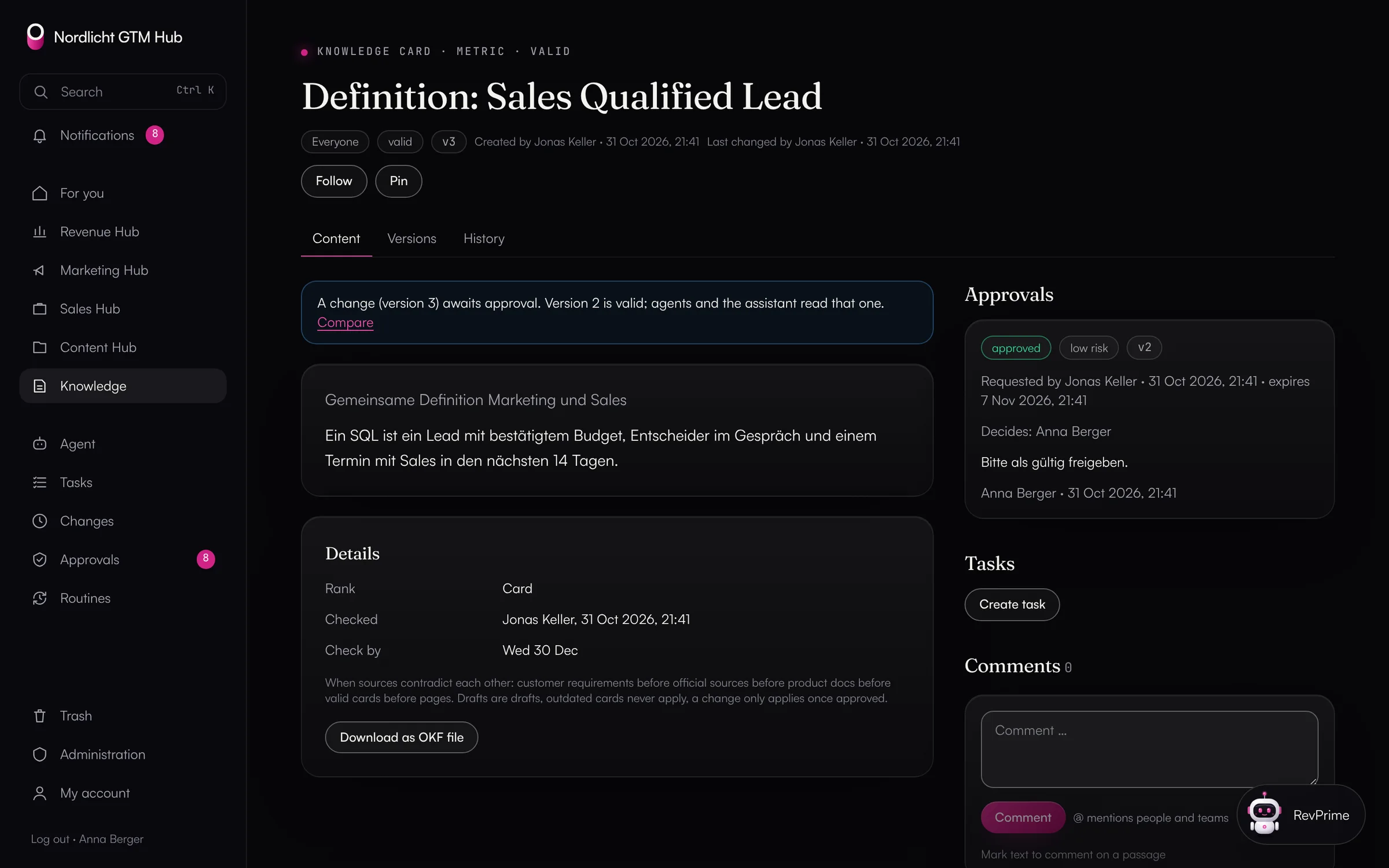
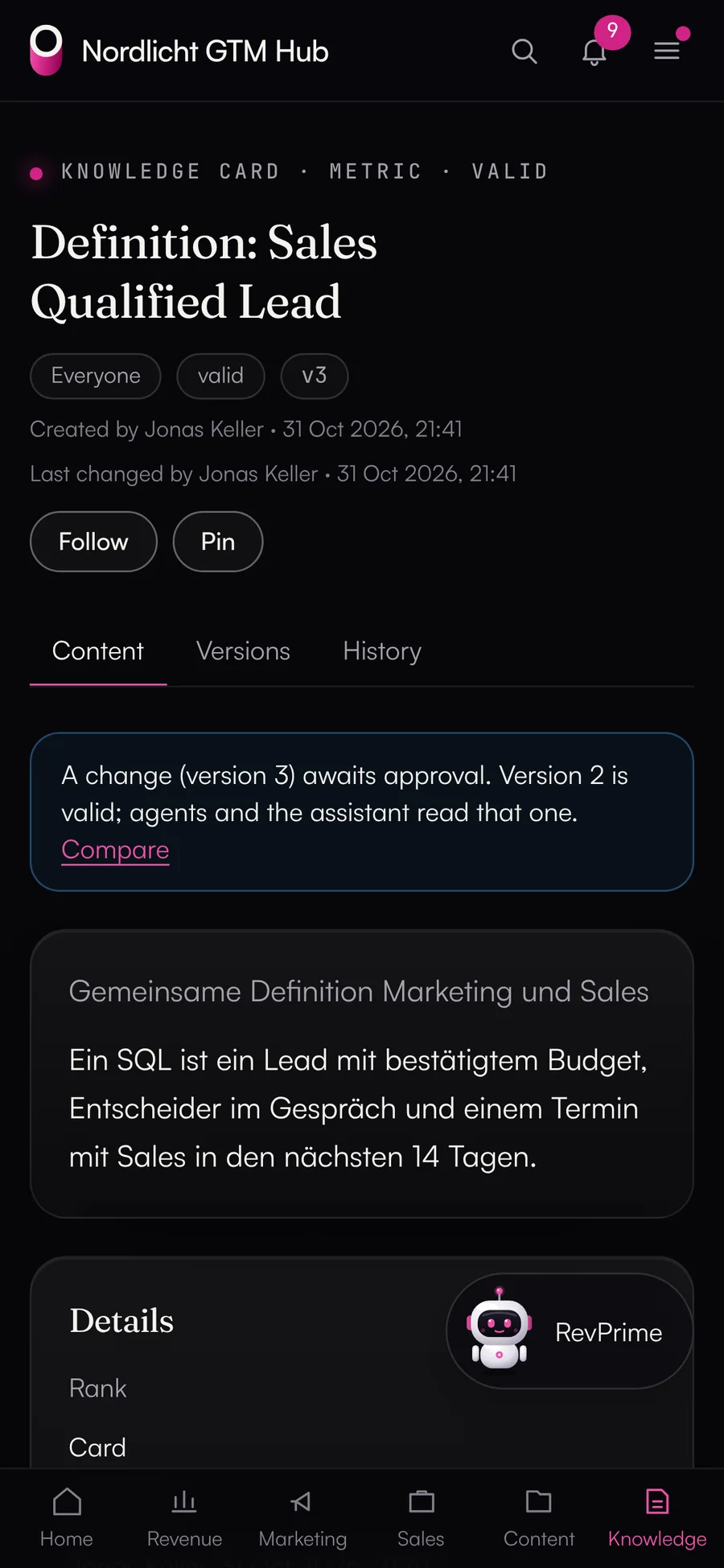
Definitions that apply only after approval.
In the GTM Hub, you record field and metric definitions as knowledge cards. They only apply after an approval, and your agents always read the valid version. Dashboards come from templates or the agent, routines run on a schedule, and the history shows every change with before and after.
- Permissions per person and hub, plus row-level security in the database
- Routines read-only by default, with limits per run and per month
- Agents only write as proposals
- Export all data at any time
Built for RevOps.
Rules per tool and argument
No approval, needs approval or blocked, optionally depending on the arguments. As an admin, you can lock rules.
Guardrails
Delete, archive and unsubscribe only with approval, approval for anything over 10 records, emergency brake after 20 deletes per hour.
Undo
Revert updated, created and associated HubSpot records and campaign statuses in the activity log. Only references are stored.
Rights check
Shows granted scopes, account roles and vendor refusals per MCP server, each with how to fix it.
Approvals where your team works
The head of sales or the CRM owner, for example, approves in the Data Hub or through a link. With the Slack app this works right in Slack, in Microsoft Teams through a link to the approval page.
Log and usage
Every call in the activity log, usage counters per business unit and month, CSV export.
Frequently asked questions.
›Can teams set their own rules?
Yes. Business unit users create rules for their agents. As an admin you lock individual rules. Rules set by a team can then only make a locked rule stricter, never looser.
›What can be undone?
Updated, created and associated HubSpot records, plus campaign statuses in Google Ads, LinkedIn Ads, Meta Ads, Instantly and HeyReach. Deletes, budgets, generic API requests and tools from vendor MCP servers can't. For this the Data Hub stores only references (record IDs, field names and the previous campaign status, 30 days).
›Does it work with Salesforce?
Yes, with a user sign-in or an integration user, sandboxes included. The agent reads through SOQL, SOSL and reports and keeps records up to date. Guardrails, approvals, the rights check and the activity log work the same way. Undo isn't available for Salesforce yet.
›Does the Data Hub store our CRM data?
No. The Data Hub fetches content from the vendor on every call and passes it to the agent. It stores configuration, encrypted credentials and the log, and for approvals the arguments and result of that one action, encrypted.
- Revenue leadersKnow on Monday where plan, pipeline and budget stand, without anyone building reports. Checked against the source, with controls your IT team can sign off on.→
- Marketing & demand genRun campaigns by pipeline instead of clicks, with agents that read your ad accounts and your CRM together.→
- Sales & SDR teamsLess CRM upkeep, more time with customers: agents update your deals and tasks within the rules RevOps sets, and deal rooms and the deal radar keep your open deals in view.→
See what this looks like for you.
In 30 minutes, we'll show you the GTM Hub and the Data Hub with your own tools and your use case.