


Update deals, notes and tasks by chat.
After a call you write the agent two sentences, and it logs the note, the next step and a task in the CRM. Before the forecast you ask which of your deals are stuck. As an SDR you see which sequence gets replies. RevOps decides in the Data Hub what the agent may change in the CRM and what needs approval first.
- Notes, tasks and calls by chat
- Report on your own pipeline and sequences
- Rules and approvals from RevOps
What slows you down today.
CRM upkeep eats your evening
After five calls a day, notes, next steps and close dates are missing. Catching up gets pushed back, and the forecast call lacks the details.
Your own numbers live in other people's reports
Which of your deals are stuck and which sequence works sits in a dashboard RevOps builds. The answer often arrives a week late.
Coaching on gut feeling
The 1:1 runs on impressions because nobody went through the rep's deals and activities beforehand.
Unofficial AI in the CRM
If you use an agent today, you copy deal data into a chat by hand. That's usually not allowed, and nothing makes it back into the CRM.
One thing leads to another.
From bottleneck to result in five steps.
- 01
You'd rather sell than maintain data.
Every minute in the CRM is a minute you don't spend with a customer. Forecasts and handovers still depend on those entries.
- 02
In a chat, upkeep happens on the side.
In HubSpot the agent creates notes, tasks, calls and meetings and updates deal fields; in Salesforce it keeps records up to date. You tell it what happened in the call, and it puts it in the right place.
- 03
You get your numbers on request.
The agent reads your deals, activities and sequences and works out what you want to know, such as deals with no next step or reply rates per campaign. It checks the figures against a fresh query before answering.
- 04
Coaching rests on data.
As a sales lead, you go through a rep's deals and activities with the agent before a 1:1. You create your own playbooks for this in the library.
- 05
RevOps stays in control of the CRM.
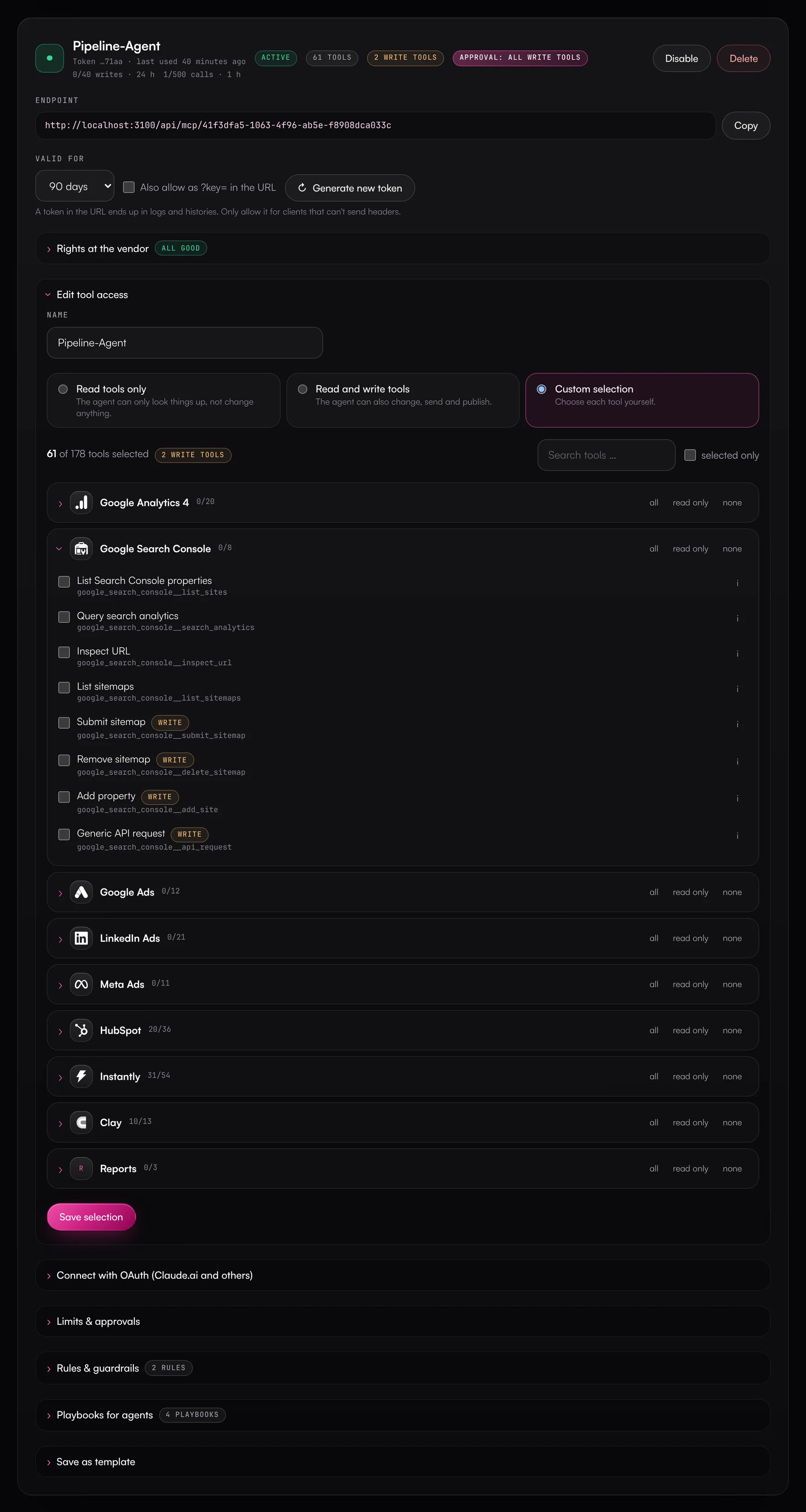
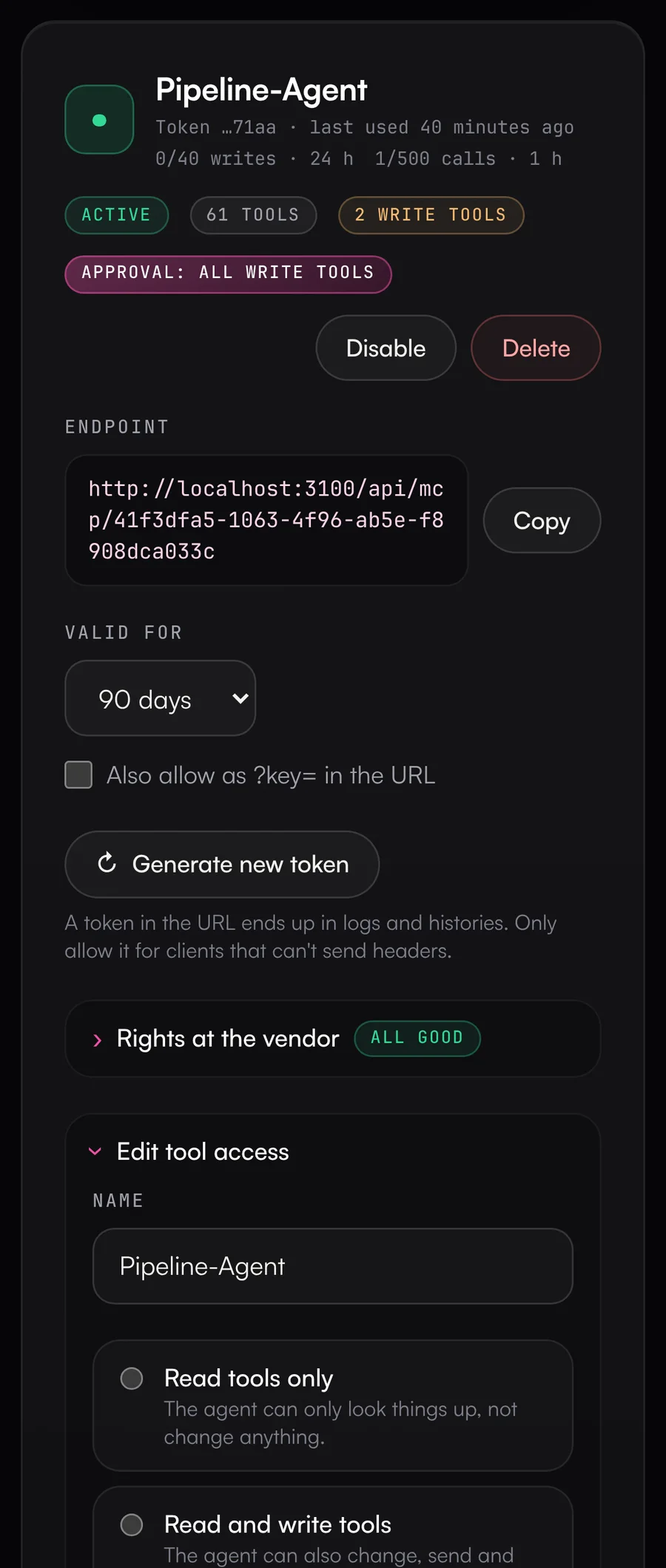
Your team gets its own MCP server, for example with the rule “tasks and notes without asking, deal changes only with approval”. Every call is in the activity log, and changes to HubSpot records can be reverted.
What this looks like day to day.
- 01
Call notes straight into the CRM
Right after the customer meeting- You tell the agent in Claude or ChatGPT what was discussed in the call and what comes next.
- It adds the note to the deal, logs the call and creates a task for the next step.
- If the deal stage should change too, that change waits for the approval RevOps has set up.
ResultThe deal is up to date before your next meeting starts.
Uses

- 02
My pipeline on Monday
Every Monday before your team meeting- The agent pulls your open deals, filtered to you as the owner.
- It flags deals with no next step, no activity in 14 days or an outdated close date.
- For each of them it suggests a task and creates it once you say OK.
ResultYou know where to start this week without clicking through lists.
Uses - 03
Comparing sequences in your SDR team
Weekly in the SDR standup- The agent reads reply rates, positive replies and deliverability of your team's campaigns in Instantly and HeyReach.
- It compares the campaigns with each other and with the previous week.
- It creates interested contacts in the CRM with the conversation context.
ResultYou see which message books meetings, and the hot leads are already in the CRM.
Uses

- 04
Coaching before the 1:1
Before the weekly 1:1- As a sales lead, you ask the agent for a rep's deals and activities over the last four weeks.
- The agent shows which deals have sat in the same stage for weeks and where activities are missing.
- From that it suggests topics for the conversation.
ResultThe 1:1 is about specific deals.
Uses
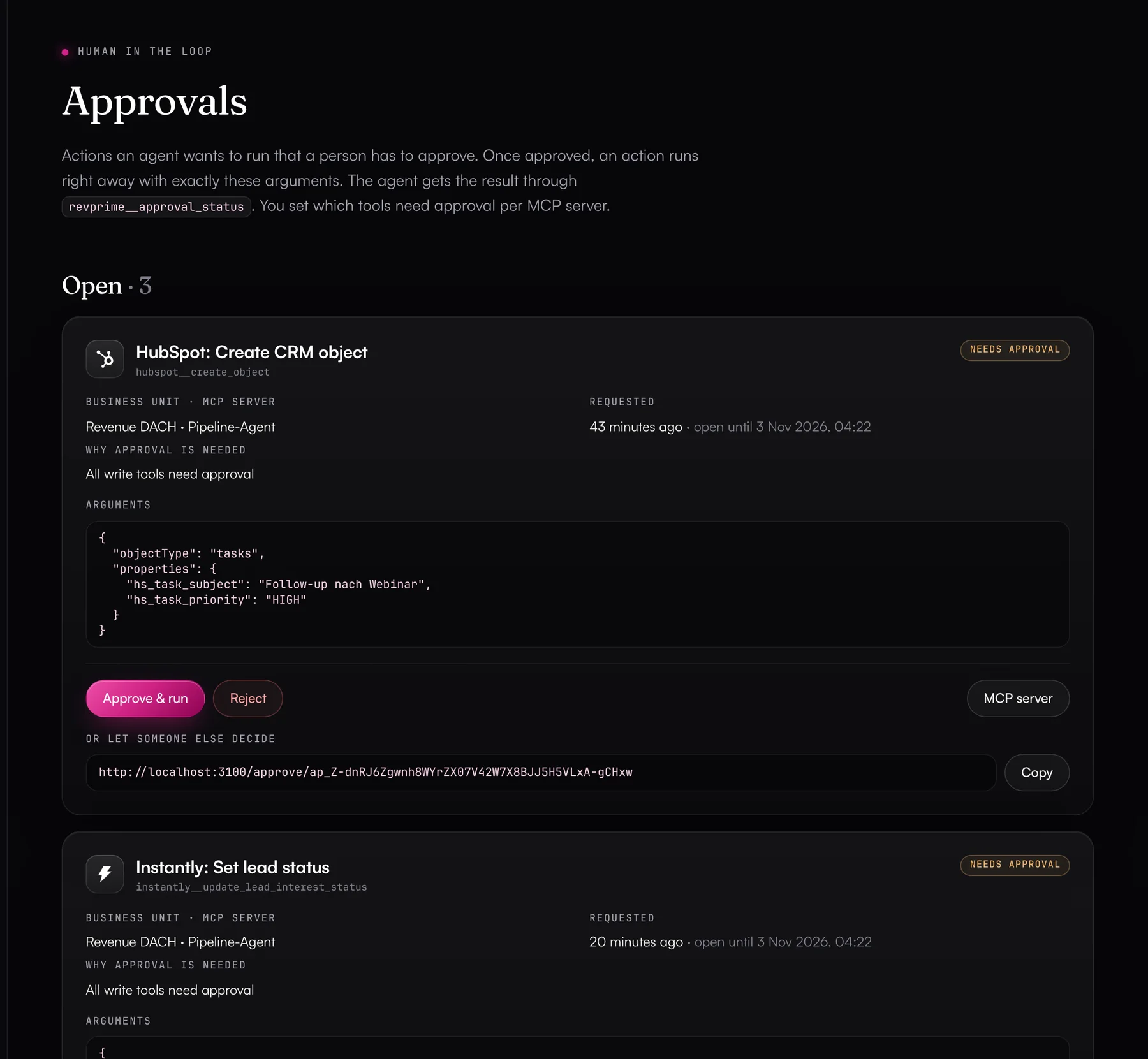
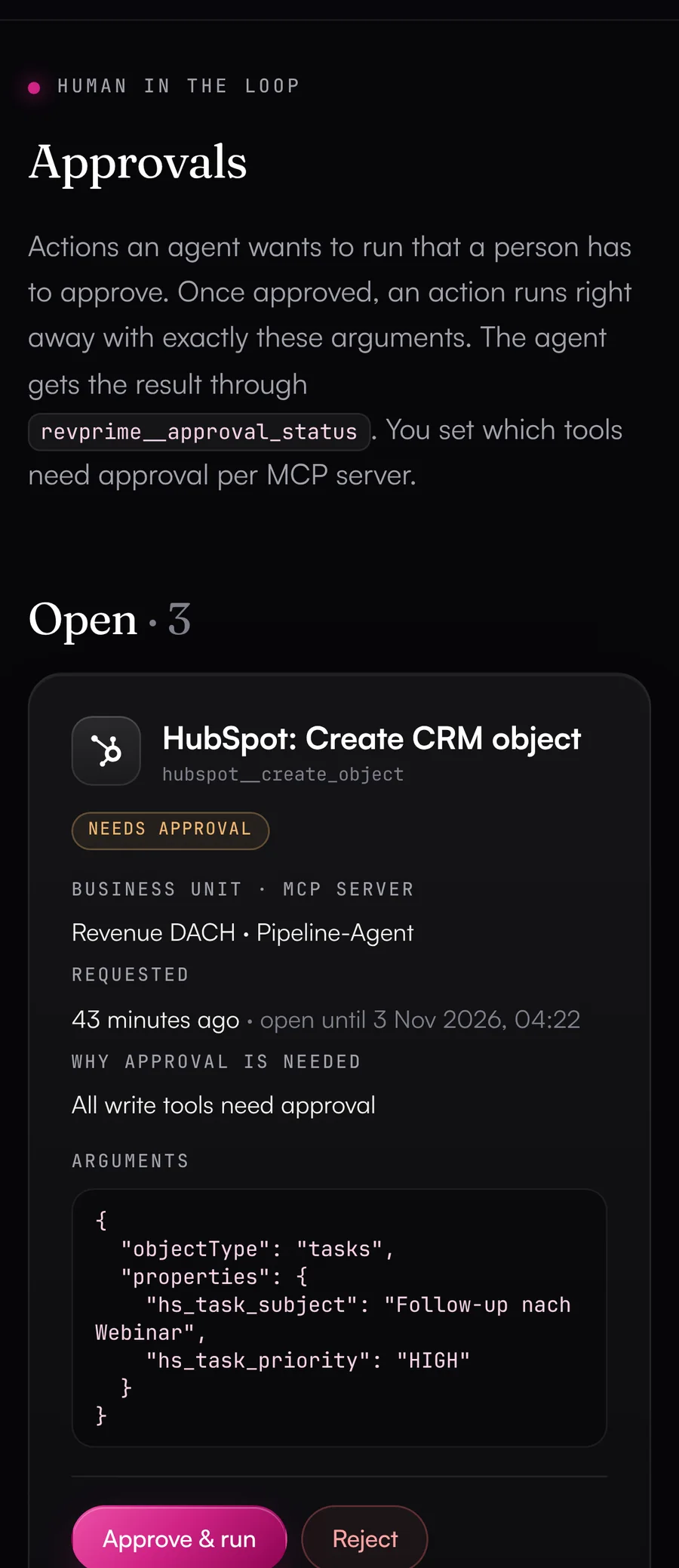
Stage changes only run after an approval.
If a change needs approval, the sales lead gets it with every value in the Data Hub, in Slack or as a link. Once approved, it runs right away.
Deal rooms for prospects, a radar for the open pipeline.
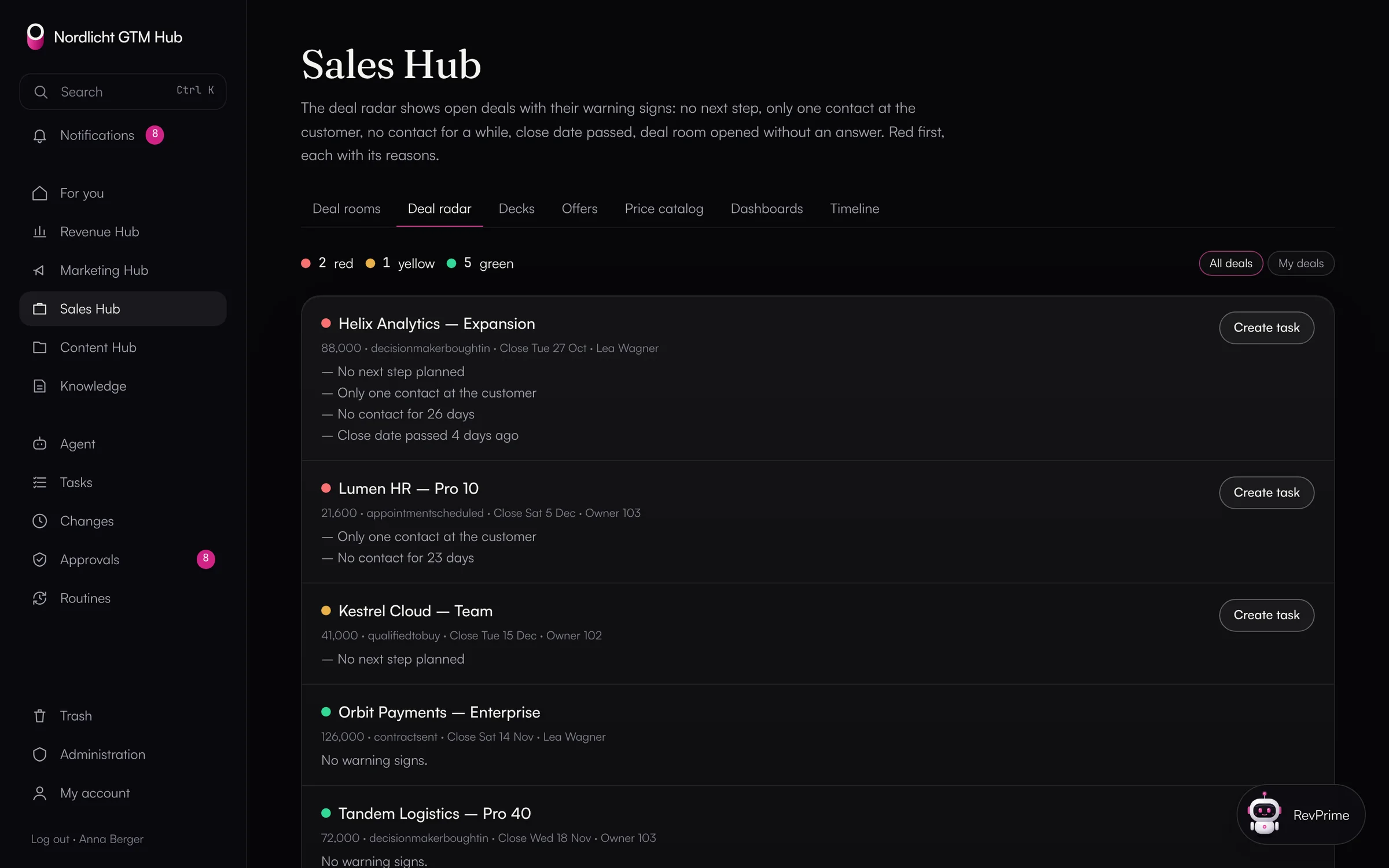
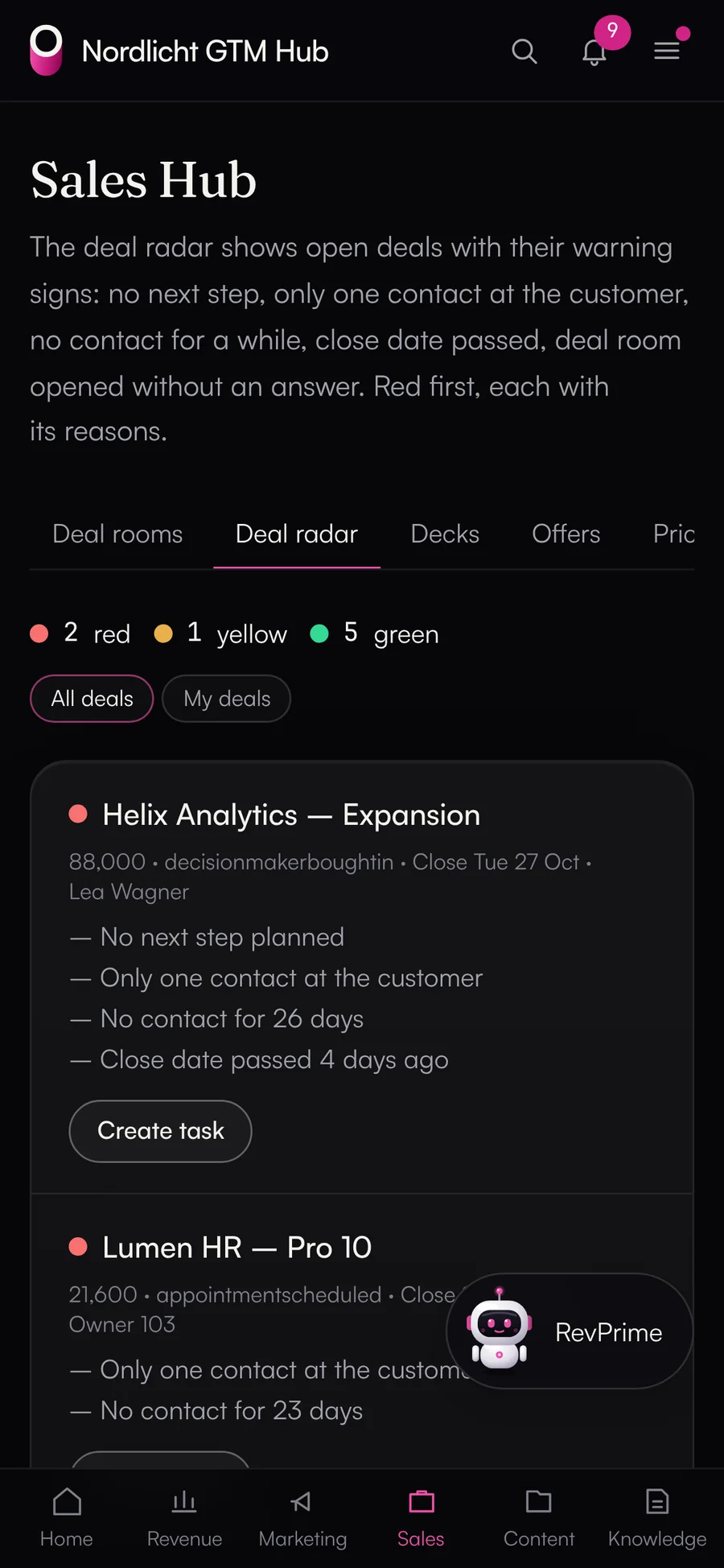
In the Sales Hub, every prospect gets a deal room with decks, the offer and the path to a decision, plus a personal link for each person on the buying committee. The deal radar shows which of your deals have no next step or haven't been touched in weeks.
- Views per document, without IP address or device
- Customer versions of decks that follow the base deck
- Offers from the price catalog, discounts with approval
- “Create task” right from the radar
Built for sales and SDR teams.
CRM upkeep by chat
The agent creates notes, tasks, calls and meetings, updates deal fields and associates records. In Salesforce it keeps records up to date through the Salesforce tools.
Your own reports
The agent analyzes your deals, activities and sequences on request, with a fact check before every figure.
Playbooks for the day-to-day
CRM deal hygiene and the outbound review come ready-made. You create your own playbooks, for example to prepare a 1:1, in the library.
Rules from RevOps
RevOps decides what runs without asking, such as tasks and notes, and what needs approval, such as changes to deals.
Undo
If the agent got something wrong, you revert changed HubSpot fields in the activity log.
No copying into chats
The agent reads straight from your CRM through the connection in the Data Hub. You don't have to copy deal data into a chat by hand.
Frequently asked questions.
›Does each rep see only their own deals?
Not automatically. The agent works with the permissions of the connected CRM account and filters to your deals when you ask for them. There's no fixed per-person separation today. Teams and regions can be separated with their own business units and connections.
›Which AI apps work?
Any MCP client that supports Streamable HTTP, such as Claude, ChatGPT or Copilot. Most of them sign in with OAuth, so you only enter the MCP server URL.
›Is there coaching from call recordings?
Not yet. Gong and other call recording tools aren't connected. Coaching currently relies on deals, activities and outbound numbers from the CRM, Instantly and HeyReach.
›What if the agent logs something wrong?
You revert updated, created and associated HubSpot records in the activity log. Salesforce has no undo yet, so approvals before changes help there.
- Revenue leadersKnow on Monday where plan, pipeline and budget stand, without anyone building reports. Checked against the source, with controls your IT team can sign off on.→
- Marketing & demand genRun campaigns by pipeline instead of clicks, with agents that read your ad accounts and your CRM together.→
- RevOpsAutomate revenue processes without giving up control: rules, approvals, undo and a log of every call.→
See what this looks like for you.
In 30 minutes, we'll show you the GTM Hub and the Data Hub with your own tools and your use case.